
Primea ReviewsAll Reviews

Primea Reviews is reader-supported. When you buy through our Amazon links we may earn a commission, at no extra cost to you. Rankings are set by our editors and never sold. Learn more

Ranked & Reviewed by Primea Reviews

The 6 Best Printers Under $150 for Home and Small Offices, Ranked & Reviewed

By the Primea Editorial TeamUpdated November 3, 202611 min read6 products ranked
The 6 Best Printers Under $150 for Home and Small Offices, Ranked & Reviewed

The short answer

The Brother HL-L2405W is the best budget printer for text, a compact wireless monochrome laser that avoids the dried-ink problem. The Canon LBP6030w is the lower-priced laser alternative, the Canon PIXMA TR4720 is the all-in-one with a document feeder and fax, and the PIXMA TS6520 and TS4320 add color and duplex for families.

The Primea Scoreboard

Ranked & Reviewed

  1. A compact wireless laser that prints black-and-white text without the cost of ink.

    94Outstanding
    Check price
  2. A lower-priced wireless mono laser rated up to 19 pages per minute.

    92Outstanding
    Check price
  3. A color inkjet that prints, scans, copies and faxes, with an automatic document feeder.

    90Excellent
    Check price
  4. A color all-in-one with automatic duplex and a 1.42 inch OLED display.

    88Excellent
    Check price
  5. A basic color all-in-one with automatic duplex and an easy setup process.

    86Excellent
    Check price
  6. A budget color all-in-one that includes a 3-month Instant Ink trial.

    84Very Good
    Check price

The sticker price of a cheap printer is the smaller part of the bill. Most printers in this range are sold at or near cost, and the manufacturer earns its margin on the ink or toner that follows. A printer that costs less than $100 can cost more than that every year in cartridges if you print often, while a slightly dearer laser can run for years on a single toner. Before you look at features, decide how much you print and whether you need color.

We ranked six printers under $150 on running cost, print quality for the job, duplex printing, scanning, wireless setup and size. We reviewed manufacturer listings, which state the engine type and functions but rarely a cost per page, so we explain the logic rather than quote figures. One listing sits near the top of the price bracket, so check the current price before ordering.

Before you buy

What Actually Matters

01

Laser versus inkjet

Laser printers use toner powder that does not dry out, and a cartridge prints many pages. Inkjets print color and photos and can scan, but ink costs more per page and can clog if unused. Choose laser for text and inkjet for color.

02

Cost per page

Cost per page is cartridge price divided by pages printed. It is the biggest factor over time, and low-end inkjets often have high ones. Check the cartridge model and its stated page yield on the manufacturer's page before buying.

03

Automatic duplex

Duplex prints on both sides of the paper without you flipping the sheet. It halves paper use for documents. Look for automatic duplex in the specs, since manual duplex means you reload the pages.

04

Document feeder

An automatic document feeder pulls sheets through the scanner one by one. It is valuable for multi-page scans and copies. Look for ADF on the listing, which is rare under $150.

05

Subscription and cartridge policy

Some printers push ink subscriptions and may limit third-party cartridges. These plans can save money for heavy printers and cost more for light ones. Read the terms and check whether you can print without enrolling.

In-depth reviews

Our Ranked Picks, Reviewed

1

Best Overall

Brother HL-L2405W Wireless Compact Monochrome Laser Printer

Our verdict: A compact wireless laser that prints black-and-white text without the cost of ink.

The Brother HL-L2405W is a compact monochrome laser printer with wireless and mobile printing and Alexa support. It prints only, with no scanning or copying. It sits near the top of the $100 to $200 bracket.

It wins because a laser printer is the best answer for most home offices that print text. Toner does not dry out the way inkjet ink can, so a printer that sits unused for weeks still works, and a toner cartridge prints many more pages. Wireless and mobile printing make setup straightforward, and the compact body fits on a shelf. The lack of a scanner and color are the trade-offs. Check the price against the $150 limit before buying.

Buy it for a household or small office that prints documents, forms and school work. Pair it with a phone scanning app for the occasional scan.

Type
Monochrome laser
Functions
Print only
Connectivity
Wireless, mobile, Alexa
Size
Compact

What we like

  • +Laser toner does not dry out
  • +Wireless and mobile printing
  • +Compact footprint
  • +Works with Alexa

Watch out for

  • −No scan or copy function
  • −Black and white only

Buy it if: Home offices printing mostly black-and-white text documents.

Skip it if: You need color or a scanner in the same machine.

2

Best Budget Laser

Canon imageCLASS LBP6030w Compact Wireless Laser Printer

Our verdict: A lower-priced wireless mono laser rated up to 19 pages per minute.

The Canon imageCLASS LBP6030w is a monochrome laser printer rated up to 19 pages per minute, print only, with wireless connectivity and a compact footprint. It comes with a one-year limited warranty and is priced at $50 to $100.

It takes second place because it gives the laser benefits for less than the Brother. Nineteen pages a minute is a good speed for a home printer, and the compact body fits on a bookshelf. The price difference is the main appeal, but the listing is brief on mobile printing and setup features. A one-year warranty is standard.

Choose it if you want a laser printer for text at the lowest price. If you value Alexa or mobile apps, the Brother adds them.

Type
Monochrome laser
Speed
Up to 19 pages per minute
Functions
Print only
Warranty
1-year limited

What we like

  • +Laser printing at a lower price
  • +Up to 19 pages per minute
  • +Wireless connectivity
  • +Compact body

Watch out for

  • −Print only, no scanner
  • −Black and white only

Buy it if: Budget-conscious buyers who want laser economics without the higher Brother price.

Skip it if: You need to scan or print in color.

3

Best for Documents and Fax

Canon PIXMA TR4720 All-in-One Wireless Printer

Our verdict: A color inkjet that prints, scans, copies and faxes, with an automatic document feeder.

The PIXMA TR4720 is a color inkjet all-in-one that prints, scans, copies and faxes. It has an automatic document feeder, mobile printing support and wireless connectivity in a compact design. The street range is $50 to $100.

Third place goes to it because the automatic document feeder and fax are rare at this price. A feeder lets you scan or copy a multi-page document without lifting the lid for each sheet, which saves time with tax papers and forms. The cost is the inkjet's running expense and the risk that ink dries out if the printer sits idle. Print quality is good for documents and photos at everyday sizes.

Buy it for a home office that scans paperwork and still sends the odd fax. If you print rarely, a laser avoids dried ink.

Type
Color inkjet all-in-one
Functions
Print, scan, copy, fax
Feeder
Automatic document feeder
Connectivity
Wireless, mobile

What we like

  • +Automatic document feeder
  • +Fax function included
  • +Prints, scans and copies in color
  • +Compact design

Watch out for

  • −Inkjet running costs add up
  • −Ink can dry out if idle

Buy it if: Home offices needing fax and document feeding without spending near the full budget.

Skip it if: You print rarely and want to avoid dried ink.

4

Best Control Panel

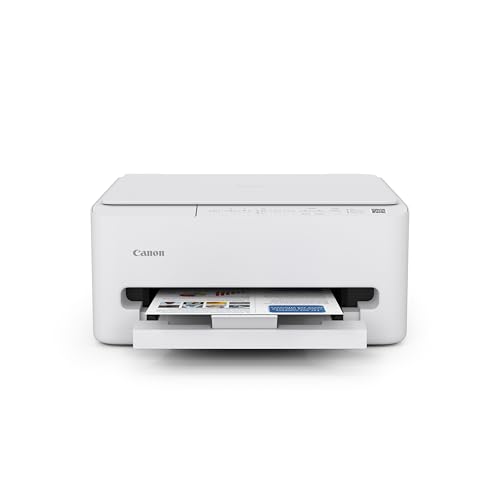
Canon PIXMA TS6520 Wireless Color Inkjet Printer

Our verdict: A color all-in-one with automatic duplex and a 1.42 inch OLED display.

The PIXMA TS6520 is a color inkjet all-in-one that prints, scans and copies, with two-sided printing handled by the machine, plus a small OLED screen (1.42 inches) and a simple button layout. Compact, and sold at $50 to $100.

Fourth place suits it because the OLED display and panel are the easiest to use in this group, which matters for a shared family printer. Automatic duplex halves paper use on documents. It lacks the TR4720's document feeder, so multi-page scanning is manual. Like any inkjet, it needs regular use to keep nozzles clear.

Choose it if you want the simplest day-to-day control and automatic two-sided printing. For heavy text, a laser is cheaper per page.

Type
Color inkjet all-in-one
Functions
Print, scan, copy
Duplex
Automatic
Display
1.42 inch OLED

What we like

  • +Automatic two-sided printing
  • +OLED display shows status clearly
  • +Prints, scans and copies in color
  • +Compact design

Watch out for

  • −No document feeder
  • −Inkjet cartridge costs

Buy it if: Home users who want the easiest day-to-day control panel experience.

Skip it if: You scan long multi-page documents.

5

Best Low-Cost Duplex

Canon PIXMA TS4320 Wireless Color Inkjet Printer

Our verdict: A basic color all-in-one with automatic duplex and an easy setup process.

The PIXMA TS4320 prints in color, scans and copies, flips pages for two-sided output on its own, connects wirelessly and is billed as quick to set up. Look for $50 to $100.

Fifth place fits because it gives you duplex and color at the lowest practical price, without the OLED display of the TS6520. Easy setup is its quiet strength, which suits a buyer who just wants a printer working in minutes. It is a plain machine, and features such as a feeder and fax are absent.

Buy it for a student or a family that wants color and duplex on a budget. Print something weekly to keep the ink healthy.

Type
Color inkjet all-in-one
Functions
Print, scan, copy
Duplex
Automatic
Setup
Easy process

What we like

  • +Automatic duplex at a low price
  • +Easy setup process
  • +Color printing and scanning
  • +Compact design

Watch out for

  • −Basic control panel
  • −No document feeder or fax

Buy it if: Buyers who want duplex printing while spending the least under $150.

Skip it if: You need a feeder or faster printing.

6

Best for Light Use

HP DeskJet 4355 Wireless All-in-One Color Inkjet Printer

Our verdict: A budget color all-in-one that includes a 3-month Instant Ink trial.

The HP DeskJet 4355 is a wireless color inkjet all-in-one that prints, scans and copies, in a compact body. It includes a three-month Instant Ink trial and has AI-capable printing features. Typical pricing runs $50 to $100.

Last place follows because the listing highlights a subscription trial rather than a feature that lowers cost. Instant Ink is a paid plan that sends cartridges based on pages printed, and it can be good value for steady printers but is wasted on light ones. Check how the printer treats third-party cartridges and what happens when you cancel the plan. It has no duplex listed, and print speeds are not stated.

Buy it for light home printing when the lowest price counts. Read the subscription terms before you enroll.

Type
Color inkjet all-in-one
Functions
Print, scan, copy
Trial
3-month Instant Ink
Connectivity
Wireless

What we like

  • +Low price of entry
  • +Three-month Instant Ink trial
  • +Prints, scans and copies
  • +Compact body

Watch out for

  • −No duplex listed
  • −Subscription terms need reading

Buy it if: Light home printing where saving budget matters most.

Skip it if: You print a lot or want to avoid subscriptions.

Methodology

How We Ranked These

Running cost

We weighed laser against inkjet for cost per page and idle reliability, since ink and toner outweigh the purchase price.

Functions

We compared print, scan, copy and fax, and noted automatic document feeders, which save time on multi-page jobs.

Duplex and speed

We looked at automatic two-sided printing and stated speeds, which affect paper use and waiting.

Setup and controls

We considered wireless setup, mobile printing and the clarity of the control panel.

Price and warranty

We checked each price bracket against the $150 limit and noted warranty terms where stated.

Every Primea Score uses the same weights: Performance 30% · Build & Materials 20% · Everyday Usability 20% · Value 20% · Owner Satisfaction 10%. Full scoring rules

Buyer's guide

How to Pick the Right One for You

By What You Print

Text, color and scanning each point to a different printer type.

What you printOur pick
Mostly text documentsBrother HL-L2405W Wireless Compact Monochrome Laser
Text on the lowest budgetCanon imageCLASS LBP6030w Compact Wireless Laser
Color, scans and faxCanon PIXMA TR4720 All-in-One Wireless Printer
Color for the familyCanon PIXMA TS6520 Wireless Color Inkjet Printer

By Budget

SpendOur pick
$50 to $100, laserCanon imageCLASS LBP6030w Compact Wireless Laser
$50 to $100, duplexCanon PIXMA TS4320 Wireless Color Inkjet Printer
$50 to $100, light useHP DeskJet 4355 Wireless All-in-One
$100 to $200Brother HL-L2405W Wireless Compact Monochrome Laser

Laser vs Inkjet

Laser

Sharp black text, lower cost per page and no dried-ink worry, but no color. Picks: Brother HL-L2405W and Canon LBP6030w.

Inkjet all-in-one

Color, photos and scanning in one machine, but pricier ink and a risk of clogging. Picks: the Canon PIXMA models and HP DeskJet 4355.

Choose laser if you print documents weekly, and inkjet if color and scanning matter more.

By Extra Features

Feature you needOur pick
Document feeder and faxCanon PIXMA TR4720 All-in-One Wireless Printer
Clear OLED displayCanon PIXMA TS6520 Wireless Color Inkjet Printer
Cheap automatic duplexCanon PIXMA TS4320 Wireless Color Inkjet Printer
Alexa and mobile printingBrother HL-L2405W Wireless Compact Monochrome Laser

For Students and Home Study Specifically

Look for

Reliable wireless setup, low cost per page for essays and handouts, and duplex to save paper. Color is helpful for projects.

In this ranking

The Brother HL-L2405W is the best for essays, and the Canon PIXMA TS4320 gives color and duplex at the lowest cost.

When to Spend More

Spend more if

You print every week and want cheap pages and no clogging. The Brother laser repays its $100 to $200 over time.

Save if

You print occasionally and need color. The Canon PIXMA TS4320 does it for $50 to $100.

Questions

Frequently Asked Questions

Do these printers work with a phone?+

Yes, all list wireless printing, and the Brother and Canon PIXMA TR4720 mention mobile printing support. Install the maker's app and connect to your home network. Setup takes a few minutes.

What is the most common mistake with cheap printers?+

Ignoring ink or toner cost. A cheap printer with expensive cartridges costs more over time. Check cartridge prices and yields before you buy.

Is a laser printer worth it over an inkjet?+

For text it is, because toner is cheaper per page and does not dry out. Inkjets win for color and photos and for scanning. If you print once a month, a laser avoids clogged ink.

How do I keep ink from drying out?+

Print a page or run a nozzle check every week or two. Keep the printer powered by turning it off with the power button, which caps the heads. Leaving it unused for months risks clogs.

Can I use third-party cartridges?+

Often, but policies vary, and some printers reject them or warn. Check the maker's current policy and the cartridge compatibility. Genuine cartridges are the safe, if dearer, option.

Do I need a scanner in a printer?+

Not necessarily. Many people scan with a phone app, which works well for occasional documents. If you scan often, an all-in-one with a feeder saves time.

Final take

The Brother HL-L2405W is the best printer under $150 for most people who print text, thanks to cheap toner and no dried-ink problems. The Canon LBP6030w is the lower-cost laser, the TR4720 suits home offices with scanning and fax, and the TS6520 and TS4320 suit families that need color and duplex.

More Ranked & Reviewed Guides