
Primea ReviewsAll Reviews

Primea Reviews is reader-supported. When you buy through our Amazon links we may earn a commission, at no extra cost to you. Rankings are set by our editors and never sold. Learn more

Ranked & Reviewed by Primea Reviews

The 8 Best Printers for Small Spaces of 2026, Ranked & Reviewed

By the Primea Editorial TeamUpdated November 1, 202610 min read8 products ranked
The 8 Best Printers for Small Spaces of 2026, Ranked & Reviewed

The short answer

The Canon PIXMA TS4320 is the best printer for small spaces, a compact quiet inkjet that fits a shelf or closet ledge. The TS6520 adds a small OLED display and automatic duplex, and the Brother HL-L2405W is a compact monochrome laser. The HP DeskJet 4355, Canon TR4720, TS3720 and MG3620 are inkjet alternatives, and the MT610Pro is an inkless thermal printer for a drawer.

The Primea Scoreboard

Ranked & Reviewed

  1. A compact, quiet inkjet that fits a shelf or closet ledge.

    94Outstanding
    Check price
  2. A small OLED screen and auto duplex for printers that sit across the room.

    92Outstanding
    Check price
  3. A smaller footprint than any compact inkjet here, for documents only.

    90Excellent
    Check price
  4. A compact HP all-in-one with a three-month Instant Ink trial.

    88Excellent
    Check price
  5. Auto feeder and fax in a compact body that works on the floor.

    86Excellent
    Check price
  6. The smallest full all-in-one here, with no duplex.

    84Very Good
    Check price
  7. A compact inkjet with solid photo output and mobile printing.

    82Very Good
    Check price
  8. Stores in a drawer, but needs its own thermal paper.

    80Very Good
    Check price

A printer for a small space is a different purchase from a printer for a house. The spec that decides it is where the machine will physically live and how loud it is when it wakes two feet from your bed. Features that make sense in a family home, like feeders and fax lines, turn into bulk you pay for with floor and shelf.

Eight printers went through a spec-sheet review here, and footprint, noise, wireless method and running cost set the order on the Primea score. Prices appear as buckets only. Footprints are described in words, not centimeters, because most listings skip dimensions, so measure the shelf you have in mind.

Before you buy

What Actually Matters

01

Where it will sit

Shelf, desk, corner and drawer are different jobs. A shelf printer needs a small body, while a drawer printer needs to be portable. Check the listing's placement language before choosing, and measure the actual spot, because a printer that needs rear clearance for paper trays will not fit flush against a wall. Leave room for the output tray to open.

02

Noise level

Inkjets are quieter than lasers when printing. This matters in a studio where the printer sits near your bed or call area. Look for the words quiet mechanism in the bullets, as on the Canon PIXMA models, and remember that the Brother laser is louder during active printing. Noise matters most for a printer within arm's reach of a bed.

03

Wireless method

A standard wifi module needs router range, while Bluetooth does not. Check this if the printer will sit far from your router. A printer in a closet behind two walls can drop its connection, and a Bluetooth device avoids the problem at the cost of simpler functions. A wifi extender can help, but adds another box.

04

Extras you will not use

A document feeder and fax add bulk. If you never scan stacks of paper, skip them. Read the title for feeder or fax mentions, and favor a basic all-in-one if your printing is mostly single pages, because extra hardware takes space you cannot spare. Count the sheets you scan in a month before you decide.

05

Consumables

Inkjets can dry out, toner does not, and thermal needs special paper. Pick the type that fits how often you print. A weekly printer suits laser toner, while a daily printer suits an inkjet, and the thermal option makes sense only if you accept proprietary paper. Replacement cost adds up over a year.

In-depth reviews

Our Ranked Picks, Reviewed

1

Best Overall

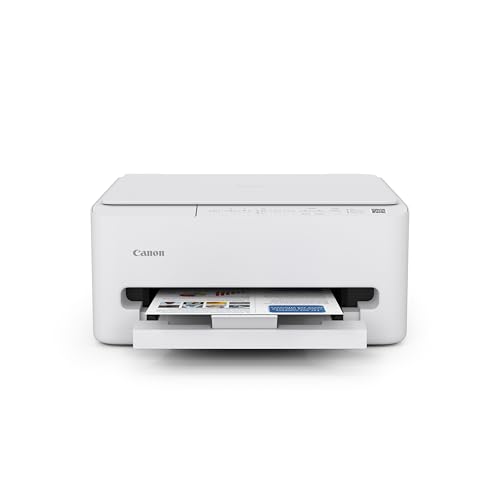
Canon PIXMA TS4320 Wireless Color Inkjet Printer

Our verdict: A compact, quiet inkjet that fits a shelf or closet ledge.

The TS4320 is a compact color inkjet all-in-one that prints, copies and scans over standard home wifi. The listing describes it as friendly to shelf, desk or closet-ledge placement, with a quieter inkjet mechanism, in the $50 to $100 bucket. A quiet mechanism matters when the machine sits near a bed or a call area.

It ranks first because it balances footprint, noise and basic functions at a low price. The TS6520 adds a display and duplex, but at a similar footprint, so the cheaper TS4320 wins on simplicity.

Buy it for studio dwellers who need quiet and flexible placement. The caveats are a basic feature set and light-duty use. Skip it if you print large volumes.

Type
Color inkjet all-in-one
Functions
Print, copy, scan
Wireless
Standard home wifi
Noise
Quieter inkjet mechanism

What we like

  • +Shelf-friendly placement
  • +Quieter operation
  • +Print, copy, scan
  • +Budget price bracket

Watch out for

  • −Basic feature set
  • −Light-duty only

Buy it if: Studio apartment dwellers who need quiet and flexible placement.

Skip it if: You print large volumes.

2

Best with a Display

Canon PIXMA TS6520 Wireless Color Inkjet Printer

Our verdict: A small OLED screen and auto duplex for printers that sit across the room.

The TS6520 is a compact inkjet whose standout is a tiny 1.42 inch OLED screen, plus automatic two-sided printing. It also keeps the quiet inkjet mechanism. Wireless is the standard module, in the $50 to $100 bucket. A screen helps when the printer sits across the room, because you can read errors and settings without a phone.

It trails the TS4320 only because it is no smaller, and the extra features add little to a tiny space. Duplex saves paper and storage, which is a real small-space advantage.

Buy it for printers placed away from your desk. The caveats are that it is no smaller than the TS4320 and uses a standard wireless module. Skip it if you do not need duplex printing.

Display
1.42 inch OLED
Duplex
Automatic
Type
Color inkjet all-in-one
Noise
Quiet inkjet mechanism

What we like

  • +Small OLED display
  • +Automatic duplex printing
  • +Quiet inkjet mechanism
  • +Compact body

Watch out for

  • −No smaller than TS4320
  • −Standard wireless module

Buy it if: Printers placed across the room from your desk.

Skip it if: You do not need duplex printing.

3

Best Compact Laser

Brother HL-L2405W Wireless Compact Monochrome Laser Printer

Our verdict: A smaller footprint than any compact inkjet here, for documents only.

This Brother is a print-only monochrome laser with a smaller footprint than the compact inkjet all-in-ones. It is Alexa compatible, and the toner does not dry out, in the $100 to $200 bucket. A laser's toner stays usable for months between jobs, which suits someone who prints once a week.

It ranks third because it prints but does not copy or scan, and it is louder when printing. For documents only, it is the smallest option with a conventional paper path.

Buy it for occasional document printers with a spare corner. The caveats are louder operation and no color. Skip it if you want to scan or print color.

Type
Monochrome laser
Functions
Print only
Smart
Alexa compatible
Toner
Does not dry out

What we like

  • +Smaller footprint than inkjets
  • +Toner does not dry out
  • +Alexa compatible
  • +Wireless

Watch out for

  • −Louder when printing
  • −Print-only, no color

Buy it if: Occasional document printers with a spare corner.

Skip it if: You want to scan or print color.

4

Best for Far-from-Router Setups

HP DeskJet 4355 Wireless All-in-One Color Inkjet Printer

Our verdict: A compact HP all-in-one with a three-month Instant Ink trial.

The DeskJet 4355 is a compact color inkjet all-in-one with a standard wifi module, HP Smart app setup and a three-month HP Instant Ink trial. It prints, scans and copies, in the $50 to $100 bucket. App-based setup makes it easy to join a network without cables.

It ranks behind the Canons because the listing makes no quiet claim and offers nothing on footprint beyond compact. The trial is a short-term bonus that does not change the hardware.

Buy it for easy app-based setup in a small apartment. The caveats are no quiet claim and standard wifi range. Skip it if noise is your top concern.

Type
Color inkjet all-in-one
Setup
HP Smart app
Trial
3-month Instant Ink
Functions
Print, scan, copy

What we like

  • +HP Smart app setup
  • +Instant Ink trial
  • +Print, scan, copy
  • +Compact body

Watch out for

  • −No quiet claim
  • −Standard wifi range

Buy it if: Easy app-based setup in a small apartment.

Skip it if: Noise is your top concern.

5

Best for Corner Placement

Canon PIXMA TR4720 All-in-One Wireless Printer

Our verdict: Auto feeder and fax in a compact body that works on the floor.

The TR4720 includes an auto document feeder and built-in fax in a compact all-in-one body, with wireless via the Canon PRINT app. The listing says it works for floor or corner placement, in the $50 to $100 bucket. A feeder helps with stacks of paper, but it adds bulk to the body.

It ranks fifth because the feeder and fax add size that small spaces rarely need. Floor placement is a useful flexibility, however, for apartments without a shelf.

Buy it for small home offices with paperwork and little shelf space. The caveats are the extra bulk and a fax line few use. Skip it if you never scan multi-page documents.

Feeder
Auto document feeder
Fax
Built in
Wireless
Canon PRINT app
Placement
Floor or corner

What we like

  • +Auto document feeder
  • +Built-in fax
  • +Floor placement works
  • +Wireless via app

Watch out for

  • −Extra bulk
  • −Fax rarely needed

Buy it if: Small home offices with paperwork and little shelf space.

Skip it if: You never scan multi-page documents.

6

Best Smallest Footprint AIO

Canon PIXMA TS3720 Wireless All-in-One Printer

Our verdict: The smallest full all-in-one here, with no duplex.

The TS3720 is a basic compact color all-in-one with the smallest footprint among the full all-in-one picks, a quiet inkjet mechanism and wireless via the Canon PRINT app. It has no auto duplex, in the $50 to $100 bucket. Minimal hardware means less to occupy a shelf.

It sits below the TS4320 because it has fewer features for similar money, though it saves a little space. Without duplex, double-sided printing is manual.

Buy it for tight budgets in noise-sensitive rooms. The caveats are no auto duplex and a basic feature set. Skip it if you want two-sided printing.

Footprint
Smallest full AIO
Duplex
None
Noise
Quiet inkjet mechanism
Wireless
Canon PRINT app

What we like

  • +Smallest full AIO footprint
  • +Quiet inkjet mechanism
  • +Wireless via app
  • +Budget price

Watch out for

  • −No auto duplex
  • −Basic feature set

Buy it if: Tight budgets in noise-sensitive rooms.

Skip it if: You want two-sided printing.

7

Best for Photos

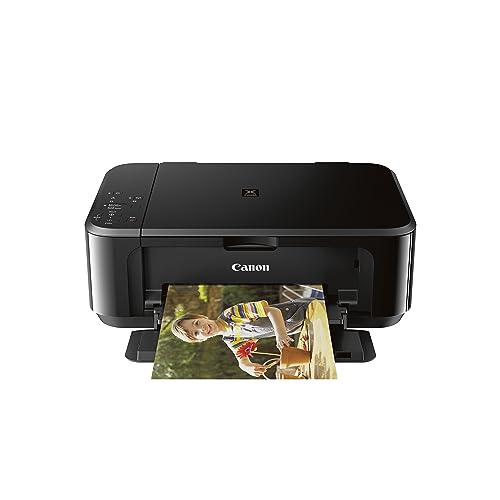
Canon Pixma MG3620 Wireless All-in-One Color Inkjet Printer

Our verdict: A compact inkjet with solid photo output and mobile printing.

The MG3620 is a compact color inkjet all-in-one with mobile and tablet printing, a quiet inkjet mechanism, a standard wifi module and solid photo print quality per the listing. It sits in the $100 to $200 bracket. Photo-capable inkjets suit someone who prints the occasional picture.

It ranks lower because the higher price bracket buys an older design with no clear edge in size. It beats the thermal printer on paper compatibility.

Buy it for occasional photo printing alongside documents. The caveats are the higher bracket and its age. Skip it if you only print text.

Type
Color inkjet all-in-one
Printing
Mobile and tablet
Strength
Photo quality
Noise
Quiet inkjet mechanism

What we like

  • +Solid photo quality
  • +Mobile and tablet printing
  • +Quiet inkjet mechanism
  • +Compact body

Watch out for

  • −Higher price bracket
  • −Older design

Buy it if: Occasional photo printing alongside documents.

Skip it if: You only print text.

8

Best for Storage

Inkless Portable Bluetooth Thermal Printer (MT610Pro)

Our verdict: Stores in a drawer, but needs its own thermal paper.

The MT610Pro is an inkless thermal printer at 300 DPI that supports Letter and A4 paper. It connects over Bluetooth, which sidesteps router range, and it stores in a drawer between uses, in the $50 to $100 bucket. No ink means no cartridges drying out in a closet.

It ranks last because it prints only on proprietary thermal paper, and quality for daily use is limited. It is the right answer only when floor and shelf are both gone.

Buy it for the most space-constrained studios. The caveats are the proprietary paper and limited daily quality. Skip it if you print daily and want standard paper.

Resolution
300 DPI
Paper
Letter and A4
Connection
Bluetooth
Ink
Inkless thermal

What we like

  • +Stores in a drawer
  • +No ink required
  • +Bluetooth connection
  • +Letter and A4 support

Watch out for

  • −Proprietary thermal paper
  • −Daily quality is limited

Buy it if: The most space-constrained studios.

Skip it if: You print daily and want standard paper.

Methodology

How We Ranked These

Footprint and placement

We compared listing claims about shelf, corner, floor and drawer storage.

Noise

We noted which listings state a quiet inkjet mechanism and which are louder lasers.

Connectivity

Wifi module type, app setup and Bluetooth were compared for hard-to-reach spots.

Functions

Print, scan, copy, duplex and fax were weighed against the extra bulk.

Running cost

Ink, toner and special paper requirements were considered for ongoing use.

Every Primea Score uses the same weights: Performance 30% · Build & Materials 20% · Everyday Usability 20% · Value 20% · Owner Satisfaction 10%. Full scoring rules

Buyer's guide

How to Pick the Right One for You

By Placement

Where the printer lives decides the model.

PlacementOur pick
Shelf or closet ledgeCanon PIXMA TS4320
Floor or cornerCanon PIXMA TR4720
Drawer storageInkless Thermal Printer MT610Pro
Across the roomCanon PIXMA TS6520

By Budget

SpendOur pick
$50-100, quietCanon PIXMA TS3720
$50-100, all-roundCanon PIXMA TS4320
$100-200, photosCanon Pixma MG3620
$100-200, documentsBrother HL-L2405W

Inkjet vs Laser

Inkjet

Quieter and does color. The Canon TS models, MG3620 and HP DeskJet 4355.

Laser

Smaller than compact inkjets and the toner does not dry out. The Brother HL-L2405W.

Most small-space buyers should default to an inkjet unless they print only black documents.

By Printing Habit

HabitOur pick
Rare document jobsBrother HL-L2405W
Photos now and thenCanon Pixma MG3620
Paperwork with faxCanon PIXMA TR4720
Two-sided printingCanon PIXMA TS6520

For Studio Apartments Specifically

Look for

A quiet mechanism and a shelf-friendly body.

In this ranking

The Canon PIXMA TS4320 lists both and is the pick here.

When to Spend More

Spend more if

You want duplex and a display, which the TS6520 adds, or photo quality from the MG3620.

Save if

Light use. The TS3720 covers basics with the smallest all-in-one body.

Questions

Frequently Asked Questions

Which printer is quietest?+

The Canon PIXMA TS models and the MG3620 list a quiet inkjet mechanism. The Brother laser is louder when printing, and the HP DeskJet makes no quiet claim. Pick a Canon inkjet if the printer sleeps near you.

What mistake do small-space buyers make?+

Buying a feature-heavy model, then losing shelf space to a feeder they never use. The TS4320 shows that basic can be enough, and a smaller body leaves more room for what you actually use.

Is a laser worth it over an inkjet?+

A laser's toner does not dry out and its footprint is smaller, but it prints black only here. The Brother HL-L2405W suits occasional documents, and its toner will not dry out between jobs. It does not copy or scan, however.

How do I set up the Canon models?+

Use the Canon PRINT app over wifi. The HP DeskJet 4355 uses the HP Smart app, and setup is quick on both. Keep the printer on the same network as your phone during setup.

Does the thermal printer need ink?+

No, but it requires proprietary thermal paper, which you must reorder from the maker. The MT610Pro stores in a drawer, which suits the tightest spaces. Check the cost of its paper before buying.

Can I keep the printer far from my router?+

Standard wifi models need range. The MT610Pro uses Bluetooth, which avoids that, though other printers can use an extender. Moving the router closer is the free fix, and a repeater costs little if that fails.

Final take

Buy the TS4320 for a studio where space and noise both matter, and the TS6520 if the printer sits across the room. The Brother laser suits occasional black documents, and the TS3720 is the smallest full all-in-one. The MT610Pro is for the most cramped homes, but it needs its own paper. Measure the spot before you order, because footprint beats features here.

More Ranked & Reviewed Guides