
Primea ReviewsAll Reviews

Primea Reviews is reader-supported. When you buy through our Amazon links we may earn a commission, at no extra cost to you. Rankings are set by our editors and never sold. Learn more

Ranked & Reviewed by Primea Reviews

The 6 Best Wi-Fi Extenders of 2026, Ranked & Reviewed

By the Primea Editorial TeamUpdated November 4, 20269 min read6 products ranked
The 6 Best Wi-Fi Extenders of 2026, Ranked & Reviewed

The short answer

The TP-Link AX3000 is the best Wi-Fi extender: Wi-Fi 6, up to 2404 Mbps on 5 GHz, and directional antennas with beamforming. The TP-Link RE550 AC1900 is the best value for a mid-size home, covering up to 2,100 sq ft with three adjustable antennas. For the smallest budget, the TP-Link RE315 does the job under $25. Avoid trusting the 5,200 sq ft claim on the PEDUMMY.

The Primea Scoreboard

Ranked & Reviewed

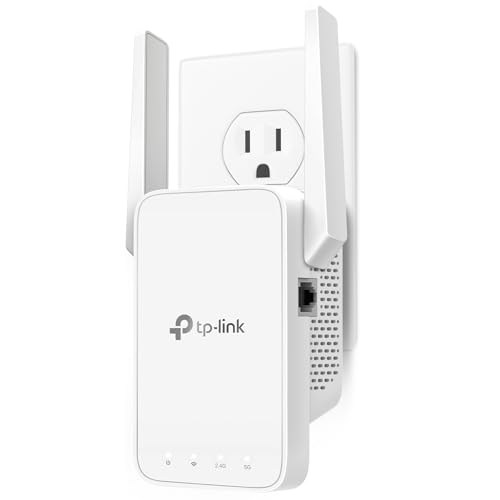
  1. Wi-Fi 6 with up to 2404 Mbps on 5 GHz and directional antennas with beamforming.

    94Outstanding
    Check price
  2. AC1900 with three adjustable antennas covering up to 2,100 sq ft.

    91Excellent
    Check price
  3. 867 Mbps on 5 GHz, two external antennas and Adaptive Path Selection for under $25.

    88Excellent
    Check price
  4. AC1200 with setup through the Nighthawk app or a WPS button.

    85Excellent
    Check price
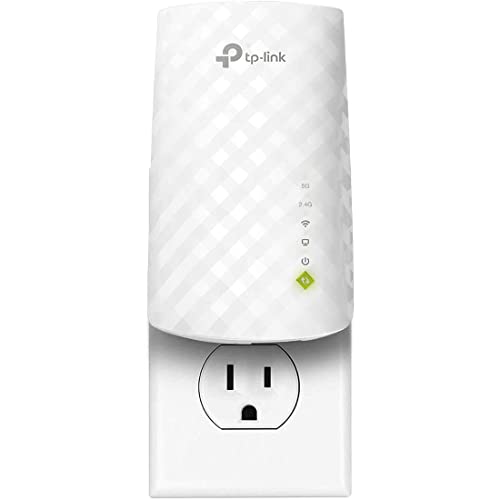
  5. A dual-band plug-in with an Ethernet port for a TV or console.

    82Very Good
    Check price
  6. 06
    PEDUMMY WiFi Extender 1200Mbps

    Best Mode Flexibility

    PEDUMMY WiFi Extender 1200Mbps

    A 1200 Mbps dual-band unit with Ethernet and AP mode, but a coverage claim to doubt.

    79Very Good
    Check price

An extender does not add speed; it repeats a signal, and every repeat costs bandwidth. A single-radio extender talking to the router and your phone on the same channel can halve throughput, which is why the cheapest units often disappoint on streaming. The spec that matters most is not the headline coverage number but whether the extender has a separate 5 GHz link back to the router.

That is the lens for this ranking of six extenders, from an AX3000 Wi-Fi 6 unit to a $25 AC1200. We reviewed each spec sheet and compared bandwidth, antenna design, Ethernet ports and the plausibility of coverage claims. Where a listing's claim looks inflated, as with a 5,200 sq ft promise on a 1200 Mbps unit, we say so and rank accordingly.

Before you buy

What Actually Matters

01

Wi-Fi standard

Wi-Fi 6 handles more devices and higher speeds than Wi-Fi 5, but only if your router speaks it too. The AX3000 is Wi-Fi 6, the rest are Wi-Fi 5. Check your router's standard before paying for an AX extender, because mismatched gear runs at the lower speed.

02

5 GHz speed

The 5 GHz band carries most of your fast traffic, and its stated speed is the practical ceiling. The AX3000 lists 2404 Mbps and the RE315 lists 867 Mbps. Look for a 5 GHz figure on the listing, not just a combined total, because the total includes the slow band.

03

Antenna design

External adjustable antennas let you aim signal along hallways, while directional antennas with beamforming focus it on devices. Internal antennas are fixed. Check whether the listing says adjustable, high-gain or directional, and plan outlet placement halfway between the router and the dead zone.

04

Ethernet port

A wired port lets a TV or console skip the wireless hop, which lowers latency and loss. The TP-Link with Ethernet and the PEDUMMY list one. Check the listing for the port, and remember that the RE315 and RE550 are not described as having one.

05

Coverage claims

Coverage figures assume open space and nothing in the way. Real range falls with walls and floors, and a claim twice the size of a faster unit's is a warning. Compare the claim with the radio class, as the PEDUMMY's 5,200 sq ft against the AX3000's 2,400 sq ft.

In-depth reviews

Our Ranked Picks, Reviewed

4

Best App Setup

NETGEAR WiFi Extender EX5000

Our verdict: AC1200 with setup through the Nighthawk app or a WPS button.

NETGEAR's EX5000 is an AC1200 Wi-Fi 5 extender with 1.2 Gbps total bandwidth and up to 1,500 sq ft of coverage. Setup works through the Nighthawk app or WPS pairing, at a $25 to $50 price.

Fourth place follows because it matches the RE315's coverage but costs more, and its listing gives no 5 GHz speed or antenna detail. The value is in setup: an app that walks you through placement is a real benefit for anyone who has struggled with WPS.

Choose it if you already use NETGEAR gear or want guided setup. Compare the RE315 first, as it offers the same coverage for less.

Standard
Wi-Fi 5 (AC1200)
Bandwidth
1.2 Gbps total
Coverage
Up to 1,500 sq ft
Setup
Nighthawk app or WPS

What we like

  • +Guided app setup
  • +WPS pairing option
  • +Dual band AC1200
  • +Established brand

Watch out for

  • −Costs more than the RE315
  • −5 GHz speed not stated

Buy it if: NETGEAR owners and anyone who wants guided setup.

Skip it if: You want the lowest price.

6

Best Mode Flexibility

PEDUMMY WiFi Extender 1200Mbps

Our verdict: A 1200 Mbps dual-band unit with Ethernet and AP mode, but a coverage claim to doubt.

PEDUMMY lists 1200 Mbps total (867 Mbps on 5 GHz plus 300 Mbps on 2.4 GHz), an Ethernet port and both extender and AP modes. It also claims coverage of up to 5,200 sq ft, more than double the AX3000's 2,400 sq ft.

It ranks last because that claim does not match its hardware class: the AX3000 has a faster radio and directional antennas and claims less. We treat the number as marketing and discount it. The AP mode is the useful extra, since it turns the unit into an access point when you have a cable to the router.

Buy it only if AP mode matters. It costs $25 to $50.

Bandwidth
1200 Mbps (867 + 300)
Wired port
Ethernet
Modes
Extender and AP
Claimed coverage
Up to 5,200 sq ft

What we like

  • +AP mode available
  • +Ethernet port
  • +Dual-band 1200 Mbps
  • +Mid-range price

Watch out for

  • −Inflated coverage claim
  • −Unknown brand support

Buy it if: Wired-backhaul setups that need AP mode.

Skip it if: You rely on the coverage figure.

Methodology

How We Ranked These

Wi-Fi standard

Wi-Fi 6 versus Wi-Fi 5 and the 5 GHz speed figure set the ceiling on throughput.

Antenna and signal design

Directional or adjustable antennas and beamforming decide how well signal reaches dead spots.

Wired ports and modes

Ethernet ports and AP mode decide how many devices and setups the extender can serve.

Claim plausibility

Coverage numbers are checked against the radio class, and implausible figures are discounted.

Value

Price bucket is weighed against standard, coverage and setup support.

Every Primea Score uses the same weights: Performance 30% · Build & Materials 20% · Everyday Usability 20% · Value 20% · Owner Satisfaction 10%. Full scoring rules

Buyer's guide

How to Pick the Right One for You

By Home Size

Match stated coverage to the area you need, with a margin.

SizeOur pick
Large home, Wi-Fi 6 routerTP-Link AX3000 WiFi 6 Dual-Band Range Extender
Mid-size homeTP-Link AC1900 WiFi Range Extender RE550
Apartment or one roomTP-Link AC1200 WiFi Extender RE315
Single room with wired TVTP-Link Dual Band WiFi Extender with Ethernet Port

By Budget

SpendOur pick
Under $25TP-Link AC1200 WiFi Extender RE315
$25 to $50TP-Link AC1900 WiFi Range Extender RE550
$100 to $200TP-Link AX3000 WiFi 6 Dual-Band Range Extender

Wi-Fi 6 vs Wi-Fi 5

Wi-Fi 6

The AX3000 offers up to 2404 Mbps on 5 GHz and beamforming. It pays off only with a Wi-Fi 6 router and many devices.

Wi-Fi 5

The RE550, RE315 and EX5000 are AC units that work well with most existing routers at a much lower price.

Default to Wi-Fi 5 unless your router is Wi-Fi 6.

By Extra Features

FeatureOur pick
Beamforming antennasTP-Link AX3000 WiFi 6 Dual-Band Range Extender
Adaptive Path SelectionTP-Link AC1200 WiFi Extender RE315
App-guided setupNETGEAR WiFi Extender EX5000
AP modePEDUMMY WiFi Extender 1200Mbps

For Streaming Specifically

Look for

A high 5 GHz speed, an Ethernet port for the TV and placement halfway between router and screen.

In this ranking

The AX3000 has the fastest 5 GHz link, and the Ethernet-port TP-Link suits a wired TV.

When to Spend More

Spend more if

You have a Wi-Fi 6 router and many devices, where the AX3000 earns its bracket.

Save if

You have a single dead room, where the RE315 is plenty.

Questions

Frequently Asked Questions

Will an extender work with any router?+

Yes, extenders generally work with any router, but they run at the lower of the two standards. The AX3000 on a Wi-Fi 5 router performs like an AC unit.

What mistake do people make with extenders?+

Placing them in the dead zone. The unit must sit halfway, where it still gets a strong signal. The RE550's three adjustable antennas help you aim the signal after placement.

Is the AX3000 worth it over the RE550?+

Only with a Wi-Fi 6 router. The AX3000 offers up to 2404 Mbps on 5 GHz against the RE550's 1.9 Gbps total, but costs several times more, so most homes should buy the RE550.

How do I set one up?+

Plug it in near the router, pair it by WPS or app, then move it halfway to the dead zone. The NETGEAR EX5000 uses the Nighthawk app for guided placement.

Does an extender slow my internet?+

It can, because it repeats the signal and shares bandwidth between its two links. Using Ethernet on the extender, as on the TP-Link with Ethernet port, avoids some of that loss.

Is the PEDUMMY's 5,200 sq ft claim real?+

Unlikely. The AX3000 has a faster radio and directional antennas and claims 2,400 sq ft. Treat the PEDUMMY figure as marketing and plan for far less coverage.

Final take

The TP-Link AX3000 is the best extender if you have a Wi-Fi 6 router, because it offers a 2404 Mbps 5 GHz link and directional antennas. Everyone else should buy the RE550 for mid-size homes or the RE315 for a single dead room. Treat the PEDUMMY's coverage figure with caution, and place any extender halfway between router and dead zone.

More Ranked & Reviewed Guides