
Primea ReviewsAll Reviews

Primea Reviews is reader-supported. When you buy through our Amazon links we may earn a commission, at no extra cost to you. Rankings are set by our editors and never sold. Learn more

Ranked & Reviewed by Primea Reviews

The 6 Best Portable Monitors for Xbox Series X and S of 2026, Ranked & Reviewed

By the Primea Editorial TeamUpdated November 1, 202610 min read6 products ranked
The 6 Best Portable Monitors for Xbox Series X and S of 2026, Ranked & Reviewed

The short answer

The cocopar 16 inch 2.5K is the best portable monitor for Xbox: 120Hz over full-size HDMI, a metal chassis and dual VESA holes. The G-STORY 14 inch is the 4K pick for Series X owners, and the VisionOwl handles bright rooms at 470 nits. The ARZOPA 144Hz suits a Series S on a budget.

The Primea Scoreboard

Ranked & Reviewed

  1. A 120Hz HDMI panel with a metal body, without paying the 4K premium.

    94Outstanding
    Check price
  2. The purpose-built 4K choice, with one HDMI port you must pick carefully.

    91Excellent
    Check price
  3. Brightest screen in the group, built for sunlit rooms.

    88Excellent
    Check price
  4. The biggest 120Hz screen for the smallest outlay here.

    85Excellent
    Check price
  5. A realistic 1080p budget panel that matches what a Series S renders.

    82Very Good
    Check price
  6. Extra headroom if the same screen also serves a PC.

    80Very Good
    Check price

Xbox owners shopping for a travel screen tend to buy the headline number. A 144Hz badge is worthless if the console only reaches it over a port it cannot use, and a 4K label is wasted on a Series S that renders far below it. What matters is which HDMI port feeds the panel and what that port is allowed to carry.

We reviewed eight candidates on paper and kept six that fit the job. Ranking weighs the listed resolution, refresh rate over HDMI, port layout, adaptive sync, build and mounting, and how well each screen suits a Series X or a Series S owner. Nothing here is lab measured; scores reflect the spec sheet and what owners report, and the port details counted most.

Before you buy

What Actually Matters

01

HDMI refresh rate

Consoles output through HDMI, so the refresh rate on that port is what you actually get. Many portable monitors quote a higher number that only applies over USB-C, which an Xbox cannot feed. Check the listing for a separate HDMI figure, ask the seller if it is missing, and treat 120Hz as the realistic Xbox target. The cocopar states 120Hz over HDMI, while the VisionOwl lists 144Hz without saying which port.

02

Resolution versus console

A Series X can output 4K, while a Series S usually renders far lower. Paying for 4K on a small screen helps only if you own the Series X. Match the panel to your console and the viewing distance, since sharpness is hard to notice beyond about 16 inches at arm's length. The G-STORY is the only 4K panel here.

03

Port type

Full-size HDMI takes a standard cable, while mini-HDMI needs a specific lead. It matters because a missing cable can stall a trip. Read the port list in the specs and confirm what cable ships in the box. The ARZOPA monitors use mini-HDMI, and the cocopar, VisionOwl and EVICIV use full-size ports.

04

Adaptive sync

FreeSync reduces tearing when frame rates fluctuate, which Xbox titles often do. It matters in demanding games that dip below the target. Look for it by name in the feature list, because several budget panels leave it out. The G-STORY and EVICIV list FreeSync, and the 1080p ARZOPA notes no adaptive sync.

05

Brightness and color

Brightness in nits decides how readable the screen is near windows, and sRGB coverage hints at color richness. A 470 nit panel handles daylight better than a typical 250 nit one. Find the nit figure in the bullet points rather than relying on marketing words, and treat missing figures as unknown. Only the VisionOwl lists it here.

In-depth reviews

Our Ranked Picks, Reviewed

1

Best Overall

cocopar Portable Monitor 16 Inch 2.5K QHD 110% sRGB 144Hz USB-C, 120Hz HDMI

Our verdict: A 120Hz HDMI panel with a metal body, without paying the 4K premium.

cocopar's 16 inch QHD screen refreshes at 120Hz over HDMI and 144Hz over USB-C, covers 110% sRGB, and sits in a metal shell with two USB-C jacks and a pair of VESA mounts. Consoles output through HDMI, so the 120Hz figure on that port is the one that counts, and cocopar states it.

It ranks first because it gives the realistic Xbox target without the 4K premium. The VisionOwl lists 144Hz without clarifying HDMI, and the G-STORY costs more per inch.

Buy it for a Series X when you want high refresh rate without 4K prices. The caveats are that it is not true 4K and smaller than the 18.5 inch rival. Skip it if you want native 4K or a larger screen.

Panel
16 in 2.5K QHD
Refresh
120Hz HDMI, 144Hz USB-C
Color
110% sRGB
Ports
Full-size HDMI, 2x USB-C

What we like

  • +120Hz over full-size HDMI
  • +Metal chassis
  • +Dual VESA holes
  • +Two USB-C ports

Watch out for

  • −Not true 4K
  • −Smaller than 18.5 inch rivals

Buy it if: Series X owners who want high refresh rate without a 4K price.

Skip it if: You want native 4K or a screen larger than 16 inches.

2

Best 4K Pick

G-STORY 14'' Portable Monitor for Xbox Series X 4K Portable Gaming Monitor

Our verdict: The purpose-built 4K choice, with one HDMI port you must pick carefully.

The G-STORY is a 14 inch 4K UHD IPS panel with two HDMI ports, FreeSync and HDR, marketed for Series X. HDMI1 carries 4K30 or 1080p120, and HDMI2 carries 4K60, so the port you choose decides the output. Compact size packs 4K pixels densely.

It ranks second because it costs more per inch and the port limits confuse setup. It is the sharpest option.

Buy it for a Series X owner who prioritizes sharpness on a compact screen. Skip it if you want the largest screen for the money. Read the port table before plugging in, and use HDMI2 if you want the 4K60 output. HDR and FreeSync widen what it handles.

Panel
14 in 4K UHD IPS
HDMI1
4K30 or 1080p120
HDMI2
4K60
Extras
FreeSync, HDR

What we like

  • +True 4K resolution
  • +FreeSync support
  • +HDR listed
  • +Marketed for Series X

Watch out for

  • −Costs more per inch
  • −Port limits confuse setup

Buy it if: Series X owners who prioritise sharpness on a compact screen.

Skip it if: You want the largest screen for the money.

3

Best for Bright Rooms

VisionOwl Portable Monitor 16 Inch 2.5K QHD 144Hz, 470 Nits

Our verdict: Brightest screen in the group, built for sunlit rooms.

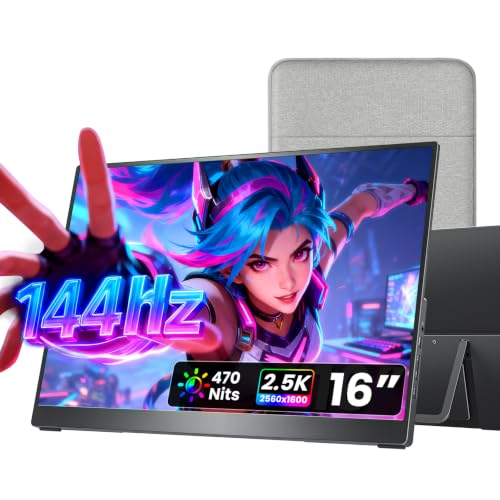
VisionOwl pushes a 16 inch QHD panel to 470 nits and 144Hz, and wraps it in metal with a full-size HDMI socket, two USB-C ports and two VESA holes. Brightness decides readability near windows, and 470 nits is high for a portable.

It ranks third because the HDMI refresh rate is not clearly stated. It shares the QHD limit with the cocopar.

Buy it for gamers who play in bright rooms or near windows. Skip it if you play in dim rooms. Confirm the HDMI refresh with the seller before relying on the 144Hz number. The metal body and VESA holes make it a solid desk or travel screen.

Panel
16 in 2.5K QHD
Brightness
470 nits
Refresh
144Hz listed
Ports
Full-size HDMI, 2x USB-C

What we like

  • +470 nit brightness
  • +Metal chassis
  • +Dual VESA holes
  • +Full-size HDMI

Watch out for

  • −HDMI refresh not clearly stated
  • −Same QHD limit as rivals

Buy it if: Gamers playing in bright rooms or near windows.

Skip it if: You play in dim rooms where brightness adds little.

4

Best Large Screen Value

EVICIV Portable Monitor 18.5 Inch 120Hz, 125% sRGB FreeSync

Our verdict: The biggest 120Hz screen for the smallest outlay here.

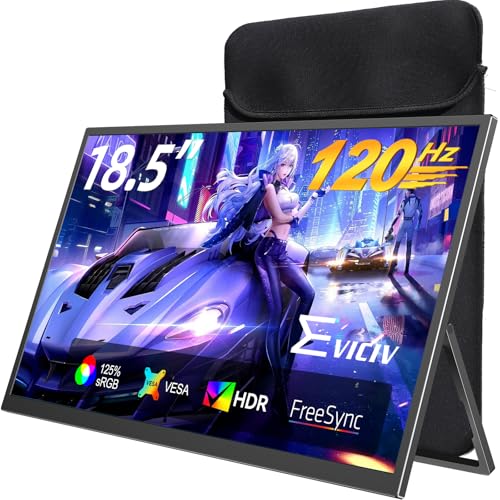
EVICIV stretches to 18.5 inches at 120Hz, with FreeSync, a 1ms response time and 125% sRGB, and ships with a 75x75mm VESA bracket that turns a full 360 degrees. It is the largest screen here and supports adaptive sync.

It ranks fourth because it is bulky for travel and the resolution is not top tier. It offers the biggest 120Hz screen for the lowest outlay.

Buy it for a big second screen at a lower price. Skip it if you carry the monitor in a bag every day. It suits a dorm desk best, where the VESA bracket lets you swing it into portrait. Resolution is the limit, so do not expect 4K sharpness.

Panel
18.5 in, 120Hz
Color
125% sRGB
Sync
FreeSync
Mount
75x75mm VESA, bracket

What we like

  • +Large 18.5 inch screen
  • +FreeSync support
  • +VESA mount included
  • +Full-size HDMI

Watch out for

  • −Bulky for travel
  • −Resolution not top tier

Buy it if: Owners who want a big second screen at a lower price.

Skip it if: You carry the monitor in a bag every day.

5

Best for Series S

ARZOPA 16.1'' 144Hz Portable Gaming Monitor, 106% sRGB

Our verdict: A realistic 1080p budget panel that matches what a Series S renders.

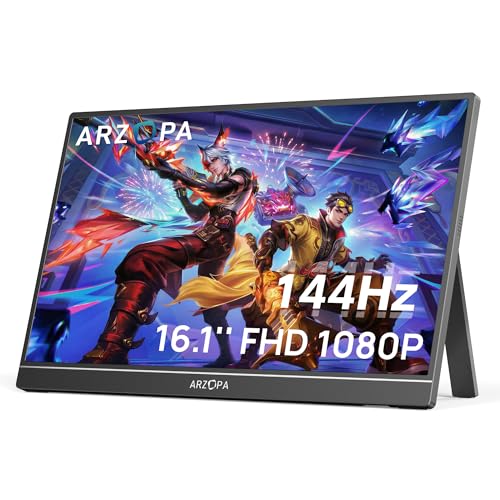
ARZOPA's cheaper 16.1 inch screen runs 1080p at 144Hz with 106% sRGB, a mini-HDMI jack, two USB-C ports and an attached kickstand. A Series S renders at lower resolutions, so 1080p matches what the console delivers.

It ranks fifth because it needs a mini-HDMI cable and lists no adaptive sync. It costs the least.

Buy it for a Series S owner on a tight budget. Skip it if you own a Series X and want sharper output. Check that the cable is in the box, and keep a spare, since a bent mini-HDMI plug ends a trip. The kickstand never gets lost, which suits hotel play.

Panel
16.1 in 1080p
Refresh
144Hz
Color
106% sRGB
Ports
Mini-HDMI, 2x USB-C

What we like

  • +Lowest price bucket
  • +144Hz panel
  • +Built-in kickstand
  • +Good Series S match

Watch out for

  • −Mini-HDMI needs a cable
  • −No adaptive sync listed

Buy it if: Series S owners on a tight budget.

Skip it if: You own a Series X and want sharper output.

6

Best for Console and PC

ARZOPA 16.1'' 180Hz 2.5K Portable Monitor, 2560x1440 QHD

Our verdict: Extra headroom if the same screen also serves a PC.

ARZOPA's pricier 16.1 inch panel steps up to 2.5K QHD at 180Hz, with 107% sRGB, HDR, mini-HDMI, two USB-C inputs and a kickstand built in. The 180Hz suits a PC, since the console cannot use it.

It ranks last because the console cannot reach 180Hz and it uses mini-HDMI only. It costs more than the 1080p ARZOPA.

Buy it if one screen serves a console and a PC. Skip it if the monitor is for Xbox use only. For a console alone, the cocopar is better value, because you pay for 180Hz you cannot use. HDR support is a bonus for compatible games.

Panel
16.1 in 2.5K QHD
Refresh
180Hz
Color
107% sRGB
Ports
Mini-HDMI, 2x USB-C

What we like

  • +180Hz for PC use
  • +QHD resolution
  • +HDR support
  • +Built-in kickstand

Watch out for

  • −Mini-HDMI only
  • −Console cannot use 180Hz

Buy it if: People sharing one screen between console and PC.

Skip it if: The monitor is for Xbox use only.

Methodology

How We Ranked These

Resolution fit

We checked whether the panel resolution makes sense for a Series X versus a Series S, since a Series S gains little from 4K.

HDMI refresh rate

We looked for the refresh rate available on the HDMI input, not the headline USB-C figure.

Port layout

Full-size HDMI scored higher than mini-HDMI because it avoids adapter cables.

Build and mounting

Metal chassis, kickstands and VESA holes counted toward durability and flexible setup.

Value for the bucket

Each pick was compared with others in the same price bucket for screen size and features.

Every Primea Score uses the same weights: Performance 30% · Build & Materials 20% · Everyday Usability 20% · Value 20% · Owner Satisfaction 10%. Full scoring rules

Buyer's guide

How to Pick the Right One for You

By Console

Your console sets the ceiling for what a screen can show.

Your consoleOur pick
Series X wanting 4KG-STORY 14'' Portable Monitor for Xbox Series X
Series X wanting high refreshcocopar Portable Monitor 16 Inch 2.5K QHD
Series SARZOPA 16.1'' 144Hz Portable Gaming Monitor
Series X or S in bright roomsVisionOwl Portable Monitor 16 Inch 2.5K QHD

By Budget

SpendOur pick
$50-100ARZOPA 16.1'' 144Hz Portable Gaming Monitor
$100-200cocopar Portable Monitor 16 Inch 2.5K QHD
$100-200 (large screen)EVICIV Portable Monitor 18.5 Inch 120Hz
$200-500G-STORY 14'' Portable Monitor for Xbox Series X

4K vs QHD

4K

Offers the sharpest image on a small panel but costs more and has port limits. In this ranking, the G-STORY 14 inch is the 4K choice.

QHD

Delivers sharp enough visuals at 16 inches with higher refresh rates and lower cost. The cocopar 16 inch, VisionOwl and ARZOPA 180Hz are QHD.

Most buyers should default to QHD unless they own a Series X and care most about pixel density.

By Screen Size

PriorityOur pick
Compact travelG-STORY 14'' Portable Monitor for Xbox Series X
Balanced sizecocopar Portable Monitor 16 Inch 2.5K QHD
Largest panelEVICIV Portable Monitor 18.5 Inch 120Hz
Kickstand includedARZOPA 16.1'' 180Hz 2.5K Portable Monitor

For Hotel and Dorm Play Specifically

Look for

A built-in kickstand or VESA holes, a full-size HDMI input and a body light enough to pack.

In this ranking

The cocopar 16 inch pairs a metal chassis with full-size HDMI, while the ARZOPA 144Hz includes a kickstand at the lowest price.

When to Spend More

Spend more if

You own a Series X and want 4K, in which case the G-STORY 14 inch is the pick, or you game in bright rooms and need the VisionOwl.

Save if

You have a Series S, where the ARZOPA 144Hz 1080p panel matches the console, or you want a large screen on a budget via the EVICIV.

Questions

Frequently Asked Questions

Will any of these work with both Series X and Series S?+

Yes, all use HDMI input and work with either console, though two of them use mini-HDMI and need a matching cable. The difference is how much of the panel the console can use, since the Series S rarely benefits from 4K.

Do I need a special cable for mini-HDMI models?+

The ARZOPA models use mini-HDMI, so you need an HDMI to mini-HDMI cable. Check the box contents before buying, and keep a spare for travel, since a missing cable ends a session.

Is a 4K portable monitor worth it over QHD?+

Only on a Series X and only if you value sharpness at 14 to 16 inches, and are willing to read the port table. Otherwise QHD with 120Hz gives smoother play for less money, as with the cocopar.

How do I power one of these?+

Most take power over USB-C, so a console USB port or a wall charger can feed them, though only the charger is steady. Some draw more than a console port provides, so a wall adapter is the safe choice, particularly with a bright screen.

How should I clean a portable monitor?+

Use a dry microfiber cloth and avoid spraying liquid on the panel, which can seep behind the glass. Store it in a case or sleeve to protect the screen between trips.

Can I use the speakers for game audio?+

Built-in speakers on portable monitors are generally basic. For better sound, route audio through the headphone jack or a console headset, which also helps in a shared room.

Final take

The cocopar 16 inch 2.5K is the right portable Xbox monitor for most players, because it states its HDMI refresh rate. Choose the G-STORY for 4K on a Series X and the ARZOPA 1080p for a Series S. Check the HDMI figure before the headline Hz.

More Ranked & Reviewed Guides