
Primea ReviewsAll Reviews

Primea Reviews is reader-supported. When you buy through our Amazon links we may earn a commission, at no extra cost to you. Rankings are set by our editors and never sold. Learn more

Ranked & Reviewed by Primea Reviews

The 7 Best 144Hz Portable Monitors for Gaming on the Move, Ranked & Reviewed

By the Primea Editorial TeamUpdated November 3, 202611 min read7 products ranked
The 7 Best 144Hz Portable Monitors for Gaming on the Move, Ranked & Reviewed

The short answer

The cocopar 16 inch 2.5K is the 144Hz portable monitor to buy if you want honest per-port numbers, with 144Hz over USB-C and 120Hz over HDMI. The VisionOwl is the brightest choice for lit rooms, the Upperizon with 145% sRGB is the pick for creative work, and the Acer Nitro is the one for AMD GPU owners who want real FreeSync. The ARZOPA 1080p model is the budget way into 144Hz.

The Primea Scoreboard

Ranked & Reviewed

  1. A 16 inch 2.5K panel that states its refresh rate for each port, with a metal chassis and plenty of connections.

    94Outstanding
    Check price
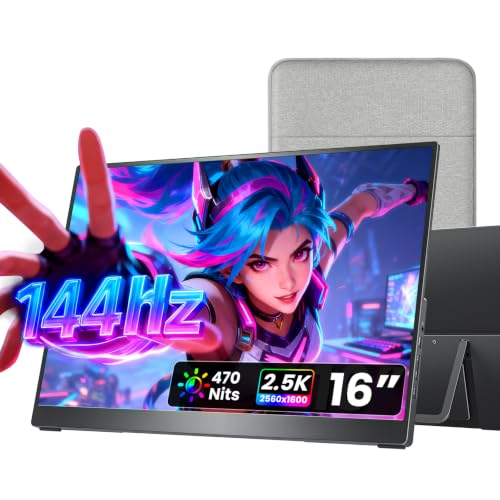
  2. The brightest 144Hz screen here at 470 nits, ideal for gaming in a well-lit room.

    92Outstanding
    Check price
  3. Wide color at 145% sRGB and 100% DCI-P3 in a 1.6 lb aluminum body that still reaches 144Hz.

    90Excellent
    Check price
  4. A 165Hz FreeSync screen from a known gaming brand, with two USB-C and two mini HDMI ports.

    88Excellent
    Check price
  5. A 180Hz 2.5K panel with HDR support for PC gamers whose GPUs can feed it.

    86Excellent
    Check price
  6. Includes its own 30W PD adapter and a smart cover, so it doesn't borrow your laptop charger.

    83Very Good
    Check price
  7. A 1080p 144Hz screen that guarantees the same refresh across both port types, for the least money.

    80Very Good
    Check price

The 144Hz in a portable monitor's title is often only half the story. Many of these screens reach their top refresh rate on one port and fall back to 120Hz or 60Hz on another, and the cable, the laptop and the graphics chip all have to cooperate. A buyer who plugs an HDMI cable into a console and expects 144Hz will be disappointed, and the listing rarely warns them.

So this ranking looks past the headline number. We reviewed seven portable monitors using their spec sheets and listings, comparing refresh rate per port, resolution, brightness, color gamut, sync support and what power adapter ships. Where a spec is not listed, such as sync support on one ARZOPA model, we say so instead of assuming.

Before you buy

What Actually Matters

01

Refresh rate on each port

A 144Hz label can mean 144Hz on USB-C only, with HDMI limited to 120Hz or 60Hz. That depends on the cable and the source device as much as the monitor. Read the listing for per-port numbers, as with the cocopar and Upperizon models, and confirm your laptop's USB-C port carries video.

02

Resolution versus frame rate

A 2.5K screen looks sharper but asks more of your graphics chip than 1080p, and few laptops hit 144 frames per second at 1440p in new games. A 1080p panel is easier to feed. Match the resolution to the hardware you actually own.

03

Brightness and color coverage

Brightness is measured in nits, and a bright room demands several hundred. Color gamut is quoted as a percentage of sRGB or DCI-P3, and a figure above 100% does not mean a better picture for games, but it helps creators. Look for the unit on the listing, as with the VisionOwl's 470 nits.

04

Adaptive sync support

Adaptive sync, such as AMD FreeSync, adjusts the refresh rate to match your frame rate and reduces tearing and stutter. Only the Acer Nitro states it in this ranking. If a listing is silent, assume it is not supported, and check your GPU's compatibility.

05

Power and connectors

A portable monitor draws power over the USB-C cable or from a wall adapter, and a laptop with limited output can struggle. Full-size HDMI is sturdier than mini HDMI. Check whether an adapter is included, as on the Upperizon with 30W PD, before you count on one.

In-depth reviews

Our Ranked Picks, Reviewed

1

Best Overall

cocopar Portable Monitor 16 Inch 2.5K QHD 110% sRGB 144Hz USB-C, 120Hz HDMI

Our verdict: A 16 inch 2.5K panel that states its refresh rate for each port, with a metal chassis and plenty of connections.

The cocopar is a 16 inch 2.5K QHD portable monitor with 110% sRGB coverage, a metal chassis, a full-size HDMI port and dual USB-C. It lists 144Hz over USB-C and 120Hz over HDMI, and it includes dual VESA holes for mounting.

It ranks first because the specification is honest. Many monitors in this class print a single big number, but the real ceiling depends on the port, and a listing that spells it out lets you plan around it. The 2.5K resolution gives a sharper picture than 1080p at the same size, and the full-size HDMI port avoids the mini connectors that wear out. It falls short of the VisionOwl on stated brightness, since the listing gives no nits figure.

Buy it if you want a main portable screen for a laptop or a handheld PC, and you will use USB-C for gaming. Skip it if you need a bundled power brick, since the listing does not mention one.

Panel
16 inch 2.5K QHD
Refresh
144Hz USB-C, 120Hz HDMI
Color
110% sRGB
Ports
Full-size HDMI, dual USB-C

What we like

  • +States refresh rate per port
  • +Sharp 2.5K QHD resolution
  • +Metal chassis feels sturdy
  • +Full-size HDMI plus dual USB-C

Watch out for

  • −No brightness figure listed
  • −HDMI tops out at 120Hz

Buy it if: Laptop and handheld gamers who plug in over USB-C.

Skip it if: You need an adapter included in the box.

2

Best Brightness

VisionOwl Portable Monitor 16 Inch 2.5K QHD 144Hz, 470 Nits

Our verdict: The brightest 144Hz screen here at 470 nits, ideal for gaming in a well-lit room.

The VisionOwl is a 16 inch 2.5K QHD portable monitor rated at 144Hz and 470 nits, with 110% sRGB coverage and a metal body. Its port panel mirrors the cocopar's, and it is wall-mountable through two VESA holes.

The 470 nit rating is what separates it. Portable monitors often sit near a window, in a cafe or on a bright desk, and a dim panel washes out fast in those settings. Brightness of that level keeps colors readable without cranking the laptop. It ranks second because the listing does not break out HDMI and USB-C refresh the way the cocopar does, so the HDMI rate is unclear.

It suits players and remote workers who move between bright spaces. The caveat is that high brightness draws more power, so you will want a capable USB-C source or a wall adapter.

Panel
16 inch 2.5K QHD
Refresh
144Hz
Brightness
470 nits
Color
110% sRGB

What we like

  • +470 nit brightness for lit rooms
  • +Sharp 2.5K QHD resolution
  • +Metal chassis and dual VESA holes
  • +Full-size HDMI plus dual USB-C

Watch out for

  • −Per-port refresh not spelled out
  • −Bright panel draws more power

Buy it if: Gamers who play near windows or in bright offices.

Skip it if: You want the clearest per-port refresh spec.

3

Best for Creative Work

Upperizon Portable Monitor 16 inch 2K QHD 145% sRGB, 144Hz USB-C, 120Hz HDMI

Our verdict: Wide color at 145% sRGB and 100% DCI-P3 in a 1.6 lb aluminum body that still reaches 144Hz.

The Upperizon is a 16 inch 2K QHD monitor claiming 145% sRGB and 100% DCI-P3 coverage, with 144Hz over USB-C and 120Hz over HDMI. It has an aluminum chassis, VESA compatibility and a weight of 1.6 lb.

Wide gamut is what sets it apart. A 145% sRGB figure is a volume measure, and 100% DCI-P3 matters if you edit video, photograph or grade color on the go. It stays on the right side of the gaming spec at 144Hz, so you do not have to choose between a creator display and a game display. It ranks third because it is rated 2K and the listing offers no brightness figure.

Buy it if you split time between gaming and color work. Skip it if you only care about gaming speed, because the cocopar and VisionOwl give you the sharper 2.5K resolution.

Panel
16 inch 2K QHD
Color
145% sRGB, 100% DCI-P3
Refresh
144Hz USB-C, 120Hz HDMI
Weight
1.6 lb, aluminum chassis

What we like

  • +Wide gamut with 100% DCI-P3
  • +Lightweight at 1.6 lb
  • +Aluminum chassis with VESA support
  • +Refresh stated per port

Watch out for

  • −Lower resolution than 2.5K picks
  • −No brightness figure listed

Buy it if: Creators who also play fast games.

Skip it if: You want the sharpest 2.5K picture.

4

Best for AMD GPUs

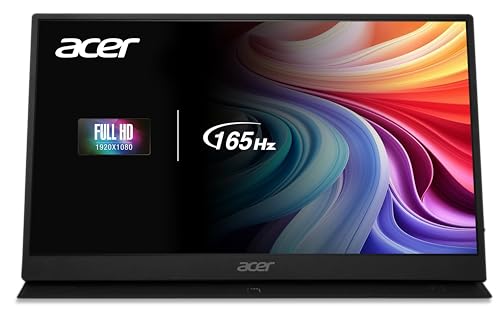
acer Nitro Portable Gaming Monitor 15.6" FHD 165Hz AMD FreeSync

Our verdict: A 165Hz FreeSync screen from a known gaming brand, with two USB-C and two mini HDMI ports.

Acer's Nitro portable is a 15.6 inch FHD panel running at 165Hz with AMD FreeSync, a 6ms GtG response time and a zero-frame design. It has two USB-C ports and two mini HDMI ports and a 75x75mm VESA pattern.

It ranks fourth because it is the only listing here that confirms variable refresh support. FreeSync matches the monitor's refresh rate to the frame rate your graphics chip delivers, which removes tearing when frames dip below the maximum. That matters most on an AMD GPU. The cost is resolution, since it is 1080p on a slightly smaller screen, and the mini HDMI connectors are thinner and easier to damage than full-size ones.

Choose it if you play fast shooters on an AMD laptop or desktop and care about a clean frame pacing. Skip it if you want a sharper 2.5K picture.

Panel
15.6 inch FHD
Refresh
165Hz with AMD FreeSync
Response
6ms GtG
Ports
2x USB-C, 2x mini HDMI

What we like

  • +Confirmed AMD FreeSync support
  • +165Hz is above the 144Hz mark
  • +Four ports give cabling choices
  • +Known gaming brand

Watch out for

  • −Only 1080p resolution
  • −Mini HDMI plugs are fragile

Buy it if: AMD graphics owners who want tear-free fast play.

Skip it if: You want a sharper 2.5K screen.

5

Best Refresh Headroom

ARZOPA 16.1'' 180Hz 2.5K Portable Monitor, 2560x1440 QHD

Our verdict: A 180Hz 2.5K panel with HDR support for PC gamers whose GPUs can feed it.

This ARZOPA is a 16.1 inch 2560x1440 monitor rated at 180Hz, with 107% sRGB, HDR support, two USB-C ports, a mini HDMI port and a built-in kickstand.

It ranks fifth because 180Hz is only useful if your hardware delivers frames to match. Few laptops push a 1440p game to 180 frames per second, and most handheld PCs cap well below that, so the headroom will go unused on modest machines. The 2.5K resolution and the HDR listing add polish, and the kickstand means no extra stand is needed. The mini HDMI connector is the weak point for long-term durability.

Buy it if you own a strong gaming laptop or desktop and want future-proofing. Skip it if you play on a console or handheld, where the extra hertz will not be used.

Panel
16.1 inch 2.5K QHD
Refresh
180Hz
Color
107% sRGB, HDR support
Ports
2x USB-C, mini HDMI

What we like

  • +180Hz headroom above 144Hz
  • +Sharp 2.5K QHD resolution
  • +HDR support is listed
  • +Built-in kickstand included

Watch out for

  • −Only strong GPUs use 180Hz
  • −Mini HDMI plug is delicate

Buy it if: Owners of high-end gaming laptops and desktops.

Skip it if: You play on a console or modest laptop.

6

Best With Power Adapter

Upperizon Portable Monitor 16 inch 2K QHD 106% sRGB, 144Hz USB-C, 120Hz HDMI

Our verdict: Includes its own 30W PD adapter and a smart cover, so it doesn't borrow your laptop charger.

This Upperizon is a 16 inch 2K QHD monitor with 106% sRGB, 144Hz over USB-C and 120Hz over HDMI. It comes with a 30W power delivery adapter, a smart cover and a 75x75mm VESA pattern.

It ranks sixth because the display is a step down from the 145% sRGB Upperizon and the sharper 2.5K models, but the bundled 30W adapter is a real convenience. A portable monitor on a laptop's battery can drain it quickly, and having a dedicated charger means you can run the screen from a wall socket or power bank with no hunting for the right brick. The smart cover doubles as a stand.

Buy it if you want a ready-to-run package. Skip it if you want the widest color range or the sharpest resolution.

Panel
16 inch 2K QHD
Refresh
144Hz USB-C, 120Hz HDMI
Power
30W PD adapter included
Mount
75x75mm VESA, smart cover

What we like

  • +30W adapter included in the box
  • +Smart cover doubles as a stand
  • +144Hz over USB-C
  • +VESA mount supported

Watch out for

  • −Narrower color range than rivals
  • −Lower resolution than 2.5K picks

Buy it if: Buyers who want a screen with its own charger.

Skip it if: You want wide color or a sharper picture.

7

Best Budget 144Hz

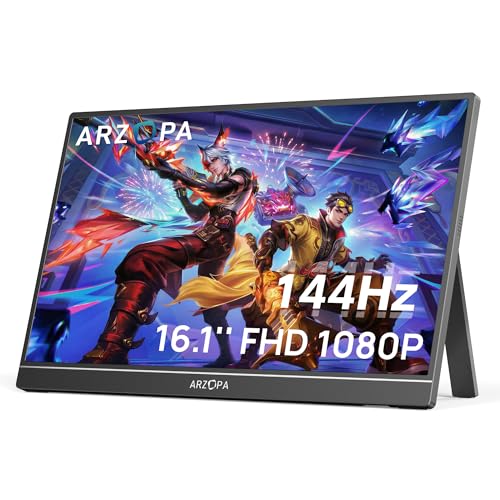
ARZOPA 16.1'' 144Hz Portable Gaming Monitor, 106% sRGB

Our verdict: A 1080p 144Hz screen that guarantees the same refresh across both port types, for the least money.

This ARZOPA is a 16.1 inch 1080p monitor rated at 144Hz with 106% sRGB. It has two USB-C ports, a mini HDMI port and a built-in kickstand, and sits in the $50 to $100 bracket.

It ranks last because the specification is the plainest, with no adaptive sync listed and a lower resolution than most. Even so, it is the cheapest way to get a 144Hz panel in a portable, and its listing promises the same 144Hz over both USB-C and mini HDMI, which avoids the port compromise of some rivals. At 1080p on 16 inches the picture is clear for games and office use.

Buy it if budget is the priority and you want a simple monitor for a console or a laptop. Skip it if you need FreeSync or higher resolution.

Panel
16.1 inch 1080p FHD
Refresh
144Hz
Color
106% sRGB
Ports
2x USB-C, mini HDMI

What we like

  • +Cheapest 144Hz option here
  • +Same refresh across port types
  • +Built-in kickstand
  • +Clear 1080p picture

Watch out for

  • −No adaptive sync listed
  • −Lower resolution than QHD

Buy it if: Budget buyers who want 144Hz and nothing fancy.

Skip it if: You want FreeSync or QHD sharpness.

Methodology

How We Ranked These

Refresh rate per port

We checked whether each monitor reaches its top refresh over USB-C, HDMI or both, since the headline number often applies to only one connection.

Resolution and color

FHD, 2K and 2.5K QHD panels were compared along with sRGB and DCI-P3 coverage claims, which matter for gaming and creative work.

Brightness and sync support

Nit ratings, HDR claims and variable refresh listings such as AMD FreeSync were weighed for lit rooms and tear-free play.

Ports, power and mounting

Full-size and mini HDMI, dual USB-C, bundled adapters, kickstands and VESA holes were scored for everyday convenience.

Value in each price bucket

Features were set against the $50 to $100 and $100 to $200 brackets used in this guide.

Every Primea Score uses the same weights: Performance 30% · Build & Materials 20% · Everyday Usability 20% · Value 20% · Owner Satisfaction 10%. Full scoring rules

Buyer's guide

How to Pick the Right One for You

By Gaming Device

What you plug in decides which refresh rate you will actually see.

DeviceOur pick
Laptop over USB-Ccocopar Portable Monitor 16 Inch 2.5K QHD 144Hz
AMD graphics cardacer Nitro Portable Gaming Monitor 15.6 FHD 165Hz
High-end gaming PCARZOPA 16.1'' 180Hz 2.5K Portable Monitor
Console or handheld PCARZOPA 16.1'' 144Hz Portable Gaming Monitor

By Budget

SpendOur pick
$50 to $100ARZOPA 16.1'' 144Hz Portable Gaming Monitor, 106% sRGB
$100 to $200 (best overall)cocopar Portable Monitor 16 Inch 2.5K QHD 144Hz
$100 to $200 (brightest)VisionOwl Portable Monitor 16 Inch 2.5K QHD 144Hz, 470 Nits
$100 to $200 (color work)Upperizon Portable Monitor 16 inch 2K QHD 145% sRGB
$100 to $200 (adapter included)Upperizon Portable Monitor 16 inch 2K QHD 106% sRGB

2.5K QHD vs 1080p

2.5K QHD

A sharper picture at 16 inches, but you need a graphics chip that can hold high frame rates at 1440p. Picks: cocopar, VisionOwl, ARZOPA 180Hz.

1080p

Easier to run at 144Hz and above, and a common choice for budget screens and AMD FreeSync gaming. Picks: Acer Nitro and ARZOPA 144Hz.

Default to 2.5K if your laptop has a discrete graphics chip, and 1080p for handhelds and older hardware.

By Room Lighting

EnvironmentOur pick
Bright room or near a windowVisionOwl Portable Monitor 16 Inch 2.5K QHD 144Hz, 470 Nits
Dim bedroom or dormcocopar Portable Monitor 16 Inch 2.5K QHD 144Hz
Color-critical workUpperizon Portable Monitor 16 inch 2K QHD 145% sRGB
Travel desk with no chargerUpperizon Portable Monitor 16 inch 2K QHD 106% sRGB

For Handheld PCs and Consoles Specifically

Look for

A USB-C port that carries video and power, a built-in stand or VESA pattern, and a refresh spec that matches the device. Most handhelds cap well under 144 frames per second.

In this ranking

The ARZOPA 144Hz at 1080p for a budget setup, or the cocopar if you want the sharper 2.5K screen and a full-size HDMI port.

When to Spend More

Spend more if

You own a strong GPU, want 2.5K sharpness, or need wide color or high brightness. The cocopar, VisionOwl and Upperizon 145% sRGB all fit those needs.

Save if

You mainly play on a console or a modest laptop. The ARZOPA 144Hz model delivers the refresh at a lower price.

Questions

Frequently Asked Questions

Will a portable monitor really run at 144Hz on my laptop?+

Only if the laptop's USB-C port supports DisplayPort video output and your graphics chip can produce the frames. Check your laptop's specifications, and use the cable that came with the monitor.

What is the biggest mistake when buying one?+

Reading 144Hz as a guarantee across every port. Some models reach 144Hz only over USB-C and drop to 120Hz over HDMI, so read the per-port figures and plan your cable accordingly.

Is a 180Hz monitor worth it over 144Hz?+

Only with a powerful gaming PC that can produce more than 144 frames per second at 1440p. On a console, handheld or mid-range laptop, the extra hertz goes unused, so the 144Hz models are the smarter buy.

How do I connect a portable monitor to a console?+

Use HDMI from the console to the monitor and power the screen from a wall adapter or a USB port. Consoles limit their output, so set the console's resolution and refresh to match what the monitor supports.

Do these monitors have speakers?+

Most portable monitors include small speakers and a headphone jack, but the listings here do not detail audio. Treat the speakers as a convenience and plan to use headphones for games.

Can I mount one on an arm or a stand?+

Several of these list VESA holes, including the cocopar, VisionOwl, Upperizon and Acer Nitro. Check the pattern size, as the Acer and one Upperizon use 75x75mm, and make sure your mount matches.

Final take

The cocopar 16 inch 2.5K QHD is the best 144Hz portable monitor here, with honest per-port refresh numbers, a metal build and the right mix of ports. The VisionOwl is the one to buy for bright rooms, the Upperizon 145% sRGB suits color work, and the Acer Nitro is the AMD FreeSync option. Pick the ARZOPA 144Hz if budget matters most, and always check what your laptop can output before you pay for extra hertz.

More Ranked & Reviewed Guides