
Primea ReviewsAll Reviews

Primea Reviews is reader-supported. When you buy through our Amazon links we may earn a commission, at no extra cost to you. Rankings are set by our editors and never sold. Learn more

Ranked & Reviewed by Primea Reviews

The 7 Best Electronic Digital Notebooks for Handwriting in 2026, Ranked & Reviewed

By the Primea Editorial TeamUpdated November 3, 202610 min read7 products ranked
The 7 Best Electronic Digital Notebooks for Handwriting in 2026, Ranked & Reviewed

The short answer

The reMarkable 2 with Marker Plus is the electronic digital notebook to buy if you want a distraction-free E Ink slate that stays charged for weeks. The BOOX Note Air 5 C is the color and app-rich alternative, the BOOX Note Air is the Android-powered pick for broad software, and the SyncPen is the cheapest way to turn real paper into digital notes.

The Primea Scoreboard

Ranked & Reviewed

  1. A focused E Ink notebook with a Marker Plus, weeks per charge and no app clutter.

    95Outstanding
    Check price
  2. A current-generation color ePaper tablet with 6GB RAM and 64GB storage.

    92Outstanding
    Check price
  3. 03
    BOOX Note Air 10.3 E Ink Tablet

    Best Android App Support

    BOOX Note Air 10.3 E Ink Tablet

    A 10.3 inch ePaper notebook running Android 10 with a front light and G-sensor.

    90Excellent
    Check price
  4. A Bluetooth smart pen with OCR and audio recording that syncs paper notes to an app.

    88Excellent
    Check price
  5. A pen, folio and notebook set with real-time sync and cloud storage.

    86Excellent
    Check price
  6. A smart pen and notebook that converts handwriting to text, on Android and iOS.

    84Very Good
    Check price
  7. A smart pen and paper digitizer with real-time sync, for Android and iOS.

    82Very Good
    Check price

The category name hides two very different products. One kind is a slate, an E Ink tablet where you write straight on the screen. The other is a smart pen that writes on real paper while a sensor records every stroke. They both end up as digital notes, but the daily experience, the price and the app lock-in are nothing alike. Most disappointed buyers picked the wrong kind, not the wrong brand.

This ranking sorts the two types honestly. We reviewed seven devices from their spec lists and listings, covering display type, storage, battery, pen, sync and app support. Where a listing is quiet, for example about storage or an app, we leave the gap rather than assume a feature that may not exist.

Before you buy

What Actually Matters

01

Slate or smart pen

A slate such as the reMarkable or BOOX has an E Ink screen, so you write directly on a device. A smart pen set uses real paper and a pen that records strokes. The slate is better for reading and annotating files, and the pen set is cheaper and keeps the feel of paper. Decide this first.

02

E Ink display type

E Ink screens reflect light, so they are easy on the eyes and hold an image without drawing power. Black and white screens refresh crisply, while color panels trade some sharpness for highlights. Look for a front light if you write in dim rooms, and for color if you mark up charts.

03

Battery life

E Ink only uses power when the screen changes, so a slate can last weeks. A smart pen is a small rechargeable device that needs regular top-ups. Check the battery claim on the listing and note whether the pen charges by cable.

04

Sync, cloud and app lock-in

Your notes live in an app or a cloud service, so the maker's software matters as much as the hardware. Look at export options such as PDF or text, and think about what happens if the service changes. Real-time sync means pages appear on your phone as you write.

05

Handwriting recognition

OCR and handwriting-to-text conversion turn scribbles into searchable text. Accuracy depends on your handwriting and the language, so no listing can promise perfect results. Check for the feature by name and test it on a real page early.

In-depth reviews

Our Ranked Picks, Reviewed

1

Best Overall

reMarkable 2 with Marker Plus

Our verdict: A focused E Ink notebook with a Marker Plus, weeks per charge and no app clutter.

The reMarkable 2 is an E Ink digital notebook sold with the Marker Plus, with a rechargeable battery rated at weeks per charge and digital file storage. The bundle costs between $200 and $500.

It wins because it does fewer things on purpose. There are no notifications and no browser tempting you away from the page, so the device behaves like paper with a search function. Weeks of battery life means you charge it like a phone you rarely use, not daily. The Marker Plus adds to the experience, which is why this bundle is worth choosing over a bare tablet.

Buy it if you want to think, sketch and annotate documents without distraction. The tradeoff is its limited app ecosystem, so it will not run a note app of your choice or play video.

Display
E Ink
Pen
Marker Plus included
Battery
Weeks per charge
Price bucket
$200 to $500

What we like

  • +No distractions, just writing
  • +Battery lasts for weeks
  • +Marker Plus bundled in the box
  • +Paper-like writing surface

Watch out for

  • −Limited app ecosystem
  • −Not a general-purpose tablet

Buy it if: Thinkers who want a focused digital paper pad.

Skip it if: You want apps, color or a browser.

2

Best Color E Ink

BOOX Note Air 5 C 10.3 Inch Color E Ink Tablet

Our verdict: A current-generation color ePaper tablet with 6GB RAM and 64GB storage.

The Note Air 5 C has a 10.3 inch color ePaper display, 6GB of RAM, 64GB of storage and a rechargeable battery. Expect to spend $500 or more.

It ranks second because it is the most capable slate here, and the least focused. Color E Ink lets you highlight, label and read charts with color, and 64GB of storage holds a lot of documents. The extra RAM keeps the interface responsive. It sits behind the reMarkable because the price is much higher and because an open Android device invites the distractions that a pure notebook avoids.

Buy it if you want color, storage and flexibility in an E Ink device. The caveat is cost, which is steep next to the paper-style alternatives.

Display
10.3 inch color ePaper
Memory
6GB RAM, 64GB storage
Battery
Rechargeable
Price bucket
$500 and up

What we like

  • +Color E Ink for highlighting
  • +64GB storage for large libraries
  • +6GB RAM keeps it responsive
  • +Large 10.3 inch writing area

Watch out for

  • −Premium price tier
  • −Open system invites distraction

Buy it if: Heavy readers and annotators who want color.

Skip it if: You want a budget or distraction-free notebook.

3

Best Android App Support

BOOX Note Air 10.3 E Ink Tablet

Our verdict: A 10.3 inch ePaper notebook running Android 10 with a front light and G-sensor.

The BOOX Note Air is a 10.3 inch ePaper tablet running Android 10 with a front light, G-sensor and a rechargeable battery. It acts as an electronic notebook with broad app support.

It ranks third because it offers the flexibility of Android in black and white at a lower tier than the color model. The front light means you can read and write in dim rooms, and the G-sensor rotates the screen when you turn the device. Android 10 is an older release, so app compatibility can lag in time, and it lacks color. Against the reMarkable, it gives much more software freedom for a similar idea.

Buy it if you want to install your own note and reading apps. Skip it if you want a calm, locked-down experience.

Display
10.3 inch ePaper
System
Android 10
Light
Front light
Sensor
G-sensor rotation

What we like

  • +Android apps for note taking
  • +Front light for dim rooms
  • +Screen rotates with the device
  • +Large 10.3 inch display

Watch out for

  • −Older Android version
  • −Black and white only

Buy it if: Readers who want to pick their own apps.

Skip it if: You want a closed, simple notebook.

4

Best Budget Paper Sync

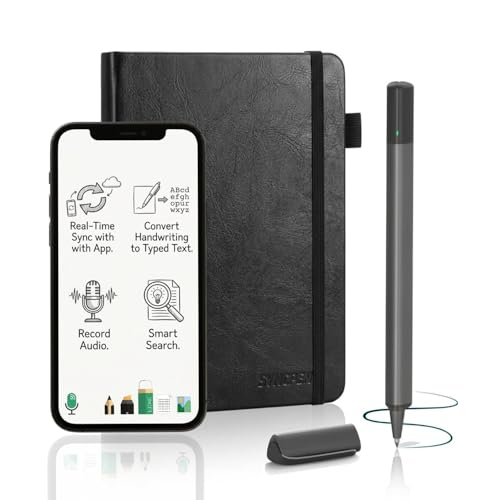
SyncPen Digital Notebook Smart Pen Set

Our verdict: A Bluetooth smart pen with OCR and audio recording that syncs paper notes to an app.

The SyncPen set is a smart pen and paper digitizer with a Bluetooth electronic pen, OCR, audio recording and a rechargeable pen. Real-time sync sends your strokes from paper to the app, and the set is priced from $50 to $100.

It ranks fourth because it is the cheapest way to get digital notes while still writing on real paper. OCR turns handwriting into editable text, and audio recording lets you match notes to a lecture or meeting. It sits below the E Ink slates because you manage paper pads and a pen that needs charging, and the app quality matters more than the hardware.

Buy it if you love paper and want a searchable archive. Skip it if you want to read or annotate documents on the device itself.

Type
Smart pen and paper set
Features
OCR and audio recording
Connection
Bluetooth pen
Price bucket
$50 to $100

What we like

  • +Writes on real paper
  • +OCR turns notes into text
  • +Audio recording ties to notes
  • +Cheapest digital option here

Watch out for

  • −Pen needs charging
  • −No screen to read documents

Buy it if: Paper lovers wanting searchable digital notes.

Skip it if: You want to annotate PDFs on the device.

5

Best Cloud-Backed Set

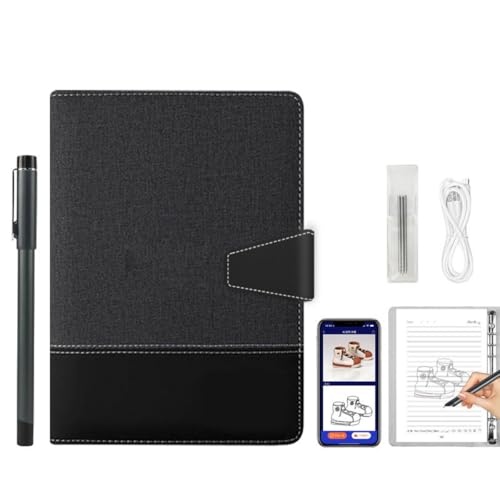
Noteorius Smart Notebook with Pen and Folio

Our verdict: A pen, folio and notebook set with real-time sync and cloud storage.

The Noteorius set includes a smart pen with rechargeable electronics, a folio and a notebook, with real-time sync and cloud storage. It falls in the $100 to $200 range.

It ranks fifth because the folio and cloud backup make a more complete package than a bare pen. Cloud storage means your notes are not tied to one phone, which matters if a device is lost. It sits behind the SyncPen on listed features such as OCR and audio, but it is a tidier all-in-one with a pen and folio included.

Buy it if you want a neat set that protects notes in the cloud. Check how the app handles your language and export formats before committing.

Set
Pen, notebook and folio
Sync
Real-time with cloud storage
Pen
Rechargeable electronics
Price bucket
$100 to $200

What we like

  • +Folio keeps the set together
  • +Cloud storage backs up notes
  • +Real-time sync to a device
  • +Pen and notebook in the box

Watch out for

  • −Priced above the SyncPen
  • −Listing lacks OCR detail

Buy it if: People who want a neat set with cloud backup.

Skip it if: You want the lowest price or OCR extras.

6

Best Text Conversion

Ophayapen Smart Pen with Digital Smart Notebook

Our verdict: A smart pen and notebook that converts handwriting to text, on Android and iOS.

The Ophayapen is a smart pen and digital notebook set with rechargeable pen electronics, real-time sync and handwriting-to-text conversion, compatible with Android and iOS. It sits in the $100 to $200 range.

It ranks sixth because the main benefit, text conversion, is shared with the cheaper SyncPen. The compatibility with both phone systems is useful, and the conversion is the feature that turns paper into searchable text. It loses ground because the listing gives little on audio recording or storage and because the price is above the SyncPen.

Buy it if text conversion on both Android and iOS is your priority. Test the handwriting recognition on a sample page before you rely on it.

Type
Smart pen and notebook
Feature
Handwriting to text
Platforms
Android and iOS
Price bucket
$100 to $200

What we like

  • +Converts handwriting to text
  • +Works with Android and iOS
  • +Real-time sync of strokes
  • +Rechargeable pen electronics

Watch out for

  • −Costs more than the SyncPen
  • −Little detail on audio features

Buy it if: Note takers who want text from handwriting.

Skip it if: You want the cheapest smart pen.

7

Best Real-Time Sync Set

Digital Notebook Tablet with Smart Pen and Real-Time Sync

Our verdict: A smart pen and paper digitizer with real-time sync, for Android and iOS.

This is a smart pen and paper digitizer set with real-time electronic sync, compatible with Android and iOS, and a rechargeable pen. The listing gives little else, so we keep to those points.

It ranks last because the information is thin and the unit is generic. Real-time sync is the headline, and a rechargeable pen on both phone systems is useful, but there is nothing to separate it from the cheaper SyncPen. Without clear details on text conversion, storage or support, it is the hardest of the set to recommend with confidence.

Buy it only if the price on the live listing is attractive and you confirm the features. Skip it if you want a documented brand.

Type
Smart pen and paper set
Sync
Real-time electronic
Platforms
Android and iOS
Pen
Rechargeable

What we like

  • +Real-time sync of writing
  • +Works with Android and iOS
  • +Rechargeable pen
  • +Paper-like writing feel

Watch out for

  • −Listing details are thin
  • −No standout feature over cheaper sets

Buy it if: Shoppers who confirm details and want a smart pen.

Skip it if: You want a documented, brand-backed device.

Methodology

How We Ranked These

Writing experience

We compared E Ink screens with paper-and-pen sets on how natural the writing feels and how much setup stands between you and the page.

Display and storage

We weighed screen size, color, RAM and storage on the slates, since those decide how many documents you can handle.

Sync and handwriting tools

Real-time sync, cloud storage, OCR and handwriting-to-text conversion were scored on what each listing actually states.

Battery and power

We looked at battery claims for the slates and rechargeable pens, and marked down anything that needs frequent charging.

Value and focus

Price bucket was set against capability, and distraction-free design earned credit because that is why people buy digital paper.

Every Primea Score uses the same weights: Performance 30% · Build & Materials 20% · Everyday Usability 20% · Value 20% · Owner Satisfaction 10%. Full scoring rules

Buyer's guide

How to Pick the Right One for You

By Device Type

Slates and pen sets suit different habits.

Your preferenceOur pick
Focused E Ink slatereMarkable 2 with Marker Plus
Color E Ink with big storageBOOX Note Air 5 C 10.3 Inch Color E Ink Tablet
Android E Ink for appsBOOX Note Air 10.3 E Ink Tablet
Real paper with syncSyncPen Digital Notebook Smart Pen Set

By Budget

SpendOur pick
$50 to $100SyncPen Digital Notebook Smart Pen Set
$100 to $200Noteorius Smart Notebook with Pen and Folio
$200 to $500reMarkable 2 with Marker Plus
$500 and upBOOX Note Air 5 C 10.3 Inch Color E Ink Tablet

E Ink Slate vs Smart Pen and Paper

E Ink slate

Write on the screen, read and annotate files, and charge every few weeks. Costs more. Picks: reMarkable 2, BOOX Note Air 5 C, BOOX Note Air.

Smart pen and paper

Write on real paper while the pen records strokes. Cheaper and familiar, but the pen needs charging and you cannot read files on it. Picks: SyncPen, Noteorius, Ophayapen.

Default to a slate if you annotate documents, and a smart pen if you simply love paper.

By Software Freedom

What you wantOur pick
A closed, calm systemreMarkable 2 with Marker Plus
Open Android with your own appsBOOX Note Air 10.3 E Ink Tablet
Open Android with colorBOOX Note Air 5 C 10.3 Inch Color E Ink Tablet
Cloud backup with a pen setNoteorius Smart Notebook with Pen and Folio

For Meeting and Lecture Notes Specifically

Look for

Audio recording tied to your notes, OCR to make pages searchable, and quick sync so notes are on your phone before you leave the room.

In this ranking

The SyncPen lists OCR and audio recording, and the Ophayapen adds handwriting-to-text conversion. The reMarkable is better for thinking than for transcription.

When to Spend More

Spend more if

You will read and annotate documents daily, which is where an E Ink slate like the reMarkable 2 or the BOOX Note Air 5 C pays off.

Save if

You mainly want your handwritten pages searchable; the SyncPen does that for $50 to $100.

Questions

Frequently Asked Questions

Do these work with both iPhone and Android?+

The Ophayapen and the generic smart pen set list both Android and iOS. The reMarkable and BOOX slates work as standalone devices with their own apps. Check the listing before you buy for the exact apps and phone systems.

What is the most common mistake when buying a digital notebook?+

Buying a slate when you really want paper, or a smart pen when you want to read files. Match the type of device to what you do all day, not to the price.

Is an E Ink slate worth it over a smart pen?+

It is worth it if you read and mark up PDFs, because the slate handles files and a pen set cannot. For simply capturing handwritten notes, a smart pen set costs far less.

How do I set up a smart pen?+

Charge the pen, install the app, pair it by Bluetooth and write on the paper that comes with the set. Calibrate the page if the app asks, and test the sync with a short note.

How do I look after an E Ink screen?+

Use the proper pen tip, keep the screen away from sharp objects, and store it in a case. Avoid leaving it in a hot car, since heat can damage the display.

Can I back up my notes?+

Yes, most of these use a cloud or an app that stores your pages, and the slates allow file export. Set up an automatic backup early, because notes held only on one device are at risk.

Final take

The reMarkable 2 with Marker Plus is the best electronic digital notebook for people who want to write and think without distraction. The BOOX Note Air 5 C is the color, high-capacity alternative, and the SyncPen is the budget route to searchable notes on real paper. Decide between a slate and a smart pen first, and the rest of the choice becomes easy.

More Ranked & Reviewed Guides