
Primea ReviewsAll Reviews

Primea Reviews is reader-supported. When you buy through our Amazon links we may earn a commission, at no extra cost to you. Rankings are set by our editors and never sold. Learn more

Ranked & Reviewed by Primea Reviews

The 6 Best Diskless NAS Enclosures of 2026, Ranked & Reviewed

By the Primea Editorial TeamUpdated November 1, 202610 min read6 products ranked
The 6 Best Diskless NAS Enclosures of 2026, Ranked & Reviewed

The short answer

The Synology DS925+ is the best diskless NAS enclosure for buyers who want a long-term app and camera platform, with four bays, upgradeable RAM and RAID 5, SHR and RAID 10. The DS423 delivers four-bay redundancy for less, and the DS725+ is the expandable two-bay route. The DS223j suits first-timers, the UGREEN DH2300 is the budget NAS, and the TERRAMASTER D4-320 is a fast direct-attached box, not a network one.

The Primea Scoreboard

Ranked & Reviewed

  1. The long-term app platform, if you accept its drive rules.

    94Outstanding
    Check price
  2. Four-bay RAID without the Plus-series price.

    90Excellent
    Check price
  3. Start with two bays and add more later.

    87Excellent
    Check price
  4. Simple mirrored backup on a value-series box.

    84Very Good
    Check price
  5. The cheapest true NAS here, on a non-Synology platform.

    81Very Good
    Check price
  6. A fast 4-bay RAID box, but not shared on the network.

    78Very Good
    Check price

Buying a diskless NAS splits your spending into two decisions, the box and the drives, and most regrets come from making them in the wrong order. A cheap enclosure can lock you into a short list of approved drives. A direct-attached box that looks like a NAS can turn out to share nothing across the network at all. The enclosure you choose sets the rules for every disk you buy afterwards.

We reviewed six enclosures on paper and scored them on the Primea framework, weighing bay count, platform, RAID support, drive compatibility and room to expand. Price buckets keep the comparison honest. Software ecosystems and drive rules mattered as much as hardware, because both shape what the box will still do in three years.

Before you buy

What Actually Matters

01

NAS vs DAS

A NAS joins your network and serves files to many devices, while a DAS plugs into one computer, like a large external drive. Buyers confuse them constantly because both are called enclosures. Look for network-attached or direct-attached wording in the title, and check whether the listing mentions an operating system such as DSM. A real NAS has one.

02

Bay count and RAID

Bay count and RAID decide how your data is protected. RAID 1 mirrors two drives and survives one failure, RAID 5 spreads parity over three or more, and SHR handles mixed drive sizes. More bays give more flexibility. Check the RAID levels in the spec bullets, because a two-bay box cannot offer RAID 5 at all. Remember that RAID is not a backup, so plan a second copy.

03

Drive compatibility

Drive compatibility describes which disks the enclosure officially supports. Some newer Plus-series units warn about non-Synology drives, which can raise cost or limit support. The UGREEN keeps its own list. Search the maker's compatibility list before buying drives, and confirm the model you plan to buy is on it. Skipping this step is how a cheap disk becomes an expensive problem.

04

RAM and expansion

RAM and expansion determine how long a NAS stays useful. Upgradeable memory and expansion units extend its life, while soldered RAM, as on the DS223j, cannot change. Look for the words upgradeable or expansion in the listing, and think about whether you will run apps like Surveillance Station that need more memory. Buy the headroom now if you can, since soldered parts stay as shipped.

05

Software ecosystem

The software ecosystem is the set of apps the NAS runs, such as surveillance, photo and sync tools. DSM offers a large library, while newer platforms like UGREEN NAS OS have fewer. Browse the maker's app list before choosing, because the apps you actually use matter more than the hardware inside the box. Check that the specific apps you want exist on that platform.

In-depth reviews

Our Ranked Picks, Reviewed

1

Best Overall

Synology 4-Bay DiskStation DS925+ (Diskless)

Our verdict: The long-term app platform, if you accept its drive rules.

The DS925+ is a four-bay Plus-series enclosure with upgradeable RAM, RAID 5, SHR and RAID 10 support, and access to DSM including Surveillance Station. SHR, Synology Hybrid RAID, lets you mix drive sizes and still protect your data, which is why it matters for people who buy disks over time. It sits in the $500 and up bucket.

It tops the list because it offers the most room to grow in apps and memory. That headroom is what separates it from the DS423, which keeps four bays but cannot add RAM.

Buy it for long-term photo, backup and camera workloads. The catch is the listing's compatibility warnings for non-Synology drives on 2024 and newer Plus-series units. Check the approved list before you buy disks, or you may pay more than you planned.

Bays
4
RAID
5, SHR, 10
Memory
Upgradeable RAM
Apps
DSM, Surveillance Station

What we like

  • +Upgradeable RAM
  • +Supports RAID 5 and SHR
  • +Full DSM app ecosystem
  • +Surveillance Station support

Watch out for

  • −Drive compatibility warnings
  • −Highest price bucket

Buy it if: Long-term app and camera users.

Skip it if: You just want simple backup.

2

Best 4-Bay Value

Synology DS423 4-Bay Diskless NAS

Our verdict: Four-bay RAID without the Plus-series price.

The DS423 is a four-bay NAS supporting RAID 5 and SHR, with Video Surveillance Station support plus Photo Vault and secure file sharing apps, in the $200 to $500 bucket. Four bays are the sweet spot for redundancy: RAID 5 survives one drive failure while still giving you three drives of usable space.

It ranks second because it gives you the same four bays as the DS925+ for far less, trading away upgradeable memory and the Plus-series extras. Against the DS725+, it offers more capacity up front for a lower price.

Buy it for a family or small office that wants redundancy and shared photos. The caveat is app headroom: do not expect it to run heavy workloads or many services at once, because the hardware is below the Plus tier.

Bays
4
RAID
5, SHR
Apps
Surveillance, Photo Vault
Price
$200-500

What we like

  • +Four bays at lower cost
  • +RAID 5 and SHR
  • +Photo and sharing apps
  • +Surveillance Station support

Watch out for

  • −Less upgradeable than Plus
  • −Lower app headroom

Buy it if: Families and small offices wanting redundancy.

Skip it if: You need heavy app performance.

3

Best Expandable 2-Bay

Synology DS725+ Expandable 2-Bay Diskless NAS

Our verdict: Start with two bays and add more later.

The DS725+ is a two-bay Plus-series NAS that supports an expansion unit for extra bays, with upgradeable RAM and private cloud and small-business features. Expansion is the argument: you start with two drives and grow later without migrating to a new box.

It lands third because the DS423 gives four bays now for less, and you pay a premium here for the expansion path. In the $500 and up bucket it also carries the same drive compatibility warnings as the DS925+, which can raise the cost of future disks.

Buy it if you expect to outgrow two bays and want to stay on one platform. Skip it if two bays will be enough forever, because the money is better spent on the DS423 or even the DS223j.

Bays
2, expandable
Memory
Upgradeable RAM
Expansion
Expansion unit supported
Price
$500+

What we like

  • +Expandable with extra bays
  • +Upgradeable RAM
  • +Private cloud features
  • +Small-business features

Watch out for

  • −Drive compatibility warnings
  • −Costly for two bays

Buy it if: Buyers who plan to expand later.

Skip it if: Two bays will be enough.

4

Best for First-Timers

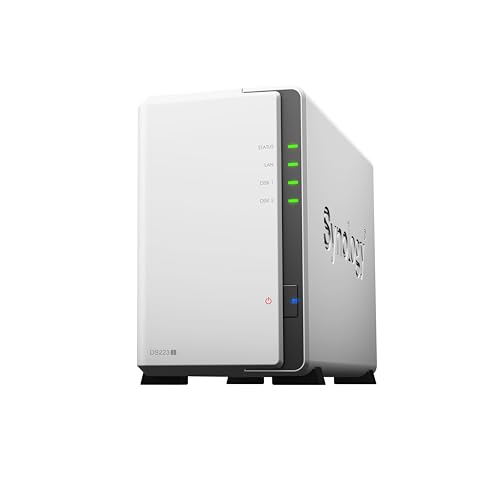
Synology 2-Bay DiskStation DS223j (Diskless)

Our verdict: Simple mirrored backup on a value-series box.

The DS223j is a two-bay value-series NAS with soldered RAM, RAID 1 mirroring and the full DSM operating system, in the $200 to $500 bucket. RAID 1 writes every file to both drives, which is the simplest protection to understand and recover from, and exactly what a first-time buyer needs.

It sits fourth because it is modest in power and its soldered RAM cannot be upgraded. It does avoid the Plus-series drive restrictions the listing flags for the pricier models, so disks are easier to source than for the DS725+.

Choose it for personal backup, shared family storage and light media use. Skip it if you plan to run many apps, because soldered memory means no upgrade path and little room for Surveillance Station.

Bays
2
RAID
RAID 1 mirroring
Memory
Soldered RAM
OS
Full DSM

What we like

  • +Simple RAID 1 backup
  • +Full DSM operating system
  • +Looser drive compatibility
  • +Lower price

Watch out for

  • −Soldered RAM
  • −Limited power for apps

Buy it if: First-time NAS buyers.

Skip it if: You plan to run many apps.

5

Best Budget NAS

UGREEN NAS DH2300 2-Bay Desktop NAS (Diskless)

Our verdict: The cheapest true NAS here, on a non-Synology platform.

The UGREEN DH2300 is a two-bay desktop NAS supporting up to 64TB total, running UGREEN NAS OS with its own hardware compatibility list. It sits in the $100 to $200 bucket, the cheapest true NAS in this guide, and it undercuts every Synology here on price.

It ranks fifth because its software ecosystem is smaller than DSM, with fewer mature apps for cameras and photos, and it is not DSM at all. Against the DS223j, you save money and give up polish and a long-proven platform.

It suits budget buyers comfortable with a newer platform. Check the drive compatibility list before buying disks, since the DH2300 follows UGREEN's own list and not Synology's, and a drive that is not on it can cause trouble.

Bays
2
Capacity
Up to 64TB
OS
UGREEN NAS OS
Price
$100-200

What we like

  • +Lowest NAS price here
  • +Up to 64TB capacity
  • +Desktop form factor
  • +Own compatibility list

Watch out for

  • −Smaller software ecosystem
  • −Not DSM

Buy it if: Budget-minded NAS buyers.

Skip it if: You want a mature app store.

6

Best Direct-Attached Box

TERRAMASTER D4-320 4-Bay USB 3.2 Gen2 Enclosure (Diskless)

Our verdict: A fast 4-bay RAID box, but not shared on the network.

The TERRAMASTER D4-320 is a four-bay direct-attached enclosure using USB 3.2 Gen2 Type-C at 10Gbps, with hot-swappable bays and plug and play RAID, in the $100 to $200 bucket. Direct-attached means it behaves like a very large external drive on one computer, and 10Gbps keeps that fast.

It ranks last because it is not a NAS. It connects to a single host and cannot share files across your network like the Synology and UGREEN boxes, and it has no apps. Its lowest cost per bay is the only reason it appears at all.

It is the right buy for one computer that needs bulk, fast RAID storage, such as a video editor. Skip it if several devices, phones or family members need access.

Bays
4, hot-swappable
Interface
USB 3.2 Gen2, 10Gbps
Type
Direct-attached
Price
$100-200

What we like

  • +10Gbps USB link
  • +Four hot-swappable bays
  • +Plug and play RAID
  • +Lowest cost per bay

Watch out for

  • −Single computer only
  • −No network sharing

Buy it if: One computer needing bulk RAID storage.

Skip it if: Several devices need access.

Methodology

How We Ranked These

Platform maturity

We weighed app ecosystems and software support across Synology and UGREEN.

Bay count and RAID

We compared bay counts and the RAID levels listed for each unit.

Drive compatibility

We noted restrictions on non-branded drives mentioned in the listings.

Expandability

We checked for upgradeable RAM and expansion unit support.

NAS or DAS

We separated network storage from direct-attached boxes, since they solve different problems.

Every Primea Score uses the same weights: Performance 30% · Build & Materials 20% · Everyday Usability 20% · Value 20% · Owner Satisfaction 10%. Full scoring rules

Buyer's guide

How to Pick the Right One for You

By Bay Count

Bays set capacity and redundancy.

NeedOur pick
Four bays, long-livedSynology DS925+
Four bays, lower costSynology DS423
Two bays, expandableSynology DS725+
Two bays, simpleSynology DS223j

By Budget

SpendOur pick
$100-200, NASUGREEN NAS DH2300
$100-200, single computerTERRAMASTER D4-320
$200-500Synology DS423
$500+Synology DS925+

NAS vs Direct-Attached

NAS

Shared over the network with apps and remote access. Picks: Synology DS925+, DS423, DS725+, DS223j and UGREEN DH2300.

Direct-attached

Fast storage for one computer, no network sharing. Pick: TERRAMASTER D4-320.

Most buyers should choose a true NAS unless one computer is all that matters.

By Drive Flexibility

PreferenceOur pick
Fewer drive restrictionsSynology DS223j
Fewer restrictions, 4 baysSynology DS423
Own compatibility listUGREEN NAS DH2300
Check the list firstSynology DS925+

For Home Backup Specifically

Look for

RAID 1 or SHR mirroring, simple setup and a reputable software platform.

In this ranking

The Synology DS223j offers RAID 1, and the DS423 adds four bays with SHR.

When to Spend More

Spend more if

You run cameras or many apps. The Synology DS925+ has the headroom.

Save if

You only back up files. The Synology DS223j or UGREEN NAS DH2300 are enough.

Questions

Frequently Asked Questions

Do these include hard drives?+

No, all six are diskless, so you buy the drives separately. Check the compatibility list first, especially on the DS925+ and DS725+, where Synology warns about non-Synology drives on 2024 and newer Plus-series units. Budget for the drives, since they often cost more than the box.

What is the common mistake?+

Buying a direct-attached box and expecting network sharing. The TERRAMASTER D4-320 connects to a single computer over USB and shares nothing, while the Synology and UGREEN units are true NAS. Read the title for the words network or direct-attached before you order.

Is the DS925+ worth it over the DS423?+

Only if you need upgradeable RAM and heavy apps like Surveillance Station. For backup, photo storage and file sharing, the DS423 offers four bays and RAID 5 for much less money.

How do I set up RAID?+

Install the drives, set up the operating system and choose the RAID level. A two-bay unit like the DS223j uses RAID 1 mirroring, while the DS423 offers RAID 5 or SHR across four drives.

How do I maintain it?+

Keep the firmware updated and watch the drive health notices. Replace a failed drive promptly in a RAID array, and let the rebuild finish before you trust the data again. Also keep a separate backup copy.

Can the UGREEN use any drive?+

It has its own hardware compatibility list rather than Synology's, so check it before buying disks. The DH2300 supports up to 64TB total, but only drives the maker approves are safe.

Final take

Start with what the box must do. The DS925+ is the best long-term platform but comes with Synology's drive warnings and the highest price bucket. The DS423 gives most families the redundancy they need for less, and the DS223j is a clean first NAS. Take the UGREEN only if you are comfortable with a newer platform, and buy the D4-320 only for one computer.

More Ranked & Reviewed Guides