
Primea ReviewsAll Reviews

Primea Reviews is reader-supported. When you buy through our Amazon links we may earn a commission, at no extra cost to you. Rankings are set by our editors and never sold. Learn more

Ranked & Reviewed by Primea Reviews

The 8 Best Digital Notebooks Under $500 of 2026, Ranked & Reviewed

By the Primea Editorial TeamUpdated November 1, 202610 min read8 products ranked
The 8 Best Digital Notebooks Under $500 of 2026, Ranked & Reviewed

The short answer

The reMarkable 2 with Marker Plus is the best digital notebook for heavy handwriting: a standalone e-ink slate with weeks of battery. The Rocketbook Core is the cheap, reusable letter-size choice, and the Fusion adds a planner. The SyncPen records strokes live on real paper, if you accept another device to charge.

The Primea Scoreboard

Ranked & Reviewed

  1. The only true standalone e-ink notebook in the group, with a paper-like writing feel.

    93Outstanding
    Check price
  2. A full letter-size reusable notebook that scans to the cloud, at a tiny fraction of the cost.

    90Excellent
    Check price
  3. Planner pages plus reusable note pages in one compact executive-size book.

    88Excellent
    Check price
  4. The complete kit: notepad, pen and cleaning cloth in one box.

    86Excellent
    Check price
  5. Write on real paper and sync to your phone in real time, with OCR and audio recording.

    85Excellent
    Check price
  6. A compact smart pen and notebook that syncs to mobile in real time.

    84Very Good
    Check price
  7. A reusable flip notepad with more room than the Mini format.

    82Very Good
    Check price
  8. A letter-size flip pad mixing lined and dot grid pages, 16 sheets per pad.

    81Very Good
    Check price

Digital notebook covers three different devices that share a goal and little else. An e-ink tablet is something you write on directly. A reusable paper notebook is something you photograph with a phone. A smart pen records strokes while you write on ordinary paper. All three get handwriting into the cloud, but the writing feel, the sync timing and the ongoing costs are nothing alike.

So this ranking sorts by what each type does well. We looked at how natural the writing feels, whether sync is live or after the fact, what you need to keep buying and how much cleanup or setup each one demands. The $500 ceiling is a loose cap, since most of these cost a small fraction of that, and the cheap options carry their own habits.

Before you buy

What Actually Matters

01

Which of the three types suits you

E-ink tablets, reusable notebooks and smart pens are different tools. An e-ink tablet stores notes on the device. A reusable notebook relies on scanning pages with a phone. A smart pen records strokes onto a phone while you write on paper. Decide how you want to write first, then compare products within that type, because the three do not substitute for each other.

02

Live sync versus scan later

Smart pens sync as you write. Rocketbooks only digitize when you take a photo of the page. If you scan once at the end of a meeting, that is fine. If you want your phone to show notes immediately, pick a smart pen or the reMarkable. Look for real time sync in the listing, as on the SyncPen and Ophayapen.

03

The pen you have to keep supplying

Rocketbook pages only wipe clean with compatible erasable pens, and a smart pen needs charging. Confirm the pen is included in the box, as it is with the Flip kit, and check what refills or cloths you will need over time. A missing pen turns a cheap notebook into a small shopping errand.

04

Cloud subscriptions

Some devices lock features such as long-term cloud storage behind a paid plan. Read the current listing and the maker's page for what the one-time price includes. Do not assume sync and storage are free forever, especially for the reMarkable, where some cloud features may involve a subscription.

05

Page size for your notes

Letter size suits diagrams, mind maps and lecture notes. Executive size suits lists and meetings. Think about what you write most and choose the format that gives you that room without carrying a bigger book. The Core and Letter Flip are letter size, while the Fusion and Executive Flip are smaller.

In-depth reviews

Our Ranked Picks, Reviewed

1

Best Overall

reMarkable 2 with Marker Plus

Our verdict: The only true standalone e-ink notebook in the group, with a paper-like writing feel.

The reMarkable 2 with Marker Plus is a standalone e-ink notebook with a black and white screen, a paper-like writing feel, weeks of battery life and a distraction-free interface. Notes live on the device, so nothing needs a phone to capture them, and e-ink avoids the notifications that pull attention away from a page.

It ranks first because it is the only true standalone e-ink notebook here. The Rocketbooks cost far less but need a phone for every scan, and the smart pens write on paper with a pen you must charge.

Buy it for heavy handwritten note taking without distraction. The caveats are the highest price and a screen with no color, and cloud features may involve a plan. Skip it if you only scan the odd page.

Type
Standalone e-ink notebook
Pen
Marker Plus included
Battery
Weeks per charge
Display
Black and white e-ink

What we like

  • +Paper-like writing feel
  • +Distraction-free interface
  • +Weeks of battery life
  • +Marker Plus included

Watch out for

  • −Most expensive pick here
  • −Black and white screen only
  • −Check cloud subscription terms

Buy it if: Heavy handwritten note takers who want no distractions.

Skip it if: You only scan the odd page and want to spend little.

2

Best Reusable Notebook

Rocketbook Core Reusable Spiral Notebook, Letter Size

Our verdict: A full letter-size reusable notebook that scans to the cloud, at a tiny fraction of the cost.

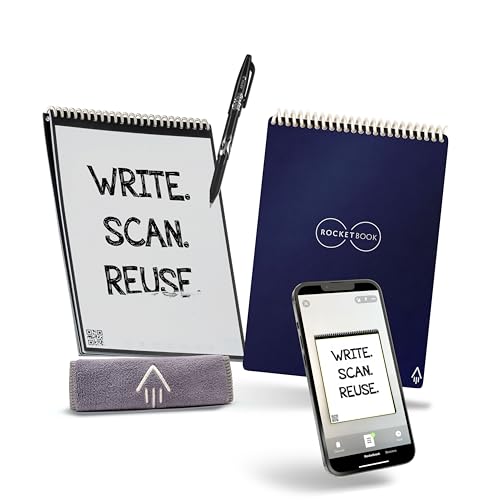
The Rocketbook Core is a letter-size 8.5 by 11 inch spiral notebook with dotted, reusable pages that wipe clean. Writing with a compatible erasable pen, you scan pages with the app and send them to the cloud, then wipe and reuse them. A full-size page gives room for diagrams and lecture notes.

It ranks second because sync happens only after scanning and you need an erasable pen. It beats the planner and flip pads on writing area.

Buy it for students and planners who want cheap, full-size reusable pages. Skip it if you want live sync while you write. Scanning habits matter: if you forget to scan, the notes vanish when wiped.

Size
Letter, 8.5 x 11 in
Pages
Dotted, reusable
Sync
App scan to cloud
Pen
Erasable pen needed

What we like

  • +Full letter-size writing area
  • +Wipes clean and reuses
  • +Established app support
  • +Very low cost

Watch out for

  • −Needs a compatible erasable pen
  • −Sync happens after scanning
  • −No on-device storage

Buy it if: Students and planners who want cheap, full-size reusable pages.

Skip it if: You want live sync while you write.

3

Best Planner Hybrid

Rocketbook Fusion Hybrid Reusable Planner Notebook, Executive

Our verdict: Planner pages plus reusable note pages in one compact executive-size book.

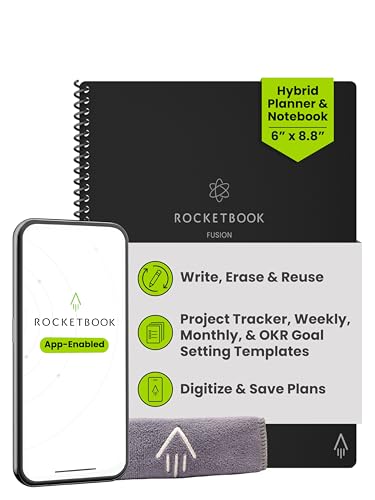
The Rocketbook Fusion is an executive-size 6 by 8.8 inch book that combines planner pages with reusable note pages, wipe-clean and scanned through the app. One book holds the agenda and the meeting notes, which saves carrying two items.

It ranks third because the planner layout is rigid and it needs a compatible erasable pen. Sync happens after scanning, as with all Rocketbooks.

Buy it for planners who want agenda and notes in one compact book. Skip it if you sketch or write free-form and want blank space. The smaller page suits lists, not diagrams, and the fixed planner pages cannot be rearranged. It costs the same as the Core, so choose by whether you plan your days on paper.

Size
Executive, 6 x 8.8 in
Layout
Planner + note pages
Pages
Wipe clean and reuse
Sync
App scan to cloud

What we like

  • +Planner and notes in one book
  • +Compact executive size
  • +Pages wipe clean and reuse
  • +App-connected scanning

Watch out for

  • −Planner layout is rigid
  • −Needs a compatible erasable pen
  • −Sync happens after scanning

Buy it if: Planners who want agenda and notes in one compact book.

Skip it if: You sketch or write free-form and want blank space.

4

Best Starter Kit

Rocketbook Flip Smart Notepad with Pen, Cloth and App

Our verdict: The complete kit: notepad, pen and cleaning cloth in one box.

The Rocketbook Flip kit is a 6 by 8.8 inch smart notepad that includes a pen, a cloth and the app, with dotted and lined combo pages that wipe clean. Having the right pen in the box matters, because the wrong ink never wipes off.

It ranks fourth because it is smaller than a full notebook and scans only after the fact. It saves guessing at accessories.

Buy it for first-time Rocketbook users who want everything in one box. Skip it if you need a full letter-size writing area. The cloth and pen make setup simple, and the dotted and lined combo gives two rulings in one pad. Expect to wipe the pages gently, as rubbing hard can smear ink.

Size
6 x 8.8 in
Included
Pen, cloth, app
Pages
Dotted and lined combo
Reuse
Wipe clean

What we like

  • +Pen and cloth included
  • +Dotted and lined combo pages
  • +Wipes clean and reuses
  • +Compact notepad format

Watch out for

  • −Smaller than a full notebook
  • −Sync happens after scanning
  • −No on-device storage

Buy it if: First-time Rocketbook buyers who want everything in one box.

Skip it if: You need a full letter-size writing area.

5

Best Smart Pen

SyncPen Digital Notebook Smart Pen Set

Our verdict: Write on real paper and sync to your phone in real time, with OCR and audio recording.

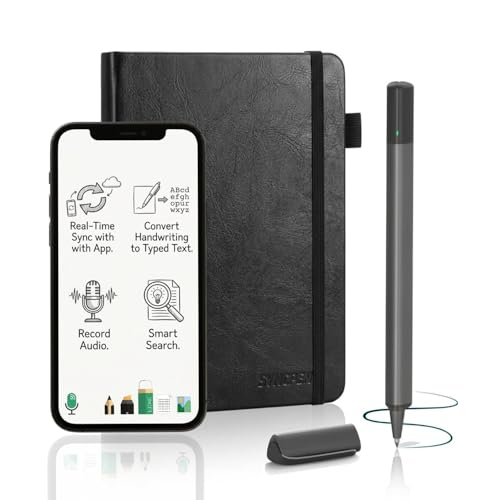
The SyncPen is a smart pen and notebook set that syncs your strokes to an app in real time over Bluetooth, with OCR and audio recording. Writing on real paper while a phone captures the strokes gives automatic digital copies with no scan step.

It ranks fifth because the pen needs charging, OCR accuracy varies by handwriting and the app ecosystem is small. It is the most capable smart pen here.

Buy it if you love real paper and want live digital copies. Skip it if you do not want to charge another pen. Check how well the OCR reads your handwriting before trusting it.

Type
Smart pen and notebook
Sync
Real time to app
Extras
OCR, audio recording
Link
Bluetooth

What we like

  • +Live sync while you write
  • +OCR included
  • +Audio recording built in
  • +Writes on real paper

Watch out for

  • −Pen needs charging
  • −OCR accuracy varies by handwriting
  • −Smaller app ecosystem

Buy it if: Paper lovers who want automatic digital copies.

Skip it if: You do not want to charge another pen.

6

Best Compact Smart Pen Set

Ophayapen Smart Pen and Smart Digital Notebook

Our verdict: A compact smart pen and notebook that syncs to mobile in real time.

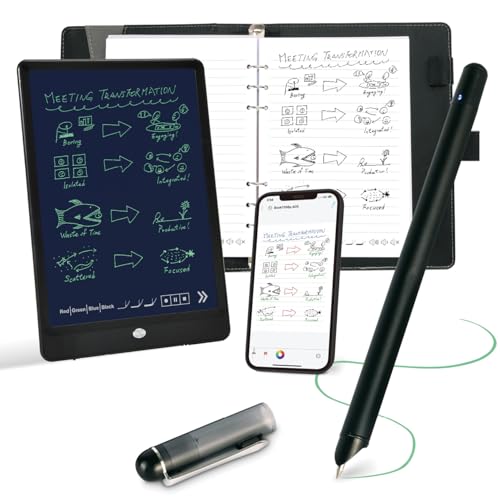
The Ophayapen is a compact smart pen and digital notebook set that syncs to a mobile app in real time and writes on real paper. A smaller set is easier to carry than a tablet.

It ranks sixth because the brand is smaller and lesser known, and the pen needs charging. It gives live sync at a modest price.

Buy it if you want real-time mobile sync on paper. Skip it if you want a long-established brand. The notebook is bulkier than a paper notepad, and the pen needs regular charging. The price is moderate, so it works as a trial of the smart pen idea before committing to a bigger spend.

Type
Smart pen and notebook
Sync
Real-time to mobile
Format
Compact set
Surface
Real paper

What we like

  • +Real-time mobile sync
  • +Writes on real paper
  • +Compact pen and notebook
  • +Comfortably under budget

Watch out for

  • −Pen needs charging
  • −Smaller, lesser-known brand
  • −Bulkier than a paper notepad

Buy it if: Buyers who want live mobile sync on real paper.

Skip it if: You want a long-established brand.

7

Best Executive Size Notepad

Rocketbook Flip Reusable Smart Notepad, Executive 6x8.8

Our verdict: A reusable flip notepad with more room than the Mini format.

The Rocketbook Flip in Executive 6 by 8.8 inches is a reusable notepad with wipe-clean pages and app scanning, in the lowest price bucket. It offers more room than the Mini format.

It ranks seventh because the pen is not included and there is no storage on the notepad. Sync happens after scanning.

Buy it for light note taking if you already own an erasable pen. Skip it if you need a pen in the box. Compared with the Flip kit, you save money but supply your own pen, and you gain a slightly roomier page. Remember to scan each page before wiping it.

Size
Executive, 6 x 8.8 in
Format
Flip notepad
Reuse
Wipe clean
Sync
App scan

What we like

  • +More room than the Mini
  • +Reusable, wipes clean
  • +App-connected scanning
  • +Easy to carry

Watch out for

  • −Pen not included
  • −No on-device storage
  • −Sync after scanning

Buy it if: Light note takers who already own an erasable pen.

Skip it if: You need a pen in the box.

8

Best for Lined and Dot Grid

Rocketbook Flip Smart Notepad, Letter 8.5x11, 16 Sheets

Our verdict: A letter-size flip pad mixing lined and dot grid pages, 16 sheets per pad.

The Rocketbook Flip in Letter 8.5 by 11 inches has 16 sheets of lined and dot grid pages that wipe clean and scan through the app. A flip pad format sits flat on a desk and offers letter-size space.

It ranks last because it has only 16 sheets and needs a compatible erasable pen. Sync happens after scanning.

Buy it for flip note takers who switch between rules. Skip it if you want a bound spiral notebook. Compared with the Core, it offers fewer pages, so budget for scanning each sheet before you flip to the next. It suits a standing desk or a meeting where a spiral would get in the way.

Size
Letter, 8.5 x 11 in
Sheets
16
Rules
Lined and dot grid
Reuse
Wipe clean

What we like

  • +Letter-size writing space
  • +Lined and dot grid mix
  • +Wipes clean and reuses
  • +App-connected scanning

Watch out for

  • −Only 16 sheets
  • −Needs a compatible erasable pen
  • −Sync after scanning

Buy it if: Letter-size flip note takers who switch between rules.

Skip it if: You want a bound spiral notebook.

Methodology

How We Ranked These

Writing feel

Standalone e-ink, wipe-clean paper and real paper with a smart pen were each judged on how natural the pen-to-page experience is.

Sync method

Live sync, scan-after-writing and on-device storage were compared, since that determines how fast notes reach your phone or laptop.

Ongoing costs

We noted what you must keep supplying: erasable pens, cleaning cloths, charging, or cloud subscriptions.

Page size

Letter, executive and compact formats were weighed against the kind of notes each is best for.

Value within the field

Capability was set against each pick's price bracket relative to the others in this guide.

Every Primea Score uses the same weights: Performance 30% · Build & Materials 20% · Everyday Usability 20% · Value 20% · Owner Satisfaction 10%. Full scoring rules

Buyer's guide

How to Pick the Right One for You

By Type of Note Taker

Start with how you actually write.

Your styleOur pick
Handwrite everything, no distractionsreMarkable 2 with Marker Plus
Students who want full-size cheap pagesRocketbook Core Reusable Spiral Notebook, Letter Size
Want live sync on real paperSyncPen Digital Notebook Smart Pen Set
Need an agenda and notes in one bookRocketbook Fusion Hybrid Reusable Planner Notebook, Executive
First time trying reusable paperRocketbook Flip Smart Notepad with Pen, Cloth and App

By Budget

SpendOur pick
Under $30Rocketbook Flip Smart Notepad, Letter 8.5x11, 16 Sheets
$30 to $60Rocketbook Core Reusable Spiral Notebook, Letter Size
$60 to $150SyncPen Digital Notebook Smart Pen Set
$300 to $500reMarkable 2 with Marker Plus

Reusable Paper vs Smart Pen

Reusable paper

Write with an erasable pen, scan the page, wipe it clean. Cheap and fully offline until you scan. Picks: Rocketbook Core, Fusion, and the Flip models.

Smart pen

A Bluetooth pen that records strokes on ordinary paper and syncs live, but needs charging. Picks: SyncPen and Ophayapen.

Most people should start with a Rocketbook unless live sync matters.

By Page Size

Page sizeOur pick
Letter, boundRocketbook Core Reusable Spiral Notebook, Letter Size
Letter, flip padRocketbook Flip Smart Notepad, Letter 8.5x11, 16 Sheets
Executive 6 x 8.8Rocketbook Flip Reusable Smart Notepad, Executive 6x8.8
Compact pen setOphayapen Smart Pen and Smart Digital Notebook

For Students Specifically

Look for

Full letter-size pages, cheap reuse, and a scan workflow that sends lecture notes to a shared folder.

In this comparison

The Rocketbook Core Reusable Spiral Notebook, Letter Size. It gives a full page and reusable sheets for little money.

When to Spend More

Spend more if

You write by hand for hours daily and want notes stored on the device with no scanning. The reMarkable 2 with Marker Plus is built for that.

Save if

You only scan a page now and then. A Rocketbook Flip Smart Notepad with Pen, Cloth and App covers it cheaply.

Questions

Frequently Asked Questions

What is a digital notebook?+

It is a way of capturing handwriting digitally. It can be an e-ink tablet like the reMarkable 2, a reusable paper notebook you scan, or a smart pen that records strokes on paper, and each suits a different habit.

Is the reMarkable 2 worth the price over a Rocketbook?+

If you write by hand daily, yes: it stores notes on the device, has weeks of battery and a paper-like feel. For occasional scanning a Rocketbook is far cheaper, and you lose little by choosing it.

Do I need special pens for Rocketbook?+

Yes, a compatible erasable pen is needed for the pages to wipe clean. The Flip kit includes a pen and cloth, while the Core and Executive Flip do not, so check the pen before you order.

Do smart pens sync live?+

The SyncPen and Ophayapen both list real-time sync to a mobile app. The pen needs periodic charging, so keep a cable near your desk. Check app support for your phone before you buy.

Does the reMarkable need a subscription?+

Check the current listing. Some cloud features are tied to paid plans, so read what the one-time price includes before you buy, and factor any plan into the yearly cost.

Which is best for school notes?+

The Rocketbook Core gives a full letter-size page that wipes clean and scans to cloud services, which suits lectures and shared folders. It also costs far less than the reMarkable, and the app handles scans to shared folders.

Final take

The reMarkable 2 with Marker Plus is the right digital notebook for people who write by hand every day and want nothing else on the screen. The Rocketbook Core is the budget winner, and the SyncPen is for paper lovers. Choose the type before the brand.

More Ranked & Reviewed Guides