



Best for Independent Setup
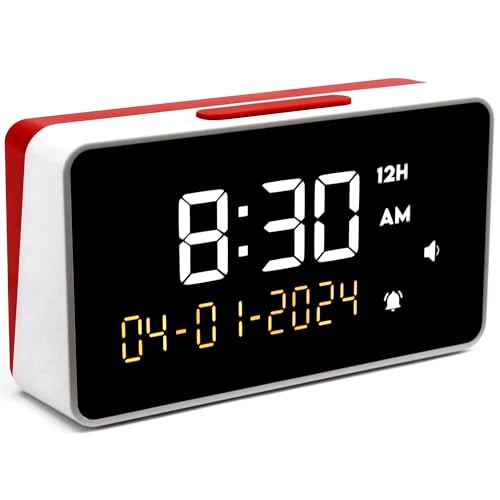
NADOBA Talking Clock for Blind Elderly
Our verdict: A raised button and spoken setup prompts let a blind user configure it without help.
The NADOBA pairs a large raised button with step-by-step spoken prompts for setup and a side switch that toggles high or low volume. The voice is a clear North American English one.
It takes first place because it solves the problem that sinks cheaper clocks: configuration. Voice prompts mean the owner can set the time, change it after a power loss and adjust volume without a sighted helper. Against the Cirbic, it gives up a little button size, but a raised button is easier to locate by touch than a flat one, which matters more for a blind user than raw size.
Buy it for anyone with little or no sight who wants to run the clock alone. The caveat is that the listing gives no maximum decibel figure, so someone with significant hearing loss should look at the Top Life instead.
- Button
- Large, raised
- Setup
- Spoken step-by-step
- Volume
- Side switch, high or low
- Voice
- North American English
What we like
- +Spoken setup needs no helper
- +Raised button found by touch
- +Side switch changes volume fast
- +Clear North American voice
Watch out for
- −No decibel figure listed
- −Only two volume steps
Buy it if: A blind or very low vision user who wants to run the clock alone.
Skip it if: You need the loudest possible output for hearing loss.