
Primea ReviewsAll Reviews

Primea Reviews is reader-supported. When you buy through our Amazon links we may earn a commission, at no extra cost to you. Rankings are set by our editors and never sold. Learn more

Ranked & Reviewed by Primea Reviews

The 7 Best Gaming Mouse Pads of 2026, Ranked & Reviewed

By the Primea Editorial TeamUpdated November 4, 20269 min read7 products ranked
The 7 Best Gaming Mouse Pads of 2026, Ranked & Reviewed

The short answer

The Razer Gigantus V2 XXL is the gaming mouse pad to buy: a micro-weave cloth, a high-density rubber foam base and a size that fits keyboard and mouse. The SteelSeries QcK and QcK Medium are the proven control surfaces, and the Logitech G240 is the cloth pad for low-sensitivity play. The KTRIO is the budget extended pad.

The Primea Scoreboard

Ranked & Reviewed

  1. A micro-weave surface on high-density rubber foam, sized to cover the desk.

    94Outstanding
    Check price
  2. A surface with over 10 million sold, trusted by mouse sensor makers.

    92Outstanding
    Check price
  3. The legendary micro-woven QcK cloth on a non-slip silicone rubber base.

    90Excellent
    Check price
  4. A 31.5 by 11.8 inch extended pad with anti-fray stitching and micro-weave cloth.

    88Excellent
    Check price
  5. 05
    Logitech G240 Cloth Gaming Mouse Pad

    Best for Low Sensitivity

    Logitech G240 Cloth Gaming Mouse Pad

    Moderate surface friction and a consistent texture, listed as 340 by 280 by 1.

    86Excellent
    Check price
  6. A smooth, large pad with stitched edges and an anti-slip base.

    83Very Good
    Check price
  7. A large gaming pad with 14 lighting modes for RGB setups.

    80Very Good
    Check price

Most gamers pick a mouse pad by size and lighting, and then wonder why their aim feels inconsistent. The surface is what the sensor actually reads, and a pad whose texture varies from edge to centre will make your tracking vary with it. A plain cloth pad with a consistent weave beats an expensive one with a patterned or glossy top, because the sensor wants uniformity.

Primea editors reviewed seven gaming mouse pads, nearly all under $25, and ranked them on surface description, size, base material and edge stitching. We rewarded pads that state a surface type and a base, such as micro-weave cloth on rubber foam, over pads that only talk about looks. The one RGB pad is here for people who want lighting, with the tradeoffs spelled out.

Before you buy

What Actually Matters

01

Surface texture

The weave decides how your mouse glides and stops. Micro-weave cloth gives a consistent read for the sensor, while smooth hard surfaces give speed with less control. Check the listing for the surface type, such as the Razer's micro-weave, and avoid pads that talk about patterns rather than the surface.

02

Friction level

Friction is the balance between glide and control. Moderate friction, as on the Logitech G240, suits players who stop sharply for aim. Low friction suits sweeping, high-sensitivity play. Check the listing for friction language, and choose by how you aim, not by what a pro uses.

03

Pad size

Size decides how much room your arm has before the mouse leaves the pad. A medium pad like the QcK Medium suits a tight desk, while XXL like the Gigantus covers a keyboard. Check the dimensions, and measure your desk depth before you order.

04

Base and grip

A rubber or silicone base keeps the pad from creeping on the desk. A sliding pad shifts your hand position mid-game. The QcK Medium lists a non-slip silicone base and the Razer a rubber foam one. Check the base description before you buy.

05

Edge stitching

Stitched edges bind the cloth to the base so it does not peel. They matter after months of use. KTRIO and the generic large pad list stitching. Check for the word, and be wary of unstitched large cloth pads that may fray at the corners.

In-depth reviews

Our Ranked Picks, Reviewed

1

Best Overall

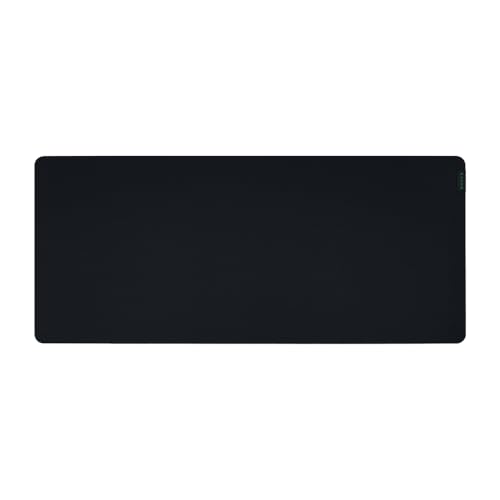
Razer Gigantus V2 Cloth Gaming Mouse Pad (XXL)

Our verdict: A micro-weave surface on high-density rubber foam, sized to cover the desk.

Razer's Gigantus V2 in XXL combines a micro-weave cloth surface with a high-density rubber foam base and is optimized across all mouse sensors. A micro-weave surface reads consistently for both optical and laser sensors.

It wins because it states both its surface and its base, and the XXL size covers a keyboard and mouse together. The SteelSeries QcK below is the control classic, but the Gigantus is the better all-around pad.

Ideal for gamers with a wide desk. The caveat is that an XXL pad needs the desk depth, so measure before ordering.

Surface
Micro-weave cloth
Base
High-density rubber foam
Size
XXL
Price bucket
Under $25

What we like

  • +Consistent micro-weave surface
  • +High-density rubber foam base
  • +XXL size covers the desk
  • +Optimized for all sensors

Watch out for

  • −Needs a wide, deep desk
  • −Cloth absorbs spills
  • −Bulky to store

Buy it if: Gamers who want keyboard and mouse on one large pad.

Skip it if: Your desk is narrow.

2

Best Proven Surface

SteelSeries QcK Gaming Mouse Pad

Our verdict: A surface with over 10 million sold, trusted by mouse sensor makers.

The QcK is SteelSeries's best-selling cloth pad, with a listing that cites over 10 million sold and a surface made to encompass your battlestation. Volume matters here because a pad that sells this much has been proven across many mice.

It ranks second because the Gigantus states its base and sensor optimization, while this listing gives fewer concrete details. It sits in the $25 to $50 bucket, higher than most.

Buy it if you want the surface competitive players know. The caveat is price, since the QcK Medium below is the cheaper way to get the same cloth.

Type
Cloth gaming pad
Track record
Over 10 million sold
Brand
SteelSeries
Price bucket
$25 to $50

What we like

  • +Huge sales track record
  • +Trusted cloth surface
  • +Brand with a long pad history
  • +Suited to all-around play

Watch out for

  • −Costs more than the QcK Medium
  • −Base not described here
  • −Size not stated

Buy it if: Players who want a proven, familiar surface.

Skip it if: You want the lowest price or a stated base.

3

Best Value Classic

SteelSeries QcK Medium Gaming Mousepad

Our verdict: The legendary micro-woven QcK cloth on a non-slip silicone rubber base.

This QcK Medium uses the QcK series' micro-woven cloth and adds a non-slip silicone rubber base, described as an optimal surface for precision. The series has been around for 15 years.

It ranks third because it matches the QcK's surface in a medium size and costs less, but it gives you less desk area than the Gigantus. A medium pad is meant for a mouse alone, not a keyboard.

A good fit for a tight desk or a low-sensitivity player. The caveat is that medium coverage means you must stay on the pad during wide swipes.

Surface
Micro-woven cloth
Base
Non-slip silicone rubber
Size
Medium
Price bucket
Under $25

What we like

  • +Micro-woven QcK cloth
  • +Non-slip silicone base
  • +Under $25 bucket
  • +Fits small desks

Watch out for

  • −Medium size limits swipes
  • −No keyboard coverage
  • −Plain look

Buy it if: Small desks and precision players who want a classic surface.

Skip it if: You need to cover keyboard and mouse together.

4

Best Budget Extended

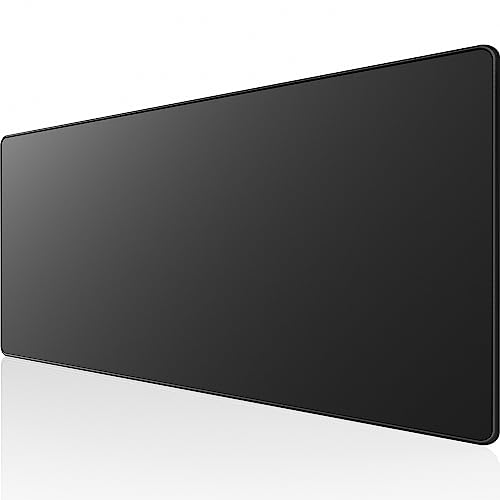
KTRIO Large Gaming Mouse Pad Desk Mat

Our verdict: A 31.5 by 11.8 inch extended pad with anti-fray stitching and micro-weave cloth.

KTRIO's extended pad measures 31.5 by 11.8 inches, enough for a keyboard and mouse, with anti-fray stitched edges and a micro-weave control surface. Stitched edges stop the cloth peeling, which is a common failure on cheap pads.

It ranks fourth because it lacks the sensor optimization of the Razer and the name recognition of the SteelSeries pads. For the price, it gives the extended size and a described durable edge.

A sensible starter desk mat. The caveat is that the 11.8 inch depth is shallow, so it suits a keyboard and mouse but not a wide wrist rest.

Size
31.5 x 11.8 inches
Surface
Micro-weave cloth
Edges
Anti-fray stitched
Price bucket
Under $25

What we like

  • +Extended size covers a keyboard
  • +Anti-fray stitched edges
  • +Micro-weave control surface
  • +Under $25 bucket

Watch out for

  • −Shallow 11.8 inch depth
  • −No base material listed
  • −Less known brand

Buy it if: Budget gamers who want a keyboard-size mat.

Skip it if: You need more depth for large mouse sweeps.

5

Best for Low Sensitivity

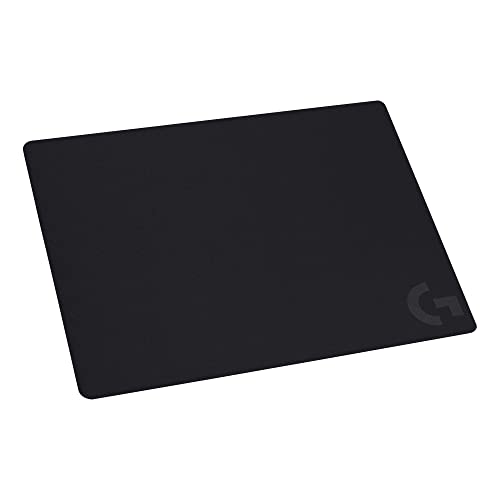
Logitech G240 Cloth Gaming Mouse Pad

Our verdict: Moderate surface friction and a consistent texture, listed as 340 by 280 by 1.

The Logitech G240 is a cloth pad with moderate surface friction and a consistent texture, listed at 340 by 280 by 1. Moderate friction gives you stopping control, which suits players who flick precisely.

It ranks fifth because the size is modest and the listing does not mention a base material or stitched edges. Compared with the QcK Medium, it is comparable in size and similar in price, with Logitech's brand behind it.

A good fit for FPS players with low sensitivity. The caveat is that friction-heavy surfaces tire a wrist if you use fast, large swipes.

Surface
Cloth, moderate friction
Size
340 x 280 x 1 as listed
Texture
Consistent
Price bucket
Under $25

What we like

  • +Consistent surface texture
  • +Moderate friction for control
  • +Established brand
  • +Under $25 bucket

Watch out for

  • −Modest size
  • −No base or edge details
  • −Not for fast swipes

Buy it if: FPS players who like stopping control.

Skip it if: You swipe fast and wide.

6

Best Generic Pick

Large Gaming Mouse Pad with Anti-Slip Base

Our verdict: A smooth, large pad with stitched edges and an anti-slip base.

This unbranded large pad offers a smooth surface, an anti-slip base and highly stitched edges. Those three features are what a basic gaming pad should have.

It ranks sixth because the listing has no size, material or sensor information, so it is a gamble compared with branded pads. It sits ahead of the RGB pad because it focuses on the surface.

A decent no-name option when price decides. The caveat is that smooth surfaces vary between unbranded pads, so test tracking on arrival.

Surface
Smooth
Base
Anti-slip
Edges
Stitched
Price bucket
Under $25

What we like

  • +Anti-slip base
  • +Stitched edges
  • +Large size
  • +Under $25 bucket

Watch out for

  • −No brand reputation
  • −Size not stated
  • −Surface material not named

Buy it if: Budget buyers who want a basic large pad.

Skip it if: You want sensor-tuned cloth from a known maker.

7

Best for RGB Fans

RGB Mousepad LED Gaming Mouse Pad

Our verdict: A large gaming pad with 14 lighting modes for RGB setups.

This large RGB gaming pad lists 14 lighting modes and an easy-to-use design. The lighting adds a USB cable and a controller to your desk.

It ranks last because lighting does not help tracking, and the listing gives no surface or base detail. Its role is decoration, matched to an RGB keyboard and lights.

A fit for a themed setup. The caveat is that RGB pads add a cable and a point of failure to a surface that otherwise needs neither.

Lighting
14 modes
Size
Large
Use
Gaming
Price bucket
Under $25

What we like

  • +14 lighting modes
  • +Large surface
  • +Matches RGB setups
  • +Under $25 bucket

Watch out for

  • −Adds a cable to the desk
  • −Surface and base not described
  • −Lighting adds failure points

Buy it if: RGB-themed gaming desks.

Skip it if: You want a clean, cable-free surface.

Methodology

How We Ranked These

Surface type

Micro-weave and micro-woven cloth with consistent texture scored highest.

Size

Medium, extended and XXL pads were compared against realistic desk sizes.

Base grip

Rubber and silicone bases that stop slipping earned credit.

Edge stitching

Stitched edges prevent peeling, so they raise a pad's lifespan.

Listing clarity

Pads that state their surface and base outranked those with only looks.

Every Primea Score uses the same weights: Performance 30% · Build & Materials 20% · Everyday Usability 20% · Value 20% · Owner Satisfaction 10%. Full scoring rules

Buyer's guide

How to Pick the Right One for You

By Pad Size

Pick the size your desk and your sensitivity can use.

SizeOur pick
Medium, mouse onlySteelSeries QcK Medium
Standard controlLogitech G240 Cloth Gaming Mouse Pad
Extended, keyboard and mouseKTRIO Large Gaming Mouse Pad Desk Mat
XXL desk coverRazer Gigantus V2 Cloth Gaming Mouse Pad (XXL)

By Budget

SpendOur pick
Under $25, classicSteelSeries QcK Medium
Under $25, XXLRazer Gigantus V2 XXL
Under $25, lightingRGB Mousepad LED Gaming Mouse Pad
$25 to $50SteelSeries QcK Gaming Mouse Pad

Control vs Speed Surfaces

Control

Moderate friction for precise stops. The Logitech G240 and QcK pads fit this style.

Speed

Smoother glide for fast sweeps. Check the surface wording on the generic large pad before relying on it.

Most players do well with a control cloth such as the QcK Medium.

By Desk Layout

LayoutOur pick
Tight deskSteelSeries QcK Medium
Keyboard and mouse on one matRazer Gigantus V2 XXL
Budget desk matKTRIO Large Gaming Mouse Pad Desk Mat
RGB themed deskRGB Mousepad LED Gaming Mouse Pad

For FPS Aim Specifically

Look for

A consistent cloth, moderate friction and a base that never slips.

In this ranking

The Logitech G240 states moderate friction and consistent texture, and the QcK Medium has a non-slip base.

When to Spend More

Spend more if

You want a proven brand surface. The SteelSeries QcK costs $25 to $50.

Save if

You are a casual player. Most pads here cost under $25.

Questions

Frequently Asked Questions

Does the mouse pad really affect aim?+

Yes, because it is the surface the sensor reads. Consistent micro-weave cloth, like the Razer Gigantus V2 or QcK Medium, gives predictable stopping and gliding. A patterned or inconsistent surface can make tracking vary.

What is the biggest mistake buyers make?+

Choosing by lighting or art. The RGB pad adds a cable and no tracking benefit. Choose the surface and base first, as with the QcK Medium's silicone base, and add decoration afterward.

Is the SteelSeries QcK worth it over the Razer Gigantus?+

If you want the proven surface, yes. The QcK lists over 10 million sold and costs $25 to $50, while the Gigantus XXL is under $25 and states its rubber foam base and sensor optimization.

How do I set up a large pad?+

Clean the desk, unroll the pad and let it flatten for a day. The KTRIO and Razer XXL pads can curl at the edges when new, so weigh the corners while they relax.

How do I clean a cloth mouse pad?+

Hand-wash with mild soap and cold water, then air dry flat. Machine washing can damage the stitched edges on the KTRIO or the base of the QcK Medium. Never use heat.

Do I need a big pad for low sensitivity?+

Yes. Low-sensitivity players move their arm farther, so choose the XXL Razer or the extended KTRIO. Medium pads like the QcK Medium suit high-sensitivity, wrist-based aiming.

Final take

The Razer Gigantus V2 XXL is the gaming mouse pad to buy for most players, thanks to its micro-weave cloth, rubber foam base and desk-covering size. The SteelSeries QcK and QcK Medium are the proven control surfaces, and the Logitech G240 suits low-sensitivity aim. The KTRIO is the budget extended pad, and the RGB pad is for lighting fans only.

More Ranked & Reviewed Guides