
Primea ReviewsAll Reviews

Primea Reviews is reader-supported. When you buy through our Amazon links we may earn a commission, at no extra cost to you. Rankings are set by our editors and never sold. Learn more

Ranked & Reviewed by Primea Reviews

The 5 Best Document Scanners for Small Businesses of 2026, Ranked & Reviewed

By the Primea Editorial TeamUpdated November 1, 202610 min read5 products ranked
The 5 Best Document Scanners for Small Businesses of 2026, Ranked & Reviewed

The short answer

The Epson ES-400 II is the best overall for small teams, with a 50-sheet duplex feeder, TWAIN driver, OCR and automatic cleanup. The ScanSnap iX2400 handles bigger stacks at up to 45 ppm, and the Canon R40II scans directly to the cloud. The iX1300 saves desk space, and the Brother DS-640 is the portable single-sheet option.

The Primea Scoreboard

Ranked & Reviewed

  1. A 50-sheet duplex feeder with OCR and auto cleanup.

    94Outstanding
    Check price
  2. A 100-sheet feeder at up to 45 pages per minute.

    91Excellent
    Check price
  3. Direct cloud scanning with duplex and easy setup.

    88Excellent
    Check price
  4. A space-saving duplex scanner with standalone cloud filing.

    85Excellent
    Check price
  5. A compact single-sheet scanner with wide OS support.

    82Very Good
    Check price

Small businesses tend to buy a scanner on speed, then find the bottleneck is software. Drivers that clash with the filing system, cloud connections that need an IT person, or a vendor application that locks you in all slow a team more than a few pages per minute ever speed it. A fast feeder that nobody can configure is slower in practice than a modest one that works on the first day.

Our editors reviewed eight scanners from their specification sheets and ranked the five that cover distinct needs. Feeder capacity, duplex scanning, drivers, cloud filing and cleanup features all fed the Primea score. Where a listing omits throughput or feeder size, we say so and rank accordingly, because a missing number is a risk you carry.

Before you buy

What Actually Matters

01

Feeder size and speed

The automatic document feeder holds a stack, and pages per minute measures speed. A 50-sheet feeder suits a few people, while 100 sheets suits a busier office. Both numbers decide how often someone stands at the machine. Find them in the spec list, check they refer to duplex, and note when a listing, like the Canon R40II, omits them.

02

Duplex scanning

Duplex means both sides scan in one pass, which halves the time on double-sided paper and avoids flipping stacks. Without it, every two-sided page needs a second run. Check the listing for double-sided or duplex wording, and see whether it lists a single-pass or two-pass design. Single-sheet portable models often skip it, so check before buying a travel scanner.

03

Drivers and software

TWAIN is a widely supported driver standard that lets many applications talk to the scanner, while proprietary software can lock you in. If you use document management software, look for TWAIN, WIA or ISIS support and confirm licensing with your vendor. The Epson uses TWAIN, and the ScanSnap relies on its own software, which is simpler but less flexible.

04

Cloud and connectivity

Direct cloud scanning skips a computer, while wired USB needs one nearby. Pick based on whether staff share the device or use it alone. The Canon R40II and iX1300 offer cloud filing, and the iX2400 is USB only. Look for wireless or scan-to-cloud wording, and check which cloud services each supports, since not all connect to every service.

05

OCR and cleanup

OCR turns scans into searchable text, and blank-page removal and auto crop save cleanup time. They matter when you file hundreds of pages, because manual tidying adds up. Look for searchable PDF, auto crop and de-skew in the listing. Accuracy still depends on the quality of the paper, so avoid crumpled originals and flatten staples out first.

In-depth reviews

Our Ranked Picks, Reviewed

1

Best Overall

Epson Workforce ES-400 II High-Speed Color Duplex Desktop Document Scanner

Our verdict: A 50-sheet duplex feeder with OCR and auto cleanup.

The ES-400 II is a desktop duplex scanner with a 50-sheet automatic feeder, which fits most small teams' daily batches. Auto crop trims margins, blank-page removal drops the empty backs of single-sided pages, and searchable PDF OCR makes the archive findable. A TWAIN driver lets it talk to general scanning and document software.

It ranks first by balancing feeder size and cleanup features for a team without enterprise pricing. Against the ScanSnap iX2400 it holds half the capacity but works with a standard driver.

Buy it for invoices, contracts and receipts at a desk shared by a few people. The caveat: the listing advises verifying ISIS licensing separately for document management platforms, so confirm that with your vendor first. A 50-sheet feeder also needs reloading for large stacks.

Feeder
50-sheet ADF, duplex
Driver
TWAIN
Cleanup
Auto crop, blank-page removal
OCR
Searchable PDF

What we like

  • +50-sheet duplex feeder
  • +Searchable PDF OCR
  • +Auto crop
  • +Blank-page removal

Watch out for

  • −ISIS licensing unconfirmed
  • −Smaller feeder than iX2400

Buy it if: Small teams scanning batches of invoices and contracts.

Skip it if: You need a 100-sheet feeder.

2

Best High Volume

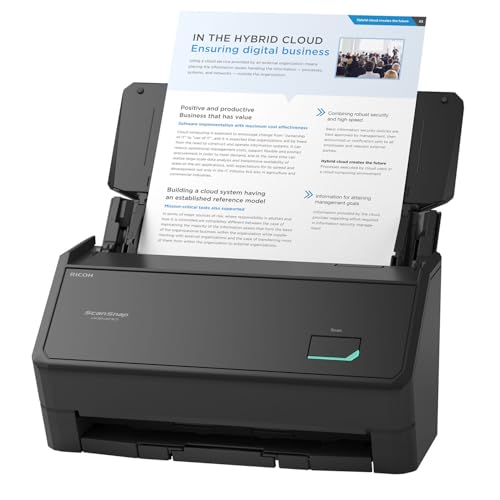
ScanSnap iX2400 High-Speed One-Touch Button Color Document Scanner

Our verdict: A 100-sheet feeder at up to 45 pages per minute.

The iX2400 is for volume. Its 100-sheet feeder runs at up to 45 pages per minute, and a one-touch button scans, then drags the file to its destination. Auto de-skew straightens crooked pages and blank-page removal discards empty backs, so a big stack needs less cleanup.

It ranks second because it trades wireless connectivity for speed. It connects by USB only, and it uses ScanSnap Home software, which is proprietary. The ES-400 II is the better fit if your document system needs a standard driver.

Buy it for an office of 10 to 15 people scanning large stacks daily. Skip it if you need wireless scanning or a TWAIN driver. The 100-sheet feeder saves reloads, but you need a computer wired nearby.

Feeder
100 sheets
Speed
Up to 45 ppm
Connection
Wired USB only
Software
ScanSnap Home

What we like

  • +100-sheet feeder
  • +Up to 45 ppm
  • +One-touch scanning
  • +Auto de-skew

Watch out for

  • −USB only
  • −ScanSnap software required

Buy it if: Busier offices scanning large stacks daily.

Skip it if: You need wireless scanning.

3

Best Cloud Scanning

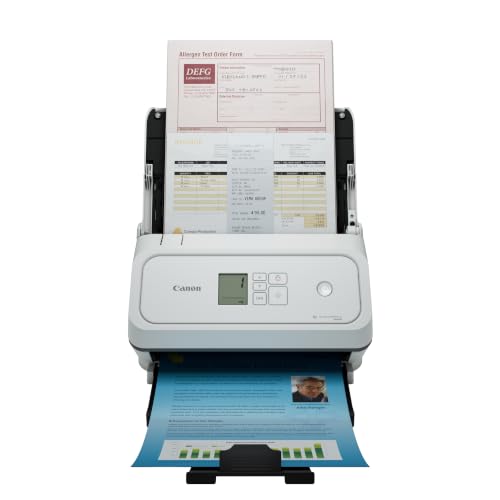
Canon imageFORMULA R40II Office Document Scanner

Our verdict: Direct cloud scanning with duplex and easy setup.

The R40II is the scanner for a business with no IT person. Its direct cloud scanning sends pages to a cloud service without a network folder, a step that often needs technical help. Duplex scanning and easy setup round out an office-class design that handles a wide range of documents.

It ranks third because the listing does not state feeder size or speed, so you cannot place it against the Epson or ScanSnap on throughput. Its strength is the lower setup burden.

Buy it if your team wants to scan and file in the cloud without configuring servers. The caveat: with no confirmed pages per minute, check capacity with the seller if you scan more than a few dozen pages at a time. It also sits in the $200 to $500 bucket, the same as the Epson.

Scanning
Direct to cloud
Duplex
Yes
Setup
Easy
Class
Office

What we like

  • +Direct cloud scanning
  • +Duplex scanning
  • +Easy setup
  • +No network folders needed

Watch out for

  • −Feeder size not listed
  • −Speed not listed

Buy it if: Small businesses without dedicated IT.

Skip it if: You need confirmed throughput numbers.

4

Best Compact

ScanSnap iX1300 Wireless or USB Double-Sided Color Document Scanner, White

Our verdict: A space-saving duplex scanner with standalone cloud filing.

The iX1300 is the compact scanner. The feeder hopper is small, duplex scanning runs at 30 ppm, and it connects wirelessly or by USB. Standalone scan-to-cloud means it can file documents without a computer, and auto de-skew and color optimization tidy the output.

It ranks fourth because 30 ppm and a small hopper suit light daily use, not busy offices. Against the iX2400 you give up capacity and speed, but you gain desk space and wireless filing.

Buy it for a tight office or a home-based business that scans a few dozen pages at a time. Skip it if you routinely feed large stacks. The same ScanSnap software applies, so check that it suits your filing system before you commit.

Speed
30 ppm duplex
Connection
Wireless or USB
Cloud
Standalone scan-to-cloud
Design
Compact

What we like

  • +Compact design
  • +Wireless or USB
  • +Standalone cloud scanning
  • +30 ppm duplex

Watch out for

  • −Smaller hopper
  • −Slower than iX2400

Buy it if: Tight offices and home-based businesses.

Skip it if: You scan large stacks every day.

5

Best Portable

Brother DS-640 Compact Mobile Document Scanner

Our verdict: A compact single-sheet scanner with wide OS support.

The DS-640 is a compact mobile scanner that feeds one sheet at a time. It supports TWAIN and WIA on PC, ICA on Mac and SANE on Linux, which is the widest operating system coverage here, and the free iPrint&Scan app handles basic capture. At $100 to $200, it is the cheapest of the five.

It ranks last because single-sheet feeding makes batches slow next to the feeder models. The tradeoff is cost and size: it fits in a bag and runs from a laptop.

Buy it for a two or three person team that scans occasionally, or for scanning on the road. The caveat is obvious: stacks of paper mean standing at the machine feeding one page after another. If you scan more than a handful of pages daily, buy a feeder.

Feed
Single sheet
Drivers
TWAIN, WIA, ICA, SANE
App
Free iPrint&Scan
Price bucket
$100-200

What we like

  • +Compact and portable
  • +Wide OS support
  • +Free scanning app
  • +Lower price bucket

Watch out for

  • −Single-sheet feed
  • −Slow for batches

Buy it if: Two or three person teams scanning occasionally.

Skip it if: You scan stacks of paper.

Methodology

How We Ranked These

Feeder capacity

We compared stated feeder size and speed against typical office batch sizes.

Software and drivers

We checked driver support and bundled software for compatibility.

Connectivity

We weighed USB, wireless and direct cloud options.

Cleanup features

We noted OCR, auto crop, de-skew and blank-page removal.

Value

We placed each scanner in its price bucket and asked what it adds.

Every Primea Score uses the same weights: Performance 30% · Build & Materials 20% · Everyday Usability 20% · Value 20% · Owner Satisfaction 10%. Full scoring rules

Buyer's guide

How to Pick the Right One for You

By Team Size

Match capacity to how many people scan.

TeamOur pick
2 to 3 people, occasionalBrother DS-640 Compact Mobile Document Scanner
Small team, batchesEpson Workforce ES-400 II High-Speed Color Duplex Desktop Document Scanner
10 to 15 peopleScanSnap iX2400 High-Speed One-Touch Button Color Document Scanner
No dedicated ITCanon imageFORMULA R40II Office Document Scanner

By Budget

SpendOur pick
$100-200Brother DS-640 Compact Mobile Document Scanner
$200-500, batchesEpson Workforce ES-400 II High-Speed Color Duplex Desktop Document Scanner
$200-500, volumeScanSnap iX2400 High-Speed One-Touch Button Color Document Scanner
$200-500, compactScanSnap iX1300 Wireless or USB Double-Sided Color Document Scanner, White

Feeder vs Single-Sheet

Feeder

Loads a stack and scans hands-free. The Epson, both ScanSnaps and the Canon use feeders.

Single-sheet

Feeds one page at a time, portable but slow. The Brother DS-640 works this way.

Most offices should default to a feeder unless portability is the priority.

By Connectivity

NeedOur pick
Wireless scanningScanSnap iX1300 Wireless or USB Double-Sided Color Document Scanner, White
Direct to cloudCanon imageFORMULA R40II Office Document Scanner
Standard driversEpson Workforce ES-400 II High-Speed Color Duplex Desktop Document Scanner
USB, fastScanSnap iX2400 High-Speed One-Touch Button Color Document Scanner

For Offices Without IT Specifically

Look for

Direct cloud scanning or simple software that avoids network folder setup.

In this ranking

The Canon R40II offers direct cloud scanning, and the ScanSnap iX1300 has standalone scan-to-cloud.

When to Spend More

Spend more if

You scan large stacks. The iX2400 takes 100 sheets at up to 45 ppm.

Save if

You scan a few pages at a time. The Brother DS-640 is in the $100-200 bucket.

Questions

Frequently Asked Questions

Do I need a duplex scanner?+

If you scan double-sided paper, yes, since it halves the time. The Epson ES-400 II, both ScanSnaps and the Canon R40II list duplex, while the Brother DS-640 feeds a single sheet at a time, so duplex there means flipping by hand.

Which scanner works without a computer?+

The ScanSnap iX1300 lists standalone scan-to-cloud, and the Canon R40II scans directly to cloud services. Both avoid a computer for filing, which suits small offices without IT support or a dedicated server.

Is the iX2400 worth it over the ES-400 II?+

If you scan stacks of 100 sheets, yes. For smaller batches the Epson is enough and offers a TWAIN driver, whereas the iX2400 relies on ScanSnap Home and USB only, which limits where you can place it.

What about ISIS for document management?+

The Epson listing says to verify ISIS licensing separately. Check with your platform vendor before buying, because a TWAIN driver does not guarantee compatibility with every document management system, and ISIS is a separate matter.

Does the Brother work on Mac and Linux?+

Yes, it lists ICA for Mac and SANE for Linux, plus TWAIN and WIA for PC. That wide driver coverage is its main strength, along with the free iPrint&Scan app, though it scans one page at a time.

How do I keep scans searchable?+

Use a scanner with searchable PDF OCR, like the Epson ES-400 II, scan at a sensible resolution, and name files consistently so the archive stays easy to search. Scan receipts at a readable resolution, not the lowest.

Final take

Buy the Epson ES-400 II for batch scanning of invoices and contracts with standard software. Choose the ScanSnap iX2400 for a busy office and the Canon R40II when nobody manages IT. The iX1300 suits cramped desks and the Brother DS-640 occasional scanning on the move.

More Ranked & Reviewed Guides