
Primea ReviewsAll Reviews

Primea Reviews is reader-supported. When you buy through our Amazon links we may earn a commission, at no extra cost to you. Rankings are set by our editors and never sold. Learn more

Ranked & Reviewed by Primea Reviews

The 6 Best Digital Photo Frames for Grandparents of 2026, Ranked & Reviewed

By the Primea Editorial TeamUpdated November 1, 20269 min read6 products ranked
The 6 Best Digital Photo Frames for Grandparents of 2026, Ranked & Reviewed

The short answer

The Aura Carver Mat is the best digital photo frame for grandparents, with a refined gift setup, passive photo delivery and no subscription. The Skylight is the easiest for a big family to feed through email. Choose the Nixplay for Alexa households, Frameo for a budget gift, PhotoSpring for no-fee clarity and AEEZO for the lowest cost.

The Primea Scoreboard

Ranked & Reviewed

  1. The giver does the setup, the grandparent just enjoys it.

    94Outstanding
    Check price
  2. Any relative can email photos with no app.

    91Excellent
    Check price
  3. Alexa support for grandparents who already use voice.

    88Excellent
    Check price
  4. A budget frame with 32GB and free core sharing.

    85Excellent
    Check price
  5. Three ways to send photos and no fees.

    82Very Good
    Check price
  6. Easy setup and 32GB at the lowest price here.

    78Very Good
    Check price

A photo frame passes the grandparent test only if it works when nobody is standing next to it. Any frame that asks for a password, an app login or a trip through menus will end up face down in a drawer within a month. The frames that survive are set up by the giver, then receive new pictures quietly in the background while the recipient does nothing at all.

We reviewed six frames from their listings, looking at the setup flow, how relatives send photos, whether the recipient has to touch anything and what the subscription terms say. The ranking rewards frames that put all the work on the giver, and penalizes any that need ongoing effort from the person receiving the gift.

Before you buy

What Actually Matters

01

Passive photo receipt

Passive receipt means new photos show up on the frame without the recipient touching anything. It is the feature that decides whether a grandparent actually keeps using the frame. The Aura lists it explicitly. Look for passive or automatic in the listing, and make sure the frame keeps its WiFi connection after power cuts. A frame that needs a manual reconnect fails the test.

02

Gift setup flow

A gift setup flow lets you register the frame, add photos and link family accounts before you hand it over, so the first run for the recipient is a finished picture. The Aura lists a refined one. Look for a gift-setup description in the listing, and check whether you can set the WiFi name remotely or must do it on the frame itself.

03

How family sends photos

How relatives send photos shapes how often the frame is fed. Email upload lets anyone contribute without an app, as on the Skylight, while app upload suits phone users. The PhotoSpring lists email, app and web. Check which methods the frame lists, and count how many family members can realistically install an app, because senders who give up stop the photo flow.

04

Subscription terms

A hidden fee can cut off features after a trial. Fee-free listings protect the giver, who often pays for the frame and then manages it for years. The Aura, PhotoSpring and AEEZO state no subscription. Look for the exact words no subscription required, and read the fine print about cloud storage limits, since a cap can quietly stop new uploads.

05

Voice and touch

Alexa support and touch screens help some users but confuse others. The Nixplay names Alexa, and the Frameo is a touch-oriented gift. Match the feature to the recipient's habits, not to what looks impressive in the listing. Check for the exact phrase in the title, and confirm any voice device is needed separately, since the frame alone may not respond to voice.

In-depth reviews

Our Ranked Picks, Reviewed

1

Best Overall

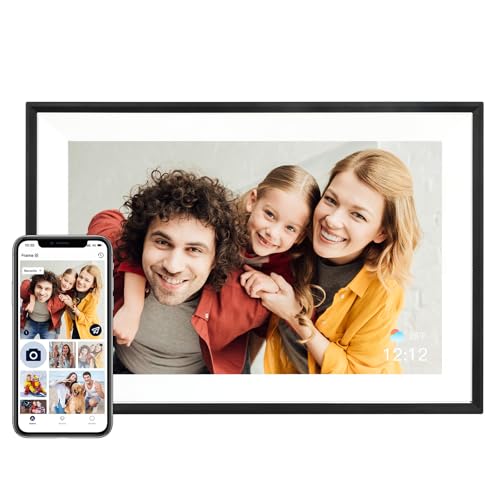
Aura HD Digital Picture Frame, Carver Mat: The Best Frame for Gifting

Our verdict: The giver does the setup, the grandparent just enjoys it.

The Aura Carver Mat is built around the person giving it. A refined gift-setup workflow lets you register the frame, load photos and link family before you hand it over, and the listing states passive photo receipt with no subscription required. Passive receipt means new pictures simply appear, so a grandparent never opens an app or a menu.

It leads because the gift flow is the most complete in the ranking. The Skylight is easier for a big family to contribute to, but the Aura's finished handover is what makes a frame still hang on the wall after six months. A mat gives it a framed look instead of a gadget look, at the $100 to $200 bucket.

Buy it when you want to hand over a frame that is ready to go. Skip it if the budget cannot reach that tier, since the Nixplay and Frameo cost less.

Setup
Refined gift workflow
Photos
Passive receipt
Subscription
None required
Price tier
$100 to $200

What we like

  • +Refined gift setup flow
  • +Photos arrive passively
  • +No subscription required
  • +Mat gives framed look

Watch out for

  • −Higher price bucket
  • −Fewer budget touches

Buy it if: Givers who want zero work for the recipient.

Skip it if: You need the lowest price.

2

Best for Many Contributors

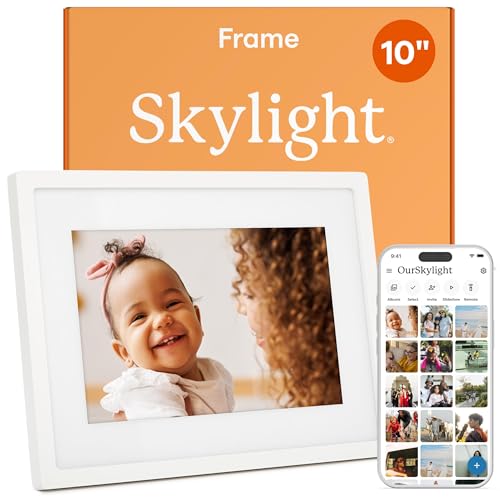
Skylight Digital Picture Frame, Load from Phone Capability, 10" White

Our verdict: Any relative can email photos with no app.

The Skylight 10 inch white frame solves the contributor problem. Photos arrive by email, so senders need no app, and the recipient only watches. That matters in a big family where aunts, cousins and parents all want to send pictures but only half of them will install anything.

It sits second because the Aura wins on gift polish, though the Skylight is easier for a crowd to feed. Both share the $100 to $200 bucket, which makes the choice about workflow, not price. The white finish suits most rooms without drawing attention. The Nixplay below it is cheaper but depends on Alexa to shine.

Buy it when many relatives will send photos and you want no accounts to manage. Skip it if you want the most guided gift setup, because the handover flow is less refined here. The email address is also a thing to share carefully.

Upload
Email-based
Sender app
Not required
Viewing
Passive for recipient
Price tier
$100 to $200

What we like

  • +Email upload, no sender app
  • +Passive viewing for recipient
  • +White finish suits most rooms
  • +Easy for large families

Watch out for

  • −Mid-high price bucket
  • −Gift flow less refined

Buy it if: Big families who all send photos.

Skip it if: You want the most refined gift setup.

3

Best Alexa Option

Digital Picture Frame Powered by Nixplay 10.1", Gifts for Mom, Support Alexa

Our verdict: Alexa support for grandparents who already use voice.

The Nixplay 10.1 inch frame leans on voice. It lists Alexa support and free cloud storage, and it is marketed as a gift. For a grandparent who already talks to a smart speaker, asking the frame to show photos feels natural and removes any need to touch a screen.

It lands third because Alexa only helps people who already own an Alexa device, and the listing flags a separate device as the requirement. In return it costs less than the Aura and Skylight, in the $50 to $100 bucket. Against the Frameo below, it adds voice and cloud storage but not a larger memory.

Buy it for a grandparent who already uses a smart speaker. Skip it if they never use voice assistants, because the feature then adds a setup step. Setup is also less polished than the Aura's gift flow, so expect to do more work before handing it over.

Voice
Alexa support
Storage
Free cloud storage
Screen
10.1 inch
Price tier
$50 to $100

What we like

  • +Alexa support named
  • +Free cloud storage
  • +Gift-oriented design
  • +Mid price bucket

Watch out for

  • −Alexa needs a separate device
  • −Less polished setup

Buy it if: Grandparents who already use Alexa.

Skip it if: They never use voice assistants.

4

Best Touch Gift

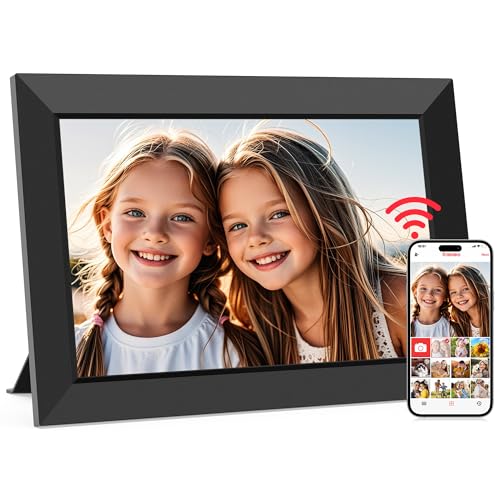
Frameo 10.1 Inch WiFi Digital Picture Frame, Gifts for Mom

Our verdict: A budget frame with 32GB and free core sharing.

The Frameo 10.1 inch WiFi frame is the budget gift. It carries 32GB of storage, is marketed for gifting and lists no subscription for core sharing. For families that are comfortable with an app, it delivers the essentials at the lower end of the $50 to $100 bucket.

It takes fourth place because every sender needs the app, which makes it less passive than the Aura and less open than the Skylight's email route. That is fine in a family of phone users, and awkward when an older relative wants to contribute. The 32GB memory is generous for a frame, but it is the same as the AEEZO listing.

Buy it for a budget gift when your relatives already live on their phones. Skip it if you want a simple email path for senders, since the app requirement shifts work to the family.

Screen
10.1 inch
Storage
32GB
Sharing
Free core app
Price tier
$50 to $100

What we like

  • +Marketed for gifting
  • +32GB storage
  • +Free core sharing
  • +Lower price bucket

Watch out for

  • −Senders need an app
  • −Less passive than Aura

Buy it if: Budget gifts to tech-comfortable families.

Skip it if: Senders do not want an app.

5

Best Clear No-Fee Label

PhotoSpring No Subscription, 10in WiFi Digital Picture Frame, Email App Web, USA Company

Our verdict: Three ways to send photos and no fees.

The PhotoSpring 10 inch WiFi frame is the clearest on fees. The listing names no subscription and lists three ways to send photos: email, app and web. A USA-based company stands behind it, which matters for support and returns, and it falls in the $50 to $100 bucket.

It ranks fifth because it has no gift-specific setup flow, so the giver has less hand-holding than with the Aura. The multiple upload routes make up for it in a mixed family, where one relative prefers email and another uses a browser. Compared with the Frameo, it opens more ways in without forcing everyone onto an app.

Buy it when you want assurance of no fees and a family with mixed tech comfort. Skip it if you want a guided gift setup. The feature set is plain, so you are buying simplicity, not extras.

Subscription
None, named
Upload
Email, app, web
Company
USA-based
Price tier
$50 to $100

What we like

  • +No subscription named
  • +Three upload methods
  • +USA-based company
  • +Mid price bucket

Watch out for

  • −No gift setup flow
  • −Plain feature set

Buy it if: Families with mixed tech comfort.

Skip it if: You want a guided gift setup.

6

Best Lowest Price

AEEZO Digital Picture Frame, 10.1 Inch, Auto-Rotate Easy Setup via AiMOR App

Our verdict: Easy setup and 32GB at the lowest price here.

The AEEZO is the lowest price in the ranking. A 10.1 inch auto-rotate screen, 32GB of built-in memory and easy setup through the AiMOR app come under $50 with no subscription. Auto-rotate matters because grandparents will not rotate pictures, and the frame handles portrait and landscape shots itself.

It finishes last because the listing gives the least detail on passive photo delivery, so you cannot confirm the hands-off experience the others document. It also relies on an app, like the Frameo. The savings are real, but they come with thinner information and a less refined handover.

Buy it for a low-cost gift or a first frame. If you want the guided experience, step up to the Aura. The caveat is sparse listing detail, so confirm sending methods before you order.

Screen
10.1 inch, auto-rotate
Memory
32GB built-in
Setup
Via AiMOR app
Price tier
$25 to $50

What we like

  • +Lowest price bucket
  • +Auto-rotate display
  • +32GB built-in memory
  • +No subscription

Watch out for

  • −Sparse listing detail
  • −Needs the AiMOR app

Buy it if: Low-cost gifts and first frames.

Skip it if: You want a polished gift flow.

Methodology

How We Ranked These

Recipient effort

Frames that need nothing from the grandparent ranked highest.

Giver setup

A refined pre-gift setup flow earned extra credit.

Family sharing

We compared email, app and web upload options for relatives.

Subscription terms

Fee-free listings ranked above those with paid tiers.

Price tier

Features were weighed against the price bucket.

Every Primea Score uses the same weights: Performance 30% · Build & Materials 20% · Everyday Usability 20% · Value 20% · Owner Satisfaction 10%. Full scoring rules

Buyer's guide

How to Pick the Right One for You

By Grandparent Tech Comfort

How they use devices decides the right frame.

Comfort levelOur pick
Wants zero interactionAura HD Digital Picture Frame, Carver Mat
Uses email onlySkylight Digital Picture Frame 10" White
Uses AlexaNixplay 10.1 Digital Picture Frame
Comfortable with touchFrameo 10.1 Inch WiFi Digital Picture Frame
Needs a simple flowAEEZO Digital Picture Frame 10.1 Inch

By Budget

SpendOur pick
$25 to $50AEEZO Digital Picture Frame 10.1 Inch
$50 to $100, AlexaNixplay 10.1 Digital Picture Frame
$50 to $100, three uploadsPhotoSpring No Subscription 10in
$100 to $200, polishedAura HD Digital Picture Frame, Carver Mat
$100 to $200, emailSkylight Digital Picture Frame 10" White

Email Upload vs App Upload

Email upload

Relatives send photos with no sign-up. Pick: Skylight 10" White, plus PhotoSpring.

App upload

Needs an app but offers richer sharing. Picks: Aura Carver Mat, Frameo, AEEZO.

Most families should choose email upload if several relatives will contribute.

By Gift Occasion

OccasionOur pick
Milestone birthdayAura HD Digital Picture Frame, Carver Mat
Mother's or Father's DayNixplay 10.1 Digital Picture Frame
Holiday on a budgetFrameo 10.1 Inch WiFi Digital Picture Frame
Group gift from cousinsSkylight Digital Picture Frame 10" White

For Long-Distance Families Specifically

Look for

A way for people in many homes to send photos without extra accounts.

In this ranking

The Skylight lets anyone email photos, and the PhotoSpring accepts email, app and web uploads.

When to Spend More

Spend more if

You want the grandparent to do nothing. The Aura Carver Mat's gift flow handles that.

Save if

Family is comfortable with apps. The Frameo or AEEZO cuts cost.

Questions

Frequently Asked Questions

Will grandparents need WiFi at home?+

Yes, and the signal must reach the spot where the frame sits. These frames connect over WiFi to receive new photos. Without it, the Aura, Skylight and PhotoSpring only show what is already stored, which defeats the passive delivery that makes them useful.

Can grandparents add photos themselves?+

Usually not, and that is the point. Family sends photos remotely, and the frame shows them automatically. The Skylight takes email, and the Aura receives photos passively, so the grandparent only has to look.

Is the Aura worth it over the Nixplay?+

If you want the smoothest gift setup, yes. The Nixplay costs less and adds Alexa support, which only helps users who already have an Alexa device. For the rest, the Aura's polished handover is worth the extra tier.

How do I set up the frame before gifting?+

Connect it to the grandparent's WiFi if you know it, or set it up at home and update the network on arrival. Load a few photos first, so the screen is never blank when they plug it in, then send a family photo from your phone to confirm delivery.

What should I do if photos stop updating?+

Check that the frame is plugged in and connected to WiFi, then restart it. Confirm that the sender account or email link is still active. The Skylight and PhotoSpring rely on those links.

Do these frames charge monthly fees?+

The Aura, PhotoSpring and AEEZO state no subscription, and the Frameo lists no subscription for core sharing. The Nixplay lists free cloud storage, while the Skylight listing is silent on fees, so check its page for plan terms before you order.

Final take

For most families, the Aura Carver Mat is the best digital photo frame for grandparents because the giver does the setup and the recipient just enjoys it. Take the Skylight if many relatives will email photos, the Nixplay for Alexa homes, and Frameo, PhotoSpring or AEEZO when budget decides.

More Ranked & Reviewed Guides