
Primea ReviewsAll Reviews

Primea Reviews is reader-supported. When you buy through our Amazon links we may earn a commission, at no extra cost to you. Rankings are set by our editors and never sold. Learn more

Ranked & Reviewed by Primea Reviews

The 6 Best 10-Inch Digital Photo Frames of 2026, Ranked & Reviewed

By the Primea Editorial TeamUpdated November 1, 20268 min read6 products ranked
The 6 Best 10-Inch Digital Photo Frames of 2026, Ranked & Reviewed

The short answer

The Aura Carver Mat is the best 10 inch digital frame, with no subscription required and the most refined setup. Skylight lets relatives email photos straight to the frame. Nixplay adds a touch screen and free cloud storage, and the two Frameo models offer 32GB and a touch screen at a lower price.

The Primea Scoreboard

Ranked & Reviewed

  1. The most refined setup and no subscription needed.

    93Outstanding
    Check price
  2. Family can email photos straight to the frame.

    90Excellent
    Check price
  3. A 10.1-inch touch screen with free cloud storage.

    87Excellent
    Check price
  4. Aura's core value in a standard design.

    84Very Good
    Check price
  5. A 10.1-inch IPS touch screen with 32GB for less.

    81Very Good
    Check price
  6. Frameo-branded hardware with a clearly stated resolution.

    78Very Good
    Check price

The screen is the least interesting part of a 10 inch digital frame. Most are acceptable panels. What actually decides whether the frame stays lit on a shelf or gets unplugged after a month is the sharing workflow: how a new photo gets onto it, and who has to do the work. A frame your mother cannot add pictures to becomes a slideshow of the same forty images.

We reviewed six frames and ranked them on paper by sharing method, subscription terms, screen resolution and storage, and we say so where a listing leaves a spec out. Prices are bucketed. If you are buying for a grandparent, ask which method the senders can actually manage, then rank the frames accordingly.

Before you buy

What Actually Matters

01

Sharing method

Email, an app and a cloud account each ask something different of the sender. The best method is the one your relatives will actually use. Check what the sender needs to install or sign up for, and ask the least technical contributor to try it before you commit to a frame, because they are the real test.

02

Subscription

Some frames limit features without a paid plan, which matters for cloud storage and extra contributors. Look for no subscription required in the title or bullets, as on the Aura frames, and read the free tier terms for the Nixplay. A fee-free frame saves money across years, and avoids losing features if a plan changes.

03

Resolution

A 1280x800 panel at 10.1 inches looks sharp from a shelf. Check the resolution is named, since some listings only say HD. The Frameo-branded unit states 1280x800, while the Aura, Skylight and Nixplay give less detail, and a vague label hides how sharp the picture will look, especially on a bright shelf.

04

Storage

32GB of local memory holds thousands of photos, while cloud frames rely on an account. Local storage works offline and keeps photos on the device, while cloud simplifies adding pictures. Look for GB or cloud wording in the title, and note that several listings here do not state storage.

05

Touch screen

Touch lets you swipe or delete photos on the frame, which suits a counter or desk where people interact with it. Frames without it use a remote or app control. Look for touch screen in the title, as on the Nixplay and both Frameo models, and consider who will use it, since a touch screen suits users who like to tap and swipe and not a wall-mounted frame.

In-depth reviews

Our Ranked Picks, Reviewed

1

Best Overall

Aura HD Digital Picture Frame, Carver Mat: The Best Frame for Gifting

Our verdict: The most refined setup and no subscription needed.

The Aura Carver Mat is a 10 inch class HD frame with no subscription required and a refined setup workflow, in the $100 to $200 bucket. Setup is where gift frames fail: a recipient who cannot get a frame on Wi-Fi never sees a single photo. Aura's flow is built around that problem, so the first-run experience is gentler than on cheaper frames, which matters most to a first-time frame owner.

It takes first place because the setup and the absence of subscription fees cover the two biggest annoyances. The standard Carver below shares the idea without the mat styling, while the Skylight ties to email.

Choose it as a gift for someone who will not troubleshoot. The caveats are the cost, which sits above the Frameo options, and the listing, which does not state storage.

Display
HD, 10-inch class
Subscription
None required
Setup
Refined workflow
Price
$100-200

What we like

  • +No subscription required
  • +Refined setup flow
  • +Gift-friendly design
  • +HD display

Watch out for

  • −Costs more than Frameo
  • −Storage not stated

Buy it if: Gifts for non-technical people.

Skip it if: You want the lowest price.

2

Best for Email Sharing

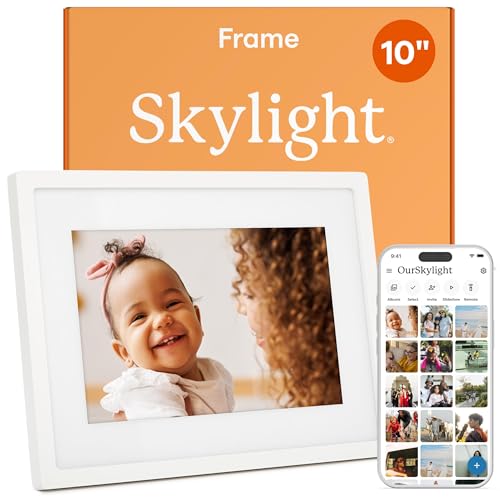
Skylight Digital Picture Frame, Load from Phone Capability, 10" White

Our verdict: Family can email photos straight to the frame.

The Skylight is a 10 inch frame that accepts photos by email, with no subscription for core sharing, in the $100 to $200 bucket. Email upload removes the app barrier. An older relative who will never install software can still send a photo from any inbox, and it appears on the frame.

It comes second because email suits families spread across cities and generations. The Aura is more polished, but it ties senders to its app, and that is where less technical contributors drop off. Storage is not stated in the listing.

Buy it for a family where grandparents or cousins send pictures. The caveats are a higher price and a lack of a touch screen, so changing photos on the frame itself is limited. The black version is the same frame in a different finish.

Display
10-inch
Upload
Email-based
Subscription
None for core sharing
Color
White

What we like

  • +Email photo upload
  • +No subscription for core sharing
  • +Easy for relatives
  • +10-inch display

Watch out for

  • −Higher price
  • −Storage not stated

Buy it if: Families with older contributors.

Skip it if: You want a touch screen.

3

Best Touch Screen

Nixplay Digital Touch Screen Picture Frame with WiFi, 10.1", Black/Silver

Our verdict: A 10.1-inch touch screen with free cloud storage.

The Nixplay has a 10.1 inch HD touch screen, free cloud storage and multi-contributor sharing, in the $100 to $200 bucket. A touch screen lets you swipe, pause or delete photos on the frame, which suits a frame that sits on a kitchen counter where people interact with it.

It sits third because the touch screen adds interactivity the Skylight lacks, but the cloud approach depends on a connection and an account. If the Wi-Fi drops, the photos do not update, and the free cloud storage ties your library to a service.

It suits families that share photos from several phones. Skip it if you want email upload, which Nixplay does not highlight, or if you prefer local storage. Check the terms for the free cloud tier before you rely on it for years.

Display
10.1-inch HD touch
Storage
Free cloud
Sharing
Multi-contributor
Price
$100-200

What we like

  • +HD touch screen
  • +Free cloud storage
  • +Multiple contributors
  • +10.1-inch panel

Watch out for

  • −Account required
  • −Cloud dependent

Buy it if: Families sharing from several phones.

Skip it if: You want email upload.

4

Best Aura Value

Aura HD Digital Picture Frame, Carver: The Best Frame for Gifting

Our verdict: Aura's core value in a standard design.

The standard Aura Carver is a 10 inch class HD frame with no subscription required and a standard design, in the $100 to $200 bucket. It shares the core Aura approach: a no-fee model, an HD display and a design aimed at gifting.

It lands fourth because it matches the Mat version on the key specs but not on setup polish, and it sits in the same price bucket, so the Mat gives more for similar money. The plain Carver is the one to choose if you prefer the standard look and do not want the extra styling.

Best if you want Aura's approach without the Mat finish. Compare both product pages for the finish and size, because the listing does not state storage. Skip it if the Mat is available at the same price.

Display
HD, 10-inch class
Subscription
None required
Design
Standard
Price
$100-200

What we like

  • +No subscription required
  • +HD display
  • +Gift-friendly
  • +Standard styling

Watch out for

  • −Same bucket as the Mat
  • −Storage not stated

Buy it if: Buyers wanting Aura's core features.

Skip it if: You prefer the Mat version.

5

Best Budget Touch

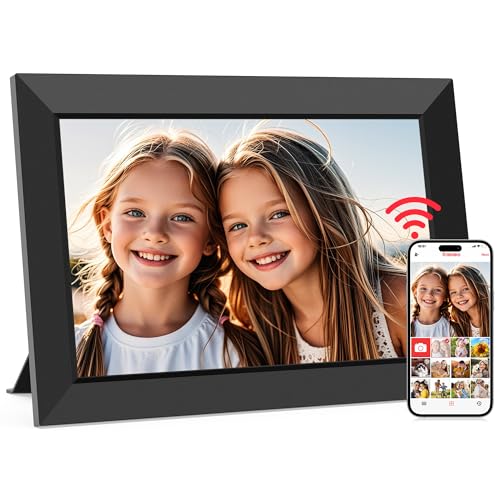
Frameo 10.1 Inch WiFi Digital Picture Frame, HD IPS Touch Screen, 32GB

Our verdict: A 10.1-inch IPS touch screen with 32GB for less.

The Frameo 10.1 inch frame has an HD IPS touch screen and 32GB of storage, in the $50 to $100 bucket. IPS panels hold their color from wider viewing angles, which matters for a frame seen from across a room. The 32GB of local memory means photos stay on the frame, so it displays them without a connection.

It holds fifth because it costs roughly half what the premium frames do while keeping the touch screen. The trade is polish: photo sharing relies on the Frameo app, and setup is less guided than Aura's.

Choose it if you want a real 10.1 inch panel and a touch screen without paying for a brand name. Skip it if gift polish matters, or if the person who will receive it struggles with apps. The app-based flow is the real caveat.

Display
10.1-inch HD IPS touch
Storage
32GB
Sharing
Frameo app
Price
$50-100

What we like

  • +10.1-inch IPS touch screen
  • +32GB storage
  • +Lower price
  • +Frameo app sharing

Watch out for

  • −Less polished setup
  • −App-based sharing

Buy it if: Budget buyers wanting a touch screen.

Skip it if: Gift polish matters.

6

Best Branded Frameo

32GB FRAMEO 10.1 Inch Smart WiFi Digital Photo Frame, 1280x800 IPS LCD Touch Screen

Our verdict: Frameo-branded hardware with a clearly stated resolution.

This Frameo-branded frame has a 1280x800 IPS LCD touch screen at 10.1 inches and 32GB of memory, in the $50 to $100 bucket. The 1280x800 resolution is the only exact figure in the group, which lets you know what you are getting.

It ends the list because it matches the other Frameo on specs, so the main reason to choose it is branded hardware and a stated resolution. The cheaper Frameo listing may well share the same panel, and the cost is identical, so there is little reason to rank it higher.

Buy it if you want to see the resolution before ordering. Skip it if you want the lowest price. Like the other Frameo, sharing runs through an app, so check that the senders can manage it.

Display
10.1-inch IPS LCD touch
Resolution
1280x800
Memory
32GB
Price
$50-100

What we like

  • +Stated 1280x800 resolution
  • +Branded hardware
  • +32GB memory
  • +IPS touch screen

Watch out for

  • −Specs match cheaper rivals
  • −App-based sharing

Buy it if: Buyers who want branded Frameo hardware.

Skip it if: You want the lowest price.

Methodology

How We Ranked These

Sharing method

We compared email, app and cloud sharing for how easily family can contribute.

Subscription terms

We noted whether core features need a paid plan.

Screen

We compared stated resolution and touch support.

Storage

We looked at local memory versus cloud storage.

Value

We balanced features against each price bucket.

Every Primea Score uses the same weights: Performance 30% · Build & Materials 20% · Everyday Usability 20% · Value 20% · Owner Satisfaction 10%. Full scoring rules

Buyer's guide

How to Pick the Right One for You

By Sharing Style

Decide who sends the photos.

SenderOur pick
Relatives by emailSkylight 10" White
Gift recipient, no techAura Carver Mat
Several phones, cloudNixplay 10.1" Touch Screen
Family app usersFrameo 10.1 Inch 32GB

By Budget

SpendOur pick
$25-50AEEZO 10.1 Inch HD IPS
$50-100Frameo 10.1 Inch 32GB
$100-200, giftAura Carver Mat
$100-200, emailSkylight 10" White

Cloud vs Local Storage

Cloud

Photos live online and sync automatically. Picks: Nixplay and Aura.

Local

Photos sit on the frame with 32GB. Picks: both Frameo models and the AEEZO.

Most buyers should choose cloud for convenience and local for low cost.

By Screen Priority

PriorityOur pick
Touch screen, cloudNixplay 10.1" Touch Screen
Touch screen, localFrameo 10.1 Inch 32GB
Named 1280x80032GB FRAMEO 10.1 Inch 1280x800
Lowest priceAEEZO 10.1 Inch HD IPS

For Gifting Specifically

Look for

A simple setup, no subscription surprises and an easy way for family to add photos.

In this ranking

The Aura Carver Mat has a refined setup and the Skylight takes email uploads.

When to Spend More

Spend more if

The frame is a gift for a non-technical person. The Aura Carver Mat or Skylight 10" White fit.

Save if

You will set it up yourself. The AEEZO or Frameo 10.1 Inch are enough.

Questions

Frequently Asked Questions

Do these frames need WiFi?+

Yes, to receive photos. Local storage, such as the 32GB on the Frameo models, lets them keep displaying images if the connection drops, but new pictures need Wi-Fi, so place the frame within router range.

What is a common mistake?+

Choosing by price without checking how photos arrive. Pick the sharing method first, because a cheap Frameo frame that your relatives cannot use gets abandoned quickly, and the money saved is wasted.

Is Aura worth it over Frameo?+

For gifts and setup polish, yes. The Aura needs no subscription and guides new users through setup without help. For a low price and a touch screen, Frameo wins, but sharing is app-based.

How do I set one up?+

Connect to Wi-Fi and follow the app or email instructions on the frame. Send a test photo before you hand it over. The Aura and Skylight guide you through, and the Frameo models rely on their app for pairing, so keep your phone close during setup.

How do I clean the screen?+

Use a dry microfiber cloth and wipe gently, since fingerprints show easily on glossy glass. Avoid sprays near the edges of a touch screen frame like the Nixplay or Frameo, and unplug the frame before cleaning to prevent stray taps registering.

Do I need a subscription?+

The Aura and Skylight list no subscription for core sharing. Check others before buying, especially the Nixplay free cloud tier terms, since storage plans can change over time and the free tier may shrink.

Final take

Buy the Aura Carver Mat for a gift to someone who will not troubleshoot, or the Skylight if the senders prefer email. Nixplay suits families sharing from several phones, and Frameo covers a budget with a touch screen. Pick the sharing method first, because it decides daily use.

More Ranked & Reviewed Guides