
Primea ReviewsAll Reviews

Primea Reviews is reader-supported. When you buy through our Amazon links we may earn a commission, at no extra cost to you. Rankings are set by our editors and never sold. Learn more

Ranked & Reviewed by Primea Reviews

The 7 Best Desk Gear Picks to Pair With an Ultrawide Monitor, Ranked & Reviewed

By the Primea Editorial TeamUpdated November 3, 202610 min read7 products ranked
The 7 Best Desk Gear Picks to Pair With an Ultrawide Monitor, Ranked & Reviewed

The short answer

The HUANUO TitanLift arm is the best first purchase because it holds a heavy 49 inch screen up to 44 pounds with a 5-year warranty. The ARES WING arm is the lighter-duty alternative, the Grandder 55 inch standing desk gives the surface a super-ultrawide needs, and the LIONWEI dock keeps a laptop and a second display on one cable.

The Primea Scoreboard

Ranked & Reviewed

  1. A reinforced aluminum arm that holds a 49 inch screen up to 44 pounds, with a 5-year warranty.

    94Outstanding
    Check price
  2. 02
    ARES WING Ultrawide Monitor Desk Arm

    A gas-spring arm for 17 to 49 inch screens up to 44 pounds, confirmed for Odyssey G9 and LG super-ultrawides.

    92Outstanding
    Check price
  3. A 55 by 32 inch electric standing desk with two memory presets and an anti-collision sensor.

    90Excellent
    Check price
  4. A USB-C dock with two HDMI, one DisplayPort, 100W charging and Gigabit Ethernet.

    88Excellent
    Check price
  5. A steel pull-out tray with a 27 by 11 inch platform that gives a shallow desk more depth.

    86Excellent
    Check price
  6. A wide waterproof mat with stitched edges and a non-slip base, priced under $25.

    84Very Good
    Check price
  7. A carbon steel tray that holds up to 15 pounds of cables and power strips.

    82Very Good
    Check price

The monitor is the easy part of an ultrawide setup. What trips people up is everything it exposes about the desk. A 49 inch panel is roughly 47 inches wide and can weigh as much as a small child, so the stand it comes with swallows desk depth, the surface may be too narrow to leave room for a mouse, and the cable bundle grows from one cord to several. The gear around the screen decides whether the setup feels like an upgrade or a mess.

This ranking covers the supporting cast. We reviewed seven items from their listings and spec sheets, comparing weight ratings, dimensions, mounting methods, port counts and warranty where stated, with price in buckets. Because these are accessories, we kept to figures the listings give, and flagged anything that you must check against your own monitor and desk.

Before you buy

What Actually Matters

01

Arm weight rating

An arm's rating is the maximum monitor weight it can hold, and an ultrawide can approach it. A 49 inch curved panel may weigh 30 pounds or more, so a 44 pound arm leaves limited margin. Look for the rating and the screen size range on the listing, and check your monitor's weight without its stand.

02

Desk depth and edge thickness

An arm clamps to the desk edge, and the desk top should be solid enough to take the load. A thin or hollow top can crush. Check the clamp range, and consider a grommet mount if your desk has a hole. Desk depth matters for viewing distance with a wide screen.

03

Dock bandwidth

A dock shares one USB-C connection among video, data and charging. Three video outputs split that bandwidth, so an ultrawide at high refresh may be limited. For high refresh gaming, use a direct DisplayPort cable and keep the dock for peripherals and charging.

04

Standing desk size and stability

Capacity should exceed the combined weight of monitor, arm and PC, and a 55 by 32 inch top gives breathing room. Look for programmable height presets and an anti-collision sensor. Test for wobble at standing height, which exposes weak frames.

05

Cable routing

A wide setup adds a dock, power cables and a USB hub, so plan where each cord goes. A tray with routing holes keeps everything off the floor. Check capacity in pounds and confirm that the clamp suits your desk thickness.

In-depth reviews

Our Ranked Picks, Reviewed

1

Best Overall

HUANUO TitanLift Heavy Duty Monitor Arm

Our verdict: A reinforced aluminum arm that holds a 49 inch screen up to 44 pounds, with a 5-year warranty.

The TitanLift is a heavy-duty arm rated for screens up to 49 inches and 44 pounds. HUANUO says the arm is 20% thicker and the base 30% wider than standard, uses aluminum construction, mounts with a dual C-clamp and carries a 5-year warranty. It falls in the $50 to $100 bracket.

It is the first thing to buy because it solves the most common ultrawide failure, a stand that eats desk depth and wobbles. A dual clamp spreads the load across the desk edge, and the thicker arm resists the sag that cheap gas springs show under a big panel. Against the ARES WING, the extra bracing and the longer warranty suit a monitor near the top of the weight limit.

Buy it for any 40 to 49 inch curved ultrawide. Check that your desk is at least 0.75 inch thick at the clamp point, and keep the screen under 44 pounds.

Rating
Up to 49 in, 44 lb
Build
Aluminum, thicker arm and wider base
Mount
Dual C-clamp
Warranty
5 years

What we like

  • +Reinforced for heavy 49 inch screens
  • +Dual C-clamp spreads the load
  • +5-year warranty is long
  • +Frees up desk depth

Watch out for

  • −Needs a thick, solid desk edge
  • −Overkill for a small monitor

Buy it if: Owners of heavy curved 49 inch ultrawides.

Skip it if: Your monitor is a light 27 inch screen.

2

Best Standard-Duty Arm

ARES WING Ultrawide Monitor Desk Arm

Our verdict: A gas-spring arm for 17 to 49 inch screens up to 44 pounds, confirmed for Odyssey G9 and LG super-ultrawides.

The ARES WING arm supports screens from 17 to 49 inches up to 44 pounds, uses an industrial gas spring for adjustment, and can be fixed by C-clamp or grommet. The listing confirms fit for the Odyssey G9 and LG super-ultrawides. It sits in the $50 to $100 bracket.

Second place reflects a close contest. The WING covers the same 49 inch and 44 pound envelope, with two mounting options and a clear fit note for popular super-ultrawides, which is reassuring when you worry about VESA compatibility. It gives up the reinforcement and warranty details the TitanLift advertises. A gas spring lets you move the screen with one hand and stay put, which suits a desk you reconfigure often.

Pick it if you want flexibility, particularly the grommet mount for a desk with a hole. Check the weight of your exact monitor first.

Range
17 to 49 in, up to 44 lb
Adjustment
Industrial gas spring
Mount
C-clamp or grommet
Fit
Odyssey G9, LG super-ultrawides

What we like

  • +Two mounting methods offered
  • +Fit confirmed for popular models
  • +Gas spring moves with one hand
  • +Handles 17 to 49 inch screens

Watch out for

  • −Warranty is not highlighted
  • −Less reinforced than the TitanLift

Buy it if: Odyssey G9 and LG super-ultrawide owners.

Skip it if: You want the most reinforced build.

3

Best Desk Surface

Grandder 55x32 Electric Standing Desk

Our verdict: A 55 by 32 inch electric standing desk with two memory presets and an anti-collision sensor.

The Grandder is an electric standing desk with a 55 inch by 32 inch top, a lift range of 28 to 46.5 inches, a 176 pound capacity, two programmable height presets and an anti-collision sensor. It is priced in the $100 to $200 bracket.

Its third place reflects that the desk matters most to those who have outgrown their table. A 32 inch depth is the number that counts for a super-ultrawide, because the panel sits farther back and you still need space for a keyboard and wrists. At 55 inches wide, a 49 inch monitor leaves a little space on each side. The 176 pound capacity comfortably holds an arm, a screen and a PC.

Buy it if your current desk is shallow or narrow. Skip it if you already have a deep, wide surface.

Top
55 x 32 in
Lift
28 to 46.5 in
Capacity
176 lb
Presets
2 memory heights

What we like

  • +32 inch depth suits big screens
  • +Electric lift with two presets
  • +Anti-collision sensor protects gear
  • +176 pound capacity

Watch out for

  • −Needs space and assembly time
  • −Only two memory presets

Buy it if: Buyers with a 49 inch screen and a shallow desk.

Skip it if: Your current desk is already wide and deep.

4

Best Dock

LIONWEI 13-in-1 USB-C Docking Station

Our verdict: A USB-C dock with two HDMI, one DisplayPort, 100W charging and Gigabit Ethernet.

The LIONWEI is a 13-in-1 USB-C dock with two 4K HDMI outputs and one DisplayPort, 100W USB-C Power Delivery, Gigabit Ethernet, two 10Gbps USB-C ports, three USB-A 3.0 ports and a 3.5mm audio jack. It is in the $25 to $50 bracket.

It lands fourth because one cable from a laptop to a dock is the cleanest way to run an ultrawide plus a second monitor. The 100W charging covers most laptops, and Ethernet keeps a video call stable. The caveat is refresh rate: docks that drive three video outputs share a single USB-C link, so an ultrawide at 100Hz or higher may need a direct DisplayPort cable instead. On some Mac laptops, multiple outputs may mirror rather than extend.

Buy it for an office laptop desk. Skip it if you game at high refresh from a desktop PC.

Video
2 HDMI 4K + 1 DisplayPort
Charging
100W USB-C PD
Network
Gigabit Ethernet
USB
2 USB-C 10Gbps + 3 USB-A 3.0

What we like

  • +Three video outputs in one dock
  • +100W laptop charging
  • +Ethernet and audio included
  • +Low price bracket

Watch out for

  • −High refresh over a dock is limited
  • −Mac extended display support varies

Buy it if: Laptop users running an ultrawide plus a second display.

Skip it if: You game at high refresh from a desktop.

5

Best for Shallow Desks

VIVO Large Keyboard Tray Under Desk Pull-Out

Our verdict: A steel pull-out tray with a 27 by 11 inch platform that gives a shallow desk more depth.

The VIVO keyboard tray has a 27 by 11 inch platform, 32.5 inches wide with its clamp hardware, steel construction, an 8.5 inch slide-out range and a no-drill C-clamp mount. It is priced in the $25 to $50 bracket.

Fifth place reflects a niche but valuable job. An ultrawide pushes the screen back, and a shallow desk leaves your hands too close to the monitor. A tray under the desk buys you depth and lets the keyboard drop to a better height for your wrists. The 27 inch platform fits a full-size keyboard and a mouse, though a very large mouse pad will not fit.

Buy it if your desk is under about 28 inches deep. It is unnecessary on a deep desk like the Grandder.

Platform
27 x 11 in
Slide-out
8.5 in
Build
Steel
Mount
No-drill C-clamp

What we like

  • +Adds usable depth to shallow desks
  • +Steel construction is stable
  • +No-drill clamp installation
  • +Fits keyboard and mouse

Watch out for

  • −Needs knee room under the desk
  • −Wide mouse pads will not fit

Buy it if: Shallow desks where the screen sits too close.

Skip it if: Your desk is already deep.

6

Best Desk Mat

KTRIO XL Extended Gaming Desk Mat

Our verdict: A wide waterproof mat with stitched edges and a non-slip base, priced under $25.

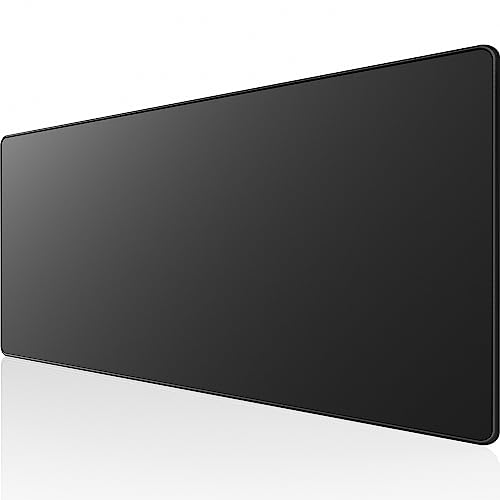
The KTRIO mat measures 31.5 by 11.8 inches, 3mm thick, with a micro-weave cloth surface, waterproof coating, stitched anti-fray edges and a non-slip rubber base. It is priced under $25.

Sixth place fits its supporting role. A single mat for both keyboard and mouse stops the mouse from running off the edge and protects the desk finish. At 31.5 inches wide it is not the longest mat on the market, but it fits the front of a typical ultrawide setup. The stitched edge prevents fraying, which is where cheap mats fail first.

Buy it as a cheap finishing touch. Skip it if your tray or desk cannot hold a 31.5 inch mat.

Size
31.5 x 11.8 x 3mm
Surface
Micro-weave cloth
Edges
Stitched anti-fray
Base
Non-slip rubber

What we like

  • +Waterproof surface wipes clean
  • +Stitched edges resist fraying
  • +Non-slip rubber base
  • +Very low price

Watch out for

  • −Not as wide as some mats
  • −Cloth surface can wear

Buy it if: A single wide mat for keyboard and mouse.

Skip it if: You want a very long mat.

7

Best Cable Tidy

Litwaro Under Desk Cable Management Tray

Our verdict: A carbon steel tray that holds up to 15 pounds of cables and power strips.

The Litwaro tray is carbon steel, rated to hold 15 pounds of cables, with two routing holes, a no-drill clamp that fits desks 0.4 to 2 inches thick and a 1-year warranty. It is priced under $25.

It places last because it is the least critical item, but a dock, an arm and a monitor bring more cables than a small desk can hide. A tray collects the dock, power strip and spare cord length in one place and keeps them off the floor. The clamp range of 0.4 to 2 inches covers most standard and thick desktops, though a glass top will not clamp well.

Buy it to finish the setup. Check that your desk has a flat underside for the clamp.

Material
Carbon steel
Capacity
15 lb
Clamp
Fits 0.4 to 2 in desks
Warranty
1 year

What we like

  • +Holds 15 pounds of cables
  • +No-drill clamp installation
  • +Two routing holes for cords
  • +Low cost

Watch out for

  • −Needs a flat desk underside
  • −Short 1-year warranty

Buy it if: Desks with a dock, power strip and many cords.

Skip it if: You have only a couple of cables.

Methodology

How We Ranked These

Weight and size ratings

We compared 44 pound arm ratings, 176 pound desk capacity and the 49 inch screen limit against heavy curved ultrawides.

Mounting and compatibility

C-clamp, grommet and no-drill mounts, plus stated monitor fit, were checked for common desks.

Connectivity

Port counts, 100W charging and video outputs on the dock were weighed for laptop-based setups.

Ergonomics and desk space

Desk depth, tray travel and mat size were assessed for comfort at a wide screen.

Warranty and value

Warranty lengths from 1 to 5 years and price buckets from under $25 to $100 to $200 were compared.

Every Primea Score uses the same weights: Performance 30% · Build & Materials 20% · Everyday Usability 20% · Value 20% · Owner Satisfaction 10%. Full scoring rules

Buyer's guide

How to Pick the Right One for You

By Setup Stage

Start with the item that solves your biggest constraint.

StageOur pick
Mounting a heavy 49 inch screenHUANUO TitanLift Heavy Duty Monitor Arm
Mounting an Odyssey G9 or LGARES WING Ultrawide Monitor Desk Arm
Outgrown your deskGrandder 55x32 Electric Standing Desk
Running a laptopLIONWEI 13-in-1 USB-C Docking Station

By Budget

SpendOur pick
Under $25KTRIO XL Extended Gaming Desk Mat
$25 to $50LIONWEI 13-in-1 USB-C Docking Station
$50 to $100HUANUO TitanLift Heavy Duty Monitor Arm
$100 to $200Grandder 55x32 Electric Standing Desk

Monitor Arm vs Stock Stand

Monitor arm

Lifts the screen off the desk, frees depth and lets you position it exactly. It requires a sturdy desk edge. Picks: HUANUO TitanLift, ARES WING.

Stock stand

Free and stable, but it takes up desk depth and may lack height adjustment. Fine on a deep desk with a lighter screen.

Default to an arm for any 34 inch or larger curved ultrawide.

By Desk Problem

ProblemOur pick
Not enough depthVIVO Large Keyboard Tray Under Desk Pull-Out
Cable clutterLitwaro Under Desk Cable Management Tray
Mouse runs off the edgeKTRIO XL Extended Gaming Desk Mat
Too many ports neededLIONWEI 13-in-1 USB-C Docking Station

For a 49 Inch Super-Ultrawide Specifically

Look for

An arm rated for 49 inches and 44 pounds, a desk at least 55 inches wide and 30 inches deep, and a clamp suited to your desk edge.

In this ranking

The HUANUO TitanLift for support, the Grandder for surface, and the Litwaro to manage the cables a big screen adds.

When to Spend More

Spend more if

Your screen is near the arm's weight limit or you sit all day. The HUANUO and the Grandder desk are worth it.

Save if

You only need small fixes. The KTRIO mat and Litwaro tray each cost under $25.

Questions

Frequently Asked Questions

Will the arms fit my Odyssey G9?+

The ARES WING listing confirms fit for the Odyssey G9 and LG super-ultrawides. The HUANUO TitanLift is rated for 49 inch screens at 44 pounds, so check the VESA pattern and weight before ordering.

What is the biggest mistake with an ultrawide arm?+

Ignoring the desk top. A hollow or thin desk can crack under a clamp, so confirm thickness and use a reinforcement plate where possible.

Is a standing desk worth it for an ultrawide?+

If your current desk is too shallow, yes. A 32 inch depth gives breathing room, and height presets help you switch between sitting and standing.

How do I set up an arm properly?+

Clamp it near the back edge, tighten the base, attach the VESA plate to the monitor, then hang the screen and adjust the spring tension. Route cables along the arm before final tightening.

Can one dock run my ultrawide and a second monitor?+

The LIONWEI lists two HDMI and one DisplayPort. Total bandwidth is shared, so an ultrawide at its top refresh rate may need a direct cable, and Mac laptops may have limits.

How should I clean a cloth desk mat?+

Wipe with a damp cloth and mild soap, then air dry. The KTRIO is listed as waterproof, so spills can be wiped away quickly.

Final take

The HUANUO TitanLift arm is the best first purchase for a heavy ultrawide, and the ARES WING is the flexible alternative with confirmed fit for popular models. The Grandder desk gives the surface a super-ultrawide needs, and the LIONWEI dock tidies up a laptop setup. Check your monitor's weight and your desk's depth before buying anything.

More Ranked & Reviewed Guides