
Primea ReviewsAll Reviews

Primea Reviews is reader-supported. When you buy through our Amazon links we may earn a commission, at no extra cost to you. Rankings are set by our editors and never sold. Learn more

Ranked & Reviewed by Primea Reviews

The 8 Best Monitors Under $300 of 2026, Ranked & Reviewed

By the Primea Editorial TeamUpdated November 1, 202610 min read8 products ranked
The 8 Best Monitors Under $300 of 2026, Ranked & Reviewed

The short answer

The ASUS TUF Gaming VG27AQ3A is the best monitor under $300: 27 inch QHD at 180Hz with 1ms response and broad adaptive sync, in the $100 to $200 tier. The Dell S2725DSM is the cheapest route to QHD, and the Dell S2725DC adds 65W USB-C. The Philips is the 4K office pick and the LG 27G640A tops out at 300Hz.

The Primea Scoreboard

Ranked & Reviewed

  1. QHD at 180Hz with the broadest adaptive sync support.

    94Outstanding
    Check price
  2. QHD at 144Hz at the lowest price in the group.

    92Outstanding
    Check price
  3. A real single-cable setup with 65W power delivery.

    90Excellent
    Check price
  4. 4K sharpness and USB-C docking over gaming speed.

    88Excellent
    Check price
  5. The fastest refresh rate here, at 300Hz.

    86Excellent
    Check price
  6. The largest QHD screen here, at 32 inches.

    84Very Good
    Check price
  7. A 1000R curved QHD panel at 180Hz.

    82Very Good
    Check price
  8. QHD sharpness for work at only 75Hz.

    80Very Good
    Check price

Under $300 you can now buy a QHD monitor with a fast refresh rate, which retires the old tradeoff between sharp and fast. The better question is what the screen is for. Gaming rewards refresh rate, laptop users want USB-C power delivery that actually charges the machine, and spreadsheet work wants pixel density and a stand that fits a desk.

We reviewed eight monitors on paper, comparing resolution, refresh rate, panel type and connectivity from the spec sheets. Several sit in a $200 to $500 bracket that straddles the cap, so check the live price before you buy. The pattern across the group is that a 300Hz panel and a 65W USB-C port are rarely found in the same box.

Before you buy

What Actually Matters

01

Resolution

QHD is 2560 by 1440 and 4K is 3840 by 2160. Higher resolution gives sharper text and finer photos on the same screen size, but needs a stronger GPU for games. Check the pixel count in the title or specs, and weigh it against size: 4K at 27 inches is far denser than QHD at 32. Text scaling in your operating system also matters.

02

Refresh rate

Refresh is how many times the screen updates per second. 144Hz and above feels noticeably smoother for games, while 75Hz is fine for office work. Check the Hz figure in the bullets, and remember your graphics card must produce the frames: the LG 300Hz is wasted on a modest GPU. Most office work never needs more than 75Hz.

03

USB-C power delivery

USB-C power delivery lets one cable carry video and charge a laptop. 65W suits thin laptops, while 15W only trickles power into a phone-class device. Check the wattage in the listing: the Dell S2725DC and Philips list 65W, the LG 27G640A only 15W. A laptop with a big charger may need more than 65W, so check its rating first.

04

Adaptive sync

G-Sync and FreeSync reduce tearing and stutter when the frame rate varies. Nvidia cards work best with G-Sync compatible displays, and AMD cards with FreeSync. Check which are listed: the ASUS TUF and Samsung list both, while the Dell S2725DSM and LG 32G600A list FreeSync only. A mismatched card still works, with fewer guarantees.

05

Panel curve and size

A 32 inch screen needs more desk depth, and a curve suits immersion but can distort straight lines. Match the size to your viewing distance: a 27 inch QHD panel suits a normal desk, while 32 inch works if you sit farther back. Check the dimensions and whether the stand fits your desk, and consider a monitor arm if depth is short.

In-depth reviews

Our Ranked Picks, Reviewed

1

Best Overall

ASUS TUF Gaming VG27AQ3A 27-Inch QHD 180Hz

Our verdict: QHD at 180Hz with the broadest adaptive sync support.

The ASUS TUF Gaming VG27AQ3A is a 27 inch QHD Fast IPS panel at 180Hz with a 1ms response time. It supports ELMB Sync, G-Sync compatibility and FreeSync Premium, covers 130% sRGB, handles HDR10 and includes built-in speakers. It sits in the $100 to $200 tier. Broad adaptive sync matters because it removes tearing on either brand of graphics card, so you are not locked to one GPU maker.

It leads because it delivers the best gaming performance per dollar while still serving as an everyday work screen. The LG 27G640A pushes 300Hz, but it costs more and needs a very strong GPU. The Dell S2725DSM costs less, but gives up 36Hz and the G-Sync label.

Buy it if you play games and work on the same screen. The caveat is that no USB-C input is listed, so a laptop needs a separate charger. Skip it if you want a single-cable dock.

Panel
27" QHD Fast IPS
Refresh
180Hz, 1ms
Sync
G-Sync compatible, FreeSync Premium
Price tier
$100-200

What we like

  • +QHD at 180Hz
  • +Broad adaptive sync support
  • +130% sRGB coverage
  • +Built-in speakers

Watch out for

  • −No USB-C listed
  • −Basic speakers

Buy it if: Gamers who also use the monitor for work.

Skip it if: You want a single-cable laptop dock.

2

Best Value QHD

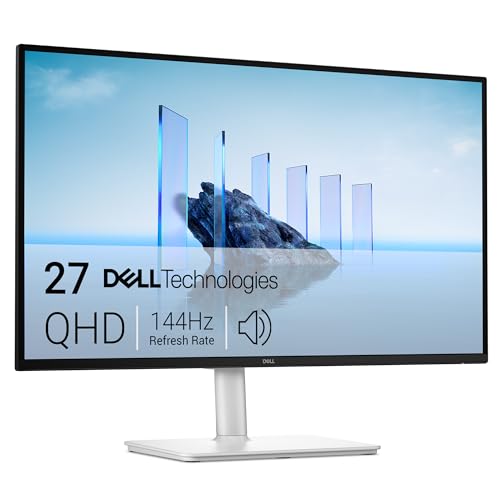
Dell 27 Plus QHD Monitor S2725DSM

Our verdict: QHD at 144Hz at the lowest price in the group.

The Dell S2725DSM is a 27 inch QHD IPS monitor at 144Hz with a 1ms MPRT response, 1500:1 contrast and a 4-star TUV eye comfort rating. Dual 3W speakers and AMD FreeSync round it out, in the $100 to $200 tier. QHD at 27 inches gives text a noticeably finer edge than 1080p, and 144Hz is smooth enough for casual play.

It ranks second because it costs less than the ASUS and gives up 36Hz of refresh and the broader sync coverage. For office use and casual gaming that gap is small, and the Dell's eye comfort rating suits long workdays. Against the Dell S2725DC, it saves money but leaves out USB-C.

Choose it for the cheapest route to QHD. The caveat is the lower refresh rate and FreeSync-only sync: an Nvidia card owner who wants G-Sync should look at the ASUS. Skip it if you want a laptop dock.

Panel
27" QHD IPS
Refresh
144Hz, 1ms MPRT
Contrast
1500:1
Price tier
$100-200

What we like

  • +Lowest price for QHD
  • +144Hz refresh
  • +Eye comfort rating
  • +Dual 3W speakers

Watch out for

  • −Only FreeSync listed
  • −No USB-C

Buy it if: Budget buyers who want QHD sharpness.

Skip it if: You use an Nvidia card and want G-Sync.

3

Best USB-C

Dell 27 Plus QHD USB-C Monitor S2725DC

Our verdict: A real single-cable setup with 65W power delivery.

The Dell S2725DC is a 27 inch QHD IPS monitor at 144Hz with 1ms MPRT. What it adds is USB-C with 65W power delivery, so one cable carries the picture and charges the laptop, plus a pop-out port panel for quick plug-ins. It sits in the $200 to $500 bracket. The 65W figure is enough to charge most thin laptops while sending video.

That wattage is why it beats the S2725DSM for laptop users: a one-cable desk replaces a charger, a video lead and a clutter of ports. Against the LG 27G640A, the Dell's 65W delivery is more than four times the LG's 15W, which only trickles.

Buy it if you work from a USB-C laptop. The caveat is that it costs more than the plain Dell, and the listing does not mention speakers. Skip it if you use a desktop only.

Panel
27" QHD IPS
Refresh
144Hz, 1ms MPRT
USB-C
65W power delivery
Extra
Pop-out USB-C/USB-A port

What we like

  • +65W USB-C power delivery
  • +Single-cable setup
  • +Pop-out quick-access port
  • +144Hz QHD

Watch out for

  • −Costs more than S2725DSM
  • −Speakers not listed

Buy it if: Laptop users who want one cable.

Skip it if: You use a desktop only.

4

Best 4K

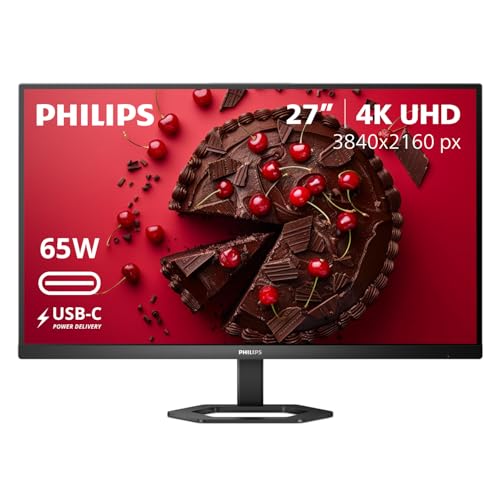
Philips 27" 4K UHD USB-C Monitor 27E1N5900R

Our verdict: 4K sharpness and USB-C docking over gaming speed.

The Philips 27E1N5900R is a 27 inch 4K UHD IPS panel at 3840 by 2160 with USB-C 65W power delivery, a USB 3.2 hub, DisplayHDR 400 and a 4-year advance replacement warranty. It sits in the $200 to $500 bracket. At 27 inches, 4K is dense enough that text and photo detail look crisp without scaling tricks.

It ranks below the Dell S2725DC because the refresh rate is not listed, which points to an office-first design, and it does not chase gaming speed. In return you get 4K clarity, a hub for peripherals and the longest warranty in this guide. The Dell wins on smoothness; the Philips wins on sharpness.

Choose it for documents, photo work and docking a laptop. The caveat is that it is not aimed at gamers. Skip it if you want a fast gaming panel.

Panel
27" 4K IPS
Resolution
3840 x 2160
USB-C
65W PD + USB 3.2 hub
Warranty
4-year advance replacement

What we like

  • +True 4K resolution
  • +65W USB-C and USB hub
  • +DisplayHDR 400
  • +4-year warranty

Watch out for

  • −Refresh rate not listed
  • −Not for gaming

Buy it if: Office work and photo editing with a laptop.

Skip it if: You want a fast gaming panel.

5

Highest Refresh Rate

LG 27G640A-B UltraGear 27-Inch QHD 300Hz

Our verdict: The fastest refresh rate here, at 300Hz.

The LG 27G640A-B UltraGear is a 27 inch QHD IPS monitor at 300Hz with 1ms response. It supports VESA DisplayHDR 400, covers 95% DCI-P3, and offers USB-C with 15W power delivery, dual HDMI 2.1 ports and DisplayPort 1.4. It sits in the $200 to $500 bracket. 300Hz refreshes the screen 300 times a second, which only helps if your graphics card can render that many frames.

It places lower in our ranking because the 300Hz headroom only pays off with a very strong graphics card, and the 15W USB-C cannot charge a laptop. The ASUS gives most of the gaming feel at 180Hz for far less.

Buy it if frame rate is your priority and you play competitive shooters. The caveat is that you need a powerful PC to use the speed. Skip it if you do not have a high-end graphics card.

Panel
27" QHD IPS
Refresh
300Hz, 1ms
Color
95% DCI-P3, DisplayHDR 400
Ports
USB-C 15W, dual HDMI 2.1, DP 1.4

What we like

  • +300Hz refresh rate
  • +Wide DCI-P3 color
  • +Dual HDMI 2.1 ports
  • +DisplayPort 1.4

Watch out for

  • −USB-C only 15W
  • −Needs a strong GPU

Buy it if: Competitive gamers.

Skip it if: You do not have a high-end graphics card.

6

Best Large Screen

Samsung 32" Odyssey G5 (G50F) QHD Gaming Monitor

Our verdict: The largest QHD screen here, at 32 inches.

The Samsung Odyssey G5 G50F is a 32 inch QHD Fast IPS display at 180Hz with 1ms GtG, HDR10, G-Sync compatibility and AMD FreeSync. It adds Black Equalizer and Virtual Aim Point gaming aids and sits in the $200 to $500 bracket. The 32 inch panel is the largest flat screen here, and it gives gamers a bigger field of view.

Compared with the 27 inch ASUS, it offers more screen at the same QHD resolution, which spreads the pixels over a larger area and makes them slightly less sharp. You sit farther back to compensate. Against the curved LG 32G600A, the Samsung's flat panel keeps straight lines straight and covers both sync standards.

Choose it for a bigger display and immersive play. The caveat is lower pixel density and the deeper desk space it needs. Skip it if your desk is shallow.

Panel
32" QHD Fast IPS
Refresh
180Hz, 1ms GtG
Sync
G-Sync compatible, FreeSync
Aids
Black Equalizer, Virtual Aim Point

What we like

  • +Largest screen here
  • +180Hz refresh
  • +G-Sync and FreeSync
  • +HDR10 support

Watch out for

  • −Lower pixel density than 27"
  • −Needs more desk space

Buy it if: Gamers who want a big screen.

Skip it if: Your desk is shallow.

7

Best Curved

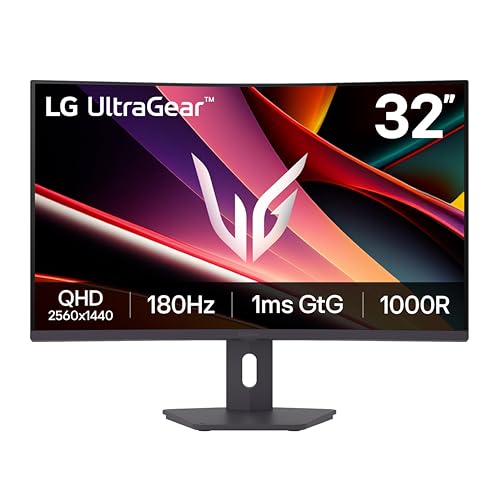
LG 32G600A-B UltraGear 32-Inch Curved QHD

Our verdict: A 1000R curved QHD panel at 180Hz.

The LG 32G600A-B is a 32 inch curved QHD IPS display with a 1000R curve, 180Hz, 1ms response, HDR10 and up to 99% sRGB. It supports AMD FreeSync and has a three-side virtually borderless design. It sits in the $200 to $500 bracket. A 1000R curve wraps the edge of the screen toward your eyes, which deepens the feeling of immersion in racing games and wide scenes.

It ranks seventh because the curve warps straight lines, which hurts spreadsheets, layouts and CAD, and the listing offers FreeSync only. Samsung's flat 32 inch gives broader sync support and a cleaner grid. Against the ASUS VG27AQ3A, you gain size and curve but lose adaptive sync breadth.

Buy it for immersive games and movies. The caveat is distortion for precise layout work. Skip it if you design, draw or build spreadsheets all day.

Panel
32" curved QHD IPS (1000R)
Refresh
180Hz, 1ms
Color
Up to 99% sRGB
Sync
AMD FreeSync

What we like

  • +1000R curved screen
  • +180Hz refresh
  • +Up to 99% sRGB
  • +Virtually borderless design

Watch out for

  • −FreeSync only listed
  • −Curve distorts layout work

Buy it if: Immersive gaming and media.

Skip it if: You do design or CAD work.

8

Best for Work

ASUS VA27AQ 27-Inch QHD IPS

Our verdict: QHD sharpness for work at only 75Hz.

The ASUS VA27AQ is a 27 inch QHD IPS monitor at 75Hz with 1ms response and 99% sRGB coverage. It has a frameless VESA-ready design and takes HDMI, DisplayPort and VGA inputs, plus built-in speakers. It sits in the $100 to $200 tier. The VGA port is a rarity on a new QHD screen and helps if you connect older equipment.

It lands last because 75Hz is slow next to the 144Hz Dell S2725DSM at a similar tier, and the ASUS TUF sits in the same tier with 180Hz and adaptive sync. What keeps it on the list is color accuracy for work and that legacy port.

Choose it for spreadsheets, documents and office use on a budget. The caveat is the refresh rate, so skip it if you play fast games. Check the live price, since the Dell S2725DSM may match it.

Panel
27" QHD IPS
Refresh
75Hz, 1ms
Color
99% sRGB
Inputs
HDMI, DisplayPort, VGA

What we like

  • +99% sRGB coverage
  • +VGA for older gear
  • +Frameless VESA design
  • +Built-in speakers

Watch out for

  • −Only 75Hz
  • −Not for gaming

Buy it if: Office work on a budget.

Skip it if: You play fast games.

Methodology

How We Ranked These

Resolution and size

We compared QHD and 4K panels at 27 and 32 inches for sharpness.

Refresh rate

We ranked 75Hz to 300Hz against typical gaming and office use.

Connectivity

We weighed USB-C power delivery, HDMI, and DisplayPort options.

Color and panel

We checked sRGB and DCI-P3 coverage and HDR support.

Price tier

We compared each model's bracket against the $300 limit.

Every Primea Score uses the same weights: Performance 30% · Build & Materials 20% · Everyday Usability 20% · Value 20% · Owner Satisfaction 10%. Full scoring rules

Buyer's guide

How to Pick the Right One for You

By Main Use

Pick by what you do most.

UseOur pick
Gaming and workASUS TUF Gaming VG27AQ3A 27-Inch QHD 180Hz
Competitive gamingLG 27G640A-B UltraGear 27-Inch QHD 300Hz
Laptop dockingDell 27 Plus QHD USB-C Monitor S2725DC
Documents and photosPhilips 27" 4K UHD USB-C Monitor 27E1N5900R

By Budget

SpendOur pick
$100 to $200, best overallASUS TUF Gaming VG27AQ3A 27-Inch QHD 180Hz
$100 to $200, cheapest QHDDell 27 Plus QHD Monitor S2725DSM
$100 to $200, officeASUS VA27AQ 27-Inch QHD IPS
Upper tier, confirm under $300Dell 27 Plus QHD USB-C Monitor S2725DC

27 Inch vs 32 Inch

27 inch

Sharper pixels and a smaller desk footprint. ASUS TUF, Dell S2725DSM and S2725DC, LG 27G640A, and ASUS VA27AQ are 27 inch.

32 inch

More screen at the same QHD resolution. Samsung Odyssey G5 and LG 32G600A are 32 inch.

Most desks should default to 27 inch.

By Connectivity

NeedOur pick
Single cable with 65W chargingDell 27 Plus QHD USB-C Monitor S2725DC
USB hub and 4KPhilips 27" 4K UHD USB-C Monitor 27E1N5900R
Older VGA equipmentASUS VA27AQ 27-Inch QHD IPS

For Home Office Use Specifically

Look for

USB-C power delivery, a stand-friendly design, and eye comfort features.

In this ranking

The Dell S2725DC offers 65W USB-C, and the Dell S2725DSM has a 4-star TUV eye comfort rating.

When to Spend More

Spend more if

You dock a laptop or need 4K, where the Dell S2725DC or Philips earn their price.

Save if

You want sharp text and decent gaming, where the ASUS TUF or Dell S2725DSM cover it.

Questions

Frequently Asked Questions

Will my laptop charge over USB-C?+

Only if the monitor delivers enough watts. The Dell S2725DC and Philips offer 65W, which suits thin laptops, while the LG 27G640A offers only 15W. Check your laptop charger's rating before relying on the monitor, because a heavy-duty workstation may need more.

What mistake do buyers make?+

Paying for 300Hz without a graphics card to match. The LG 27G640A only shines with a very strong GPU, while the ASUS VG27AQ3A delivers most of the smoothness at 180Hz for less, and a modest card cannot feed 300 frames anyway.

Is QHD worth it over 1080p?+

At 27 inches, yes. Text and images are noticeably sharper, which is why the Dell S2725DSM and ASUS VA27AQ both use QHD. For a bigger 32 inch screen like the Samsung's, QHD looks softer than on a 27 inch.

How do I set refresh rate?+

Set it in your operating system display settings and use DisplayPort or HDMI 2.1 for high rates. The LG 27G640A lists both DisplayPort 1.4 and HDMI 2.1, while the ASUS VA27AQ at 75Hz needs no special cable. Plug into the graphics card, not the motherboard.

Can I mount these?+

The ASUS VA27AQ lists a frameless VESA design. Check the listing for the others before you buy an arm, because not every curved or large monitor like the LG 32G600A supports a standard mount.

Do I need HDR?+

HDR400 modes help little compared with true HDR displays, so do not pay extra for it alone. The ASUS TUF, Philips and LG 27G640A list HDR10 or DisplayHDR 400, but color, contrast and refresh matter more for daily use.

Final take

Buy the ASUS VG27AQ3A if you game and work on the same screen. Choose the Dell S2725DSM for the cheapest QHD, the Dell S2725DC for a one-cable laptop desk, and the Philips for 4K documents and photos. The LG 300Hz is for competitive players with a strong graphics card. Decide your main use first, because no monitor here wins every column.

More Ranked & Reviewed Guides