
Primea ReviewsAll Reviews

Primea Reviews is reader-supported. When you buy through our Amazon links we may earn a commission, at no extra cost to you. Rankings are set by our editors and never sold. Learn more

Ranked & Reviewed by Primea Reviews

The 8 Best Fall Detection Devices for Seniors That Will Actually Be Worn, Ranked & Reviewed

By the Primea Editorial TeamUpdated November 3, 202611 min read8 products ranked
The 8 Best Fall Detection Devices for Seniors That Will Actually Be Worn, Ranked & Reviewed

The short answer

The UnaliWear Kanega is the pick for seniors who will refuse anything that looks medical, with cellular and WiFi connectivity plus GPS. The ADT On-The-Go is the better call when a professional response team matters more than looks, and the SecuLife Pendant is the strongest budget option with no contract. The SecuLife Wristband suits anyone who wants one big button and nothing else.

The Primea Scoreboard

Ranked & Reviewed

  1. A cellular and WiFi watch with GPS that does not look like a medical alert gadget.

    94Outstanding
    Check price
  2. An all-in-one mobile alert unit backed by a 24/7 professional response service.

    92Outstanding
    Check price
  3. Automatic fall detection, waterproofing and direct family alerts with no contract.

    90Excellent
    Check price
  4. A one-button wristband with GPS tracking and geofencing for the simplest possible use.

    88Excellent
    Check price
  5. A waterproof necklace unit with automatic fall detection and a caregiver app.

    86Excellent
    Check price
  6. A smartwatch that adds vital sign tracking to fall detection and an SOS button.

    84Very Good
    Check price
  7. A low-cost watch format with a fall alert and SOS button for tighter budgets.

    82Very Good
    Check price
  8. HD video calling, GPS and heart rate in a watch, with less brand reassurance.

    80Very Good
    Check price

The most common mistake with fall detection is buying for the fall instead of for the wrist. A device that sits in a drawer, gets taken off for the shower, or stays on the charger overnight protects nobody. Detection algorithms matter, but wear rate matters more, and wear rate is decided by looks, comfort, charging routine and how embarrassed the wearer feels.

This ranking is built around that reality. We reviewed eight devices from their listings and published specs, looking at connectivity, format (watch, wristband or pendant), monitoring options, contract terms and how much setup a family has to do. No device here is a substitute for a conversation with the wearer's doctor or a plan for who answers the phone when an alert fires.

Before you buy

What Actually Matters

01

Wear Rate

A fall detection device only works if it is on the body when the fall happens. Style, comfort and waterproofing decide that more than any sensor does. Look for a device the wearer will keep on in the shower and overnight, and ask the senior to try the format on before committing.

02

Connectivity

Some devices rely on a home base unit, some pair with a phone, and some carry their own cellular link. A pendant that only works near a base station leaves a gap in the garden, the street and the car. Check whether the listing mentions cellular, WiFi or GPS, and match the answer to where the person actually spends the day.

03

Who Gets the Alert

The best sensor is useless if the alert lands on a phone nobody checks. Professional monitoring means a trained operator is available at any hour, while family-notification devices rely on relatives. Decide honestly who will respond at 3 a.m. and on a busy Tuesday afternoon.

04

Charging and Battery Habit

Wrist devices with screens, calling and heart rate sensors need frequent charging, and a flat battery during a fall is the failure that matters. A simple routine, such as charging at the same time every evening, helps. Check how often the manufacturer expects a recharge and whether the device warns when charge is low.

05

Fees and Contracts

Cellular connectivity and live monitoring normally come with a recurring plan, while some devices advertise no contract at all. Add the plan cost to the hardware price before comparing. Read the listing for words like subscription, activation and contract, and ask the seller if the page is unclear.

In-depth reviews

Our Ranked Picks, Reviewed

1

Best Discreet Design

UnaliWear Kanega Watch Fall Detection for Seniors

Our verdict: A cellular and WiFi watch with GPS that does not look like a medical alert gadget.

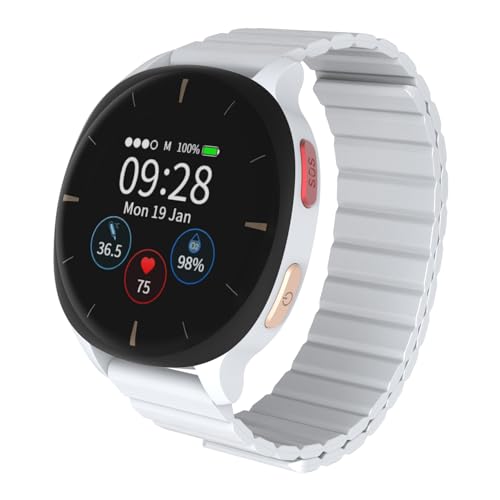
The Kanega is a watch-format alert device with cellular and WiFi connectivity and GPS location, sold in the $200 to $500 bracket. Its main selling point on the listing is that it avoids the clinical look of a typical alert pendant, which is the single biggest reason seniors reject these products.

It takes first place because the three things that decide real-world protection are all covered: it is worn on the wrist like any other watch, it does not depend on a phone or a home base station, and GPS lets a responder find the wearer outside the house. A device that works in the garden, the car park and the supermarket covers more of the day than a pendant tethered to a landline. The cost is the highest in this group, and cellular service typically means an ongoing plan you should confirm before buying.

It is the right choice for an independent senior who walks, drives or gardens and would never wear a pendant. Skip it if the budget is tight or if the wearer will only ever be at home, where cheaper options do the same job.

Connectivity
Cellular and WiFi
Location
GPS
Format
Wrist watch
Price bracket
$200 to $500

What we like

  • +Looks like a normal watch
  • +Cellular works away from home
  • +GPS helps responders find the wearer
  • +No phone needed to function

Watch out for

  • −Most expensive pick in this group
  • −Likely needs an ongoing service plan

Buy it if: Active seniors who refuse anything that looks like a medical device.

Skip it if: The wearer stays home and budget is the main concern.

2

Best Professional Response

ADT On-The-Go Emergency Medical Alert for Seniors

Our verdict: An all-in-one mobile alert unit backed by a 24/7 professional response service.

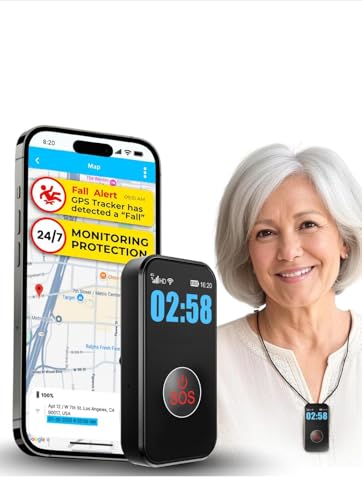
The On-The-Go is an all-in-one mobile unit marketed around round-the-clock professional response, in the $50 to $100 price bracket for the hardware. It is built for people who leave the house, so the pitch is protection that travels rather than a base station that stays on a shelf.

It ranks second because a live monitoring centre removes the biggest weakness of consumer alert gadgets: an alert that goes to a family member who is in a meeting, asleep or out of signal. Trained responders can stay on the line and send help directly. It sits behind the Kanega because the listing offers fewer details on the wearable format and the hardware looks more conventional, which affects whether it actually gets worn.

Pick it if the family cannot guarantee someone will answer a phone at any hour. Skip it if you want a stylish wrist device or want to avoid monitoring fees, since professional response is almost always a subscription.

Design
All-in-one mobile unit
Response
24/7 professional
Use
Home and away
Price bracket
$50 to $100

What we like

  • +Professional responders available around the clock
  • +Works outside the house
  • +Single unit with no base station
  • +Reputable security brand behind it

Watch out for

  • −Monitoring usually means a subscription
  • −Plain styling may discourage wearing

Buy it if: Families who cannot rely on a relative answering every alert.

Skip it if: You want to avoid monthly monitoring fees entirely.

3

Best No-Contract Pendant

SecuLife Medical Alert Pendant for Seniors

Our verdict: Automatic fall detection, waterproofing and direct family alerts with no contract.

The SecuLife pendant offers automatic fall detection, a waterproof body and no contract, with alerts that go straight to family members rather than through a call centre. Expect to spend between $50 and $100.

It ranks third because it delivers the core job at a price that lets a family buy two, one for the bedroom and one for the bathroom. Waterproofing matters more than it sounds: most falls at home happen in or near the bathroom, which is also where owners most often remove their gadgets. The reason it trails the first two is the reliance on family to respond, with no professional monitoring in the middle, and a pendant style that some seniors find stigmatising.

Buy it for a senior living with or near attentive relatives who want a low-cost safety net. Skip it if nobody is reliably reachable throughout the day.

Fall detection
Automatic
Water resistance
Waterproof
Contract
None
Alerts go to
Family directly

What we like

  • +Automatic fall detection included
  • +Waterproof for shower wear
  • +No contract or lock-in
  • +Family notified without a call centre

Watch out for

  • −No professional monitoring layer
  • −Pendant look may not suit everyone

Buy it if: Seniors with close family who will respond quickly.

Skip it if: Nobody is reliably available to answer an alert.

4

Best One-Button Simplicity

SecuLife SOS Wristband for Seniors with Fall Detection

Our verdict: A one-button wristband with GPS tracking and geofencing for the simplest possible use.

This wristband strips the interface down to one button, adds GPS tracking and geofencing, and carries fall detection in the $50 to $100 bracket. There is no menu to learn and nothing to swipe, which is exactly the point for someone who finds smartwatches confusing.

It lands fourth because the geofencing feature adds something the pendant lacks: a family can set a safe zone and be warned when the wearer leaves it, which is useful for early memory loss. The compromise is that a band without a screen cannot show the time or messages, so it is a single-purpose tool that a senior may not feel the urge to put on every morning.

It suits seniors with limited tech patience, and families worried about wandering as well as falls. Skip it if the wearer wants a device that also tells the time and offers extra features.

Control
Single SOS button
Tracking
GPS
Safe zones
Geofencing
Format
Wristband

What we like

  • +One button, nothing to learn
  • +Geofencing flags wandering concerns
  • +GPS tracking for family peace of mind
  • +Wrist format is easy to keep on

Watch out for

  • −Single-purpose device without extras
  • −Needs regular charging discipline

Buy it if: Seniors who want the least complicated device possible.

Skip it if: The wearer expects a screen with time and notifications.

5

Best Necklace Format

Medical Alert System for Seniors, Advanced Necklace

Our verdict: A waterproof necklace unit with automatic fall detection and a caregiver app.

This necklace-style system pairs automatic fall detection with a waterproof body and a caregiver app, in the $50 to $100 bracket. The app is the notable extra, giving a relative a way to see status and manage alerts from their own phone.

It ranks fifth because a neck-worn unit has a real engineering argument behind it: it sits close to the torso, which is where many designs prefer to sense a fall, and it avoids the wrist-removal habit. Where it falls behind the leaders is brand clarity and detail. The listing is generic, and necklace units can swing or tangle for people who move a lot.

It is a fine choice for a senior who already wears a pendant daily and wants the caregiver app on top. Skip it if you want a recognised support brand behind the product.

Fall detection
Automatic
App
Caregiver app
Water resistance
Waterproof
Format
Necklace

What we like

  • +Caregiver app tracks status remotely
  • +Waterproof for bathroom use
  • +Necklace stays on through the day
  • +Automatic detection without pressing anything

Watch out for

  • −Generic brand with limited detail
  • −Pendant can swing during activity

Buy it if: Seniors who prefer a necklace and families who like an app.

Skip it if: You want a recognised brand or a wrist-worn device.

6

Best With Vital Signs

Audar E2 Senior Smartwatch with Fall Detection & SOS

Our verdict: A smartwatch that adds vital sign tracking to fall detection and an SOS button.

The Audar E2 is a full smartwatch that combines fall detection, an SOS button and vital sign monitoring, in the $100 to $200 bracket. For a senior who is curious about their health numbers, a single device that covers safety and everyday tracking is an easy sell.

It ranks sixth because the extra sensors are a bonus rather than the core function. Consumer wrist readings are for general awareness and are not diagnostic, so they should never replace advice from a clinician. A busier watch also draws more battery, which hurts the one thing an alert device must do: be charged when needed.

Buy it for a tech-comfortable senior who will enjoy the extra data and can manage a nightly charge. Skip it if you need the device to be foolproof for someone with memory problems.

Safety
Fall detection and SOS
Health
Vital sign monitoring
Format
Smartwatch
Price bracket
$100 to $200

What we like

  • +Tracks vital signs on the wrist
  • +SOS button and fall detection together
  • +Doubles as an everyday watch
  • +Mid-range price for a smartwatch

Watch out for

  • −Health readings are not diagnostic
  • −More features mean more charging

Buy it if: Tech-comfortable seniors who want health data and safety together.

Skip it if: The wearer needs a simple device they never manage.

7

Best Budget Watch

Yihou Fall Detection Smart Watch for Seniors

Our verdict: A low-cost watch format with a fall alert and SOS button for tighter budgets.

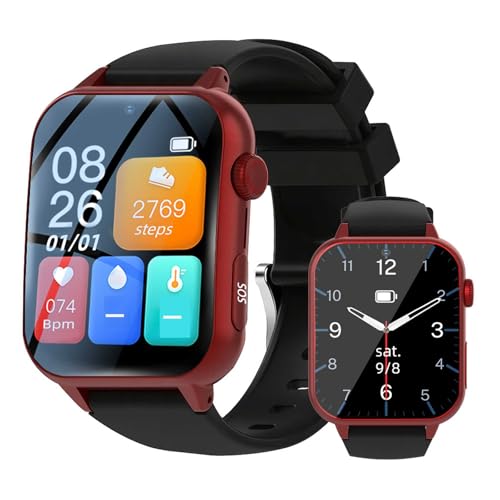
The Yihou is a straightforward watch with a fall alert and an SOS button, aimed at buyers who want a wrist device without spending much. Expect to spend between $50 and $100, and it keeps its feature list short.

It ranks seventh because it asks little and offers little. There is no cellular or GPS emphasis on the listing, so you should assume its range depends on how it connects to a phone or home network, and you should confirm that before buying. For a senior who is mostly at home with a phone nearby, that may be fine.

It works as an entry-level trial to see whether a senior will accept wearing a device at all. Skip it if the wearer drives, walks alone, or lives without a nearby phone.

Safety
Fall alert and SOS
Format
Watch
Price bracket
$50 to $100
Focus
Basic protection

What we like

  • +Inexpensive way to try a wearable
  • +Watch format is easy to accept
  • +SOS button is simple to press
  • +Keeps features focused

Watch out for

  • −Connectivity details are thin
  • −Few extras beyond the basics

Buy it if: Budget buyers who want to trial a wrist alert device.

Skip it if: The wearer is often away from home or a phone.

8

Most Features per Dollar

Fall Detection Smart Watch for Seniors Anti-Lost

Our verdict: HD video calling, GPS and heart rate in a watch, with less brand reassurance.

This watch lists HD video calling, GPS tracking and a heart rate monitor alongside fall detection, in the $50 to $100 bracket. On paper it packs the longest feature list in the group for the money.

It finishes last because a long feature list from a generic seller is not the same as dependable alerting. Video calls and GPS both drain a small battery, and there is little on the listing about monitoring, support or how alerts reach family. Treat the heart rate reading as general information, not a medical measurement.

It makes sense for a family that wants video check-ins and location in one inexpensive watch and is willing to verify the setup carefully. Skip it if you want proven support behind the alert.

Calling
HD video call
Location
GPS tracking
Health
Heart rate monitor
Price bracket
$50 to $100

What we like

  • +Video calling lets family check in
  • +GPS tracking included
  • +Heart rate sensor on the wrist
  • +Long feature list for the cost

Watch out for

  • −Little detail about support or monitoring
  • −Heavy features may shorten battery life

Buy it if: Families wanting video calls and location in a cheap watch.

Skip it if: You want dependable monitoring and clear support.

Methodology

How We Ranked These

Connectivity and Coverage

We checked whether each device works only at home or also away from it, through cellular, WiFi, GPS or phone pairing.

Wearability

Format, waterproofing and visible styling decide wear rate, so we rewarded devices a senior is likely to keep on.

Response Path

We compared who gets the alert: a professional centre, family members or an app, and how much each depends on someone answering.

Setup and Upkeep

Contracts, subscriptions, charging demands and caregiver apps affect how much work the family takes on.

Value for the Bracket

Features are weighed against the price bucket, with credit for clarity on the listing and penalties for vague claims.

Every Primea Score uses the same weights: Performance 30% · Build & Materials 20% · Everyday Usability 20% · Value 20% · Owner Satisfaction 10%. Full scoring rules

Buyer's guide

How to Pick the Right One for You

By Wearable Format

Format drives wear rate more than any feature, so start with what the senior will accept on the body.

FormatOur pick
Discreet watch with its own cellular linkUnaliWear Kanega Watch
Plain wristband with one buttonSecuLife SOS Wristband
Pendant for home and bathroomSecuLife Medical Alert Pendant
Necklace with caregiver appMedical Alert System, Advanced Necklace
Full smartwatchAudar E2 Senior Smartwatch

By Budget

SpendOur pick
Under $100SecuLife Medical Alert Pendant
$50 to $100 with monitoringADT On-The-Go Emergency Medical Alert
$100 to $200Audar E2 Senior Smartwatch
$200 to $500UnaliWear Kanega Watch

Professional Monitoring vs Family Alerts

Professional monitoring

A trained operator answers any hour and can dispatch help even when family cannot be reached. The ADT On-The-Go is the clearest example in this ranking, and it normally carries a recurring fee.

Family alerts

The alert goes straight to relatives through an app or call, with no contract in most cases. The SecuLife Pendant and the Advanced Necklace work this way and cost far less to run.

If anyone has doubts about reliably answering alerts, choose professional monitoring. Otherwise a family-alert pendant is the sensible default.

By Where the Wearer Spends the Day

SituationOur pick
Walks, drives or gardens outdoorsUnaliWear Kanega Watch
Mostly at home with relatives nearbySecuLife Medical Alert Pendant
Tends to wander or forget routesSecuLife SOS Wristband
Wants video check-insFall Detection Smart Watch Anti-Lost
Needs help to be dispatched without familyADT On-The-Go Emergency Medical Alert

For Seniors Who Resist Wearing Anything Specifically

Look for

A device that looks like ordinary jewellery or a watch, has a simple routine and does not need constant interaction. Waterproofing removes the main reason people take it off.

In this ranking

The UnaliWear Kanega is built around not looking medical. The Yihou watch is a cheaper way to test acceptance, and the SecuLife SOS Wristband works for anyone who dislikes screens.

When to Spend More

Spend more if

The wearer lives alone, goes out regularly, or has health conditions that raise fall risk. Cellular coverage, GPS and professional response justify the extra cost, which points to the Kanega or the ADT.

Save if

A relative lives close by and answers quickly, and the senior is mostly at home. The SecuLife Pendant covers the essentials at a fraction of the price.

Questions

Frequently Asked Questions

Do these devices work without a smartphone?+

It depends on the model. The Kanega lists its own cellular and WiFi connection, and the ADT On-The-Go is a self-contained mobile unit. Others, especially the cheaper watches, may rely on a paired phone or network, so check the listing before buying.

What is the most common mistake when buying a fall detection device?+

Buying for features instead of wear. A device left in a drawer or removed for the shower offers no protection. Pick the format the senior is comfortable wearing all day, and make sure it survives bathroom use.

Is a smartwatch with vital signs better than a dedicated alert device?+

Not for safety. Extra sensors like those on the Audar E2 are useful for general awareness but are not diagnostic, and they increase battery drain. A simpler device with a reliable alert path is usually the safer choice.

How should we set up the device for the first time?+

Charge it fully, add every emergency contact, and run a test alert with the family on the line. Walk the senior through the SOS button and confirm that the alert reaches every person on the list. Repeat the test every few months.

How often should the device be charged?+

Follow the manufacturer's guidance, and build a fixed routine such as charging while the wearer reads in the evening. Screens, calling and GPS all increase power draw, so watches with many features need more attention than a single-button band.

Can fall detection miss a fall?+

Yes. No automatic system catches every fall, and some everyday movements can trigger false alerts. That is why every wearer should still know how to press the SOS button, and why a plan for responding to alerts matters as much as the hardware.

Final take

Buy the UnaliWear Kanega if the senior is active and you want protection that works anywhere without looking medical. Choose the ADT On-The-Go when a professional response team matters more than style. For a home-based senior with close family, the SecuLife Pendant is the best value, and the SecuLife SOS Wristband is the pick for anyone who wants one button and no learning curve. Whatever you buy, test the alert before you need it.

More Ranked & Reviewed Guides