
Primea ReviewsAll Reviews

Primea Reviews is reader-supported. When you buy through our Amazon links we may earn a commission, at no extra cost to you. Rankings are set by our editors and never sold. Learn more

Ranked & Reviewed by Primea Reviews

The 8 Best 27 Inch Monitors Under $200, Ranked & Reviewed

By the Primea Editorial TeamUpdated November 3, 202610 min read8 products ranked
The 8 Best 27 Inch Monitors Under $200, Ranked & Reviewed

The short answer

The SANSUI 27 inch WQHD 200Hz Fast IPS is the best 27 inch monitor under $200 for its 1440p picture and fully adjustable stand. The Dell SE2726HG is the 240Hz IPS pick from a known brand, the 180Hz SANSUI is the arm-mount value and the Sceptre is the cheapest.

The Primea Scoreboard

Ranked & Reviewed

  1. A 1440p, 200Hz Fast IPS panel with a pivoting height-adjustable stand and 10-bit color listed.

    94Outstanding
    Check price
  2. A 1080p IPS panel at 240Hz and 0.5ms from a major office brand, with TUV eye-comfort certification.

    91Excellent
    Check price
  3. A 1440p 180Hz Fast IPS panel with dual DisplayPort and dual HDMI.

    89Excellent
    Check price
  4. A 1500R curved 1440p panel at 200Hz with Shadow Booster and a one-year warranty.

    86Excellent
    Check price
  5. A 1080p IPS office-first monitor with 144Hz, 1ms MPRT and thin bezels.

    84Very Good
    Check price
  6. A 1500R fast VA panel at 240Hz with 4000:1 contrast and a Delta E under 2 listed.

    82Very Good
    Check price
  7. A 1800R curved VA panel with 200Hz over DisplayPort and a tilt stand.

    80Very Good
    Check price
  8. A $50 to $100 monitor with two DisplayPort and two HDMI inputs and built-in speakers.

    78Very Good
    Check price

A 27 inch monitor at 1080p is the quiet disappointment of the sub-$200 market. The refresh numbers are impressive, but spread across that many inches the picture is soft, and text looks fuzzy after an hour at a desk. Resolution is the first decision, refresh rate is the second.

We ranked eight monitors from the listings on resolution, panel type, refresh by port, stand and warranty. Most list in the $100 to $200 bracket and therefore sit near the cap, and we flag where details are missing.

Before you buy

What Actually Matters

01

Resolution at 27 inches

At 1080p a 27 inch screen has about 82 pixels per inch, and at 1440p about 109. Text edges look visibly softer at 1080p. Check the resolution line before the refresh rate.

02

IPS vs VA

IPS panels keep color and brightness from the side, while VA panels offer deeper blacks and contrast but narrower angles. Fast VA can smear dark scenes. Match the panel to your room.

03

Refresh rate by port

A monitor may list 200Hz but reach it only on DisplayPort, with HDMI capped at 144Hz. Consoles and many laptops use HDMI. Check the table of inputs and the refresh at each.

04

Stand adjustment

Tilt-only stands force you to prop the screen up. Height and pivot stands fit a desk better. Without them you need a VESA arm, so check for 100 by 100 millimeter holes.

05

Brightness and contrast

300 nits suffices for dim rooms, 400 helps near windows. Contrast ratio on VA is higher, but numbers are manufacturer claims. Look for nits and panel type together.

In-depth reviews

Our Ranked Picks, Reviewed

1

Best Overall

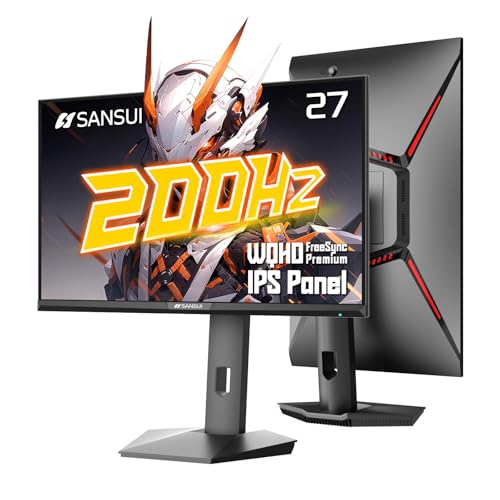
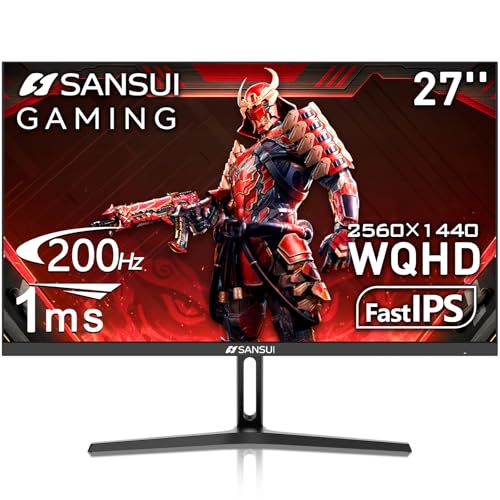
SANSUI 27 Inch WQHD 200Hz Fast IPS Monitor

Our verdict: A 1440p, 200Hz Fast IPS panel with a pivoting height-adjustable stand and 10-bit color listed.

This SANSUI is a 27 inch 2560 by 1440 Fast IPS monitor that runs up to 200Hz over DisplayPort 1.2 and 144Hz over HDMI 2.0, with 1ms MPRT, FreeSync Premium and 400 nits of brightness. The listing cites 10-bit color, 95 percent DCI-P3 and a stand that adjusts for height (0 to 130 millimeters), swivel, tilt and pivot, plus a 100 by 100 VESA mount.

It ranks first because the resolution and the stand are the two things that make a 27 inch screen comfortable for office work: at 1440p the pixel density is about 109 per inch against roughly 82 at 1080p, so text is crisper, and a stand with height and pivot saves a monitor arm. The listing says a cable carrying 1440p at 200Hz is needed, so use the DisplayPort cable supplied. It lists in the $100 to $200 bracket, so verify the live price against your cap.

Buy it for mixed work and gaming. Skip it if you need built-in speakers, since there are none.

Panel
27 in Fast IPS, 2560x1440
Refresh
200Hz DP, 144Hz HDMI
Brightness
400 nits
Stand
Height, swivel, tilt, pivot

What we like

  • +1440p sharpness at 27 inches
  • +Full height and pivot stand
  • +400 nit brightness listed
  • +30-day money-back terms

Watch out for

  • −No built-in speakers
  • −Needs the right cable for 200Hz

Buy it if: People who split the day between spreadsheets and games.

Skip it if: You want built-in speakers.

2

Best Brand Name

Dell 27 SE2726HG 240Hz Gaming Monitor

Our verdict: A 1080p IPS panel at 240Hz and 0.5ms from a major office brand, with TUV eye-comfort certification.

The SE2726HG is a 27 inch 1920 by 1080 IPS monitor with a 240Hz refresh rate, a listed 0.5ms response time, FreeSync Premium, HDMI VRR and 99 percent sRGB coverage. It carries TUV Rheinland 3-star eye comfort certification.

It ranks second because the refresh rate is the highest of the IPS options and the brand brings a familiar support channel, but 1080p stretched over 27 inches gives a softer picture than the 1440p SANSUI. Fast competitive games reward the 240Hz, and a console on HDMI can use VRR. The listing bracket is $100 to $200.

Buy it if frame rate is your priority. Skip it if you read lots of small text.

Panel
27 in IPS, 1920x1080
Refresh
240Hz
Response
0.5 ms listed
Color
99% sRGB

What we like

  • +240Hz refresh on IPS
  • +FreeSync Premium and HDMI VRR
  • +99 percent sRGB coverage
  • +TUV 3-star eye comfort

Watch out for

  • −1080p looks soft at 27 inches
  • −Stand details not listed

Buy it if: Competitive gamers who want an IPS panel and a known brand.

Skip it if: You prioritize text sharpness.

3

Best Value 1440p

SANSUI 27 Inch WQHD 180Hz Fast IPS Monitor

Our verdict: A 1440p 180Hz Fast IPS panel with dual DisplayPort and dual HDMI.

This SANSUI runs 2560 by 1440 at up to 180Hz on DisplayPort 1.2 and 144Hz on HDMI 2.0, with a 1ms response time, 120 percent sRGB, 320 nits and anti-flicker and low blue light modes. It has two DisplayPort and two HDMI inputs, a 100 by 100 VESA mount and a stand that only tilts from -5 to 15 degrees.

It places third because it gives you the same 1440p sharpness as the leader but with lower brightness, a tilt-only stand and a 180Hz ceiling. The four inputs are handy for a PC plus a console. Warranty terms listed are 30-day money-back and lifetime technical support. Our data places it between $100 and $200.

Buy it if you plan to use a monitor arm. Skip it if you rely on the stand for height.

Panel
27 in Fast IPS, 2560x1440
Refresh
180Hz DP, 144Hz HDMI
Brightness
320 nits
Inputs
2 DP, 2 HDMI

What we like

  • +1440p panel with four inputs
  • +180Hz over DisplayPort
  • +Anti-flicker and low blue light
  • +VESA 100 mount ready

Watch out for

  • −Tilt-only stand
  • −Dimmer than the leader

Buy it if: Buyers with a monitor arm who want sharp text.

Skip it if: You need a height-adjustable stand.

4

Best Curved 1440p

SANSUI 27 Inch WQHD 200Hz Curved Gaming Monitor

Our verdict: A 1500R curved 1440p panel at 200Hz with Shadow Booster and a one-year warranty.

This curved SANSUI offers 2560 by 1440 at 200Hz over DisplayPort 1.4 and 144Hz over HDMI 2.0, with a 1500R curve, 1ms MPRT, FreeSync, a 5000:1 contrast ratio, 90 percent DCI-P3 and 300 nits. It includes a crosshair overlay, a Shadow Booster black-level control, a Kensington lock slot and a tilt-only stand.

It ranks fourth because the curve and high contrast suit games and film, but contrast is a trade against viewing angle, and 300 nits is modest for a bright room. The listing states a one-year quality warranty plus the usual 30-day money-back. Expect it somewhere between $100 and $200, so confirm the price.

Buy it for immersive games. Skip it if you need accurate colors for design.

Panel
27 in curved 1500R, 2560x1440
Refresh
200Hz DP 1.4
Contrast
5000:1
Warranty
1 year plus 30-day return

What we like

  • +1440p at 200Hz
  • +High 5000:1 contrast
  • +Shadow Booster black control
  • +One-year warranty listed

Watch out for

  • −Tilt-only stand
  • −Only 300 nits bright

Buy it if: Gamers who want a curved 1440p screen.

Skip it if: You do color-critical work.

5

Best Office Use

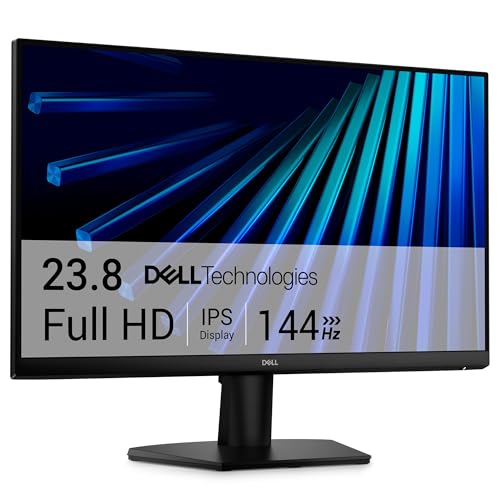
Dell 27 SE2726H 144Hz Monitor

Our verdict: A 1080p IPS office-first monitor with 144Hz, 1ms MPRT and thin bezels.

The SE2726H is a 27 inch 1920 by 1080 IPS monitor at 144Hz with a 1ms MPRT response, ultra-thin bezels and a 178 degree viewing angle. It carries the same TUV Rheinland 3-star eye comfort certification as its sibling.

It ranks fifth because it is the quieter sibling of the SE2726HG: lower refresh, less to brag about, but a sensible office panel with thin bezels for dual-screen setups. The listing is thin on inputs and stand details, which is a gap to check. It lists in the $100 to $200 bracket, so compare it to the 240Hz Dell before choosing.

Buy it for office and everyday use. Skip it if you want 240Hz.

Panel
27 in IPS, 1920x1080
Refresh
144Hz
Response
1 ms MPRT
Viewing angle
178 degrees

What we like

  • +144Hz IPS smoothness
  • +Thin bezels for dual setups
  • +TUV 3-star eye comfort
  • +Wide 178 degree view

Watch out for

  • −Inputs and stand not listed
  • −1080p at 27 inches

Buy it if: Office users who want an IPS panel from a known brand.

Skip it if: You need 240Hz or 1440p.

6

Best Fast VA

SANSUI 27 Inch Curved 240Hz FHD Monitor

Our verdict: A 1500R fast VA panel at 240Hz with 4000:1 contrast and a Delta E under 2 listed.

This curved SANSUI runs a 1920 by 1080 fast VA panel at 240Hz over DisplayPort 1.4 or HDMI, with 1ms MPRT, FreeSync, 4000:1 contrast, 300 nits, 130 percent sRGB and a Delta E under 2 on the listing. The stand tilts 5 to 15 degrees and it has a 100 by 100 VESA mount.

It ranks sixth because VA panels give deep blacks but have narrower viewing angles and smear in fast dark scenes more than IPS, and 1080p is soft at 27 inches. It does offer the highest refresh rate among the curved options. Listed between $100 and $200 in our data.

Buy it for fast games in a dim room. Skip it if you sit off-center.

Panel
27 in curved fast VA, 1080p
Refresh
240Hz, DP and HDMI
Contrast
4000:1
Color
130% sRGB, Delta E under 2

What we like

  • +240Hz on DP and HDMI
  • +Deep 4000:1 contrast
  • +Delta E under 2 listed
  • +VESA 100 ready

Watch out for

  • −VA viewing angles
  • −1080p softness

Buy it if: Dim-room gamers who want contrast and speed.

Skip it if: You share the screen with others.

7

Best Budget Curved

ZZA 27 Inch Curved 1080p 200Hz Gaming Monitor

Our verdict: A 1800R curved VA panel with 200Hz over DisplayPort and a tilt stand.

The ZZA is a 27 inch 1080p curved VA monitor with an 1800R curve, 200Hz over DisplayPort 1.4, 144Hz over HDMI 2.0, 1ms MPRT, FreeSync, 4000:1 contrast and 120 percent sRGB. It has a tilt stand (-5 to 15 degrees), a 100 by 100 VESA mount and a headphone jack, with no built-in speakers.

It ranks seventh because it covers the same ground as the other 1080p panels with a less established brand and no extras. The gentler 1800R curve is easier on desk work than tighter curves. Its bracket runs $100 to $200 on the listing.

Buy it for casual curved gaming. Skip it if you want a recognized warranty.

Panel
27 in curved VA, 1080p
Refresh
200Hz DP, 144Hz HDMI
Curve
1800R
Mount
VESA 100, tilt stand

What we like

  • +Gentle 1800R curve
  • +200Hz on DisplayPort
  • +4000:1 contrast
  • +FreeSync support

Watch out for

  • −Less established brand
  • −No built-in speakers

Buy it if: Casual gamers who like a curve.

Skip it if: You want strong brand support.

8

Best Lowest Cost

Sceptre 27 Inch Prime Gaming Monitor 180Hz

Our verdict: A $50 to $100 monitor with two DisplayPort and two HDMI inputs and built-in speakers.

The Sceptre Prime has two DisplayPort and two HDMI inputs that carry up to 180Hz, near-bezel-free edges, Blue-Light Shift, built-in speakers and custom FPS and RTS gaming modes. The details we reviewed do not state resolution or panel type, so confirm both on the listing.

It places last because the missing resolution and panel detail leave too much to check, though the $50 to $100 bracket makes it by far the cheapest here. Built-in speakers save a desk accessory, but they are basic.

Buy it as a spare or a budget second screen. Skip it if you need documented panel specs.

Size
27 in
Refresh
Up to 180Hz
Inputs
2 DisplayPort, 2 HDMI
Audio
Built-in speakers

What we like

  • +Lowest price in this ranking
  • +Four inputs at 180Hz
  • +Built-in speakers
  • +Near-bezel-free design

Watch out for

  • −Resolution not stated
  • −Panel type not stated

Buy it if: Shoppers who want the cheapest 27 inch with speakers.

Skip it if: You need confirmed resolution and panel specs.

Methodology

How We Ranked These

Resolution and sharpness

We compared 1080p and 1440p at 27 inches by pixel density, since text clarity is the biggest quality gap in this class.

Panel type and color

We separated IPS from VA and checked listed color gamut, brightness and contrast.

Refresh and inputs

We recorded refresh rate by port, because many monitors reach full speed only on DisplayPort.

Stand and mounting

We checked height, pivot and tilt ranges and VESA support.

Support and price

We noted warranty and return terms, and that most picks list in the $100 to $200 bracket, near the cap.

Every Primea Score uses the same weights: Performance 30% · Build & Materials 20% · Everyday Usability 20% · Value 20% · Owner Satisfaction 10%. Full scoring rules

Buyer's guide

How to Pick the Right One for You

By Resolution

Sharpness is the biggest quality jump at 27 inches.

ResolutionOur pick
1440p, adjustable standSANSUI 27 Inch WQHD 200Hz Fast IPS Monitor
1440p, arm mountSANSUI 27 Inch WQHD 180Hz Fast IPS Monitor
1440p, curvedSANSUI 27 Inch WQHD 200Hz Curved Gaming Monitor
1080p, 240Hz IPSDell 27 SE2726HG 240Hz Gaming Monitor
1080p, officeDell 27 SE2726H 144Hz Monitor

By Budget

Most picks list in the $100 to $200 bracket, so the cap is close.

SpendOur pick
$50 to $100Sceptre 27 Inch Prime Gaming Monitor 180Hz
$100 to $200, best overallSANSUI 27 Inch WQHD 200Hz Fast IPS Monitor
$100 to $200, brandDell 27 SE2726HG 240Hz Gaming Monitor
$100 to $200, curvedZZA 27 Inch Curved 1080p 200Hz Gaming Monitor
$100 to $200, fast VASANSUI 27 Inch Curved 240Hz FHD Monitor

Flat vs Curved

Flat

Accurate lines for spreadsheets and design. Picks: SANSUI WQHD IPS models and both Dell models.

Curved

More immersive for games and film. Picks: SANSUI curved 1440p, SANSUI 240Hz, ZZA, and the Sceptre if you want a curve.

Default to flat for mixed work.

By Panel Type

Choose for your room and your seat.

PanelOur pick
Fast IPS, wide anglesSANSUI 27 Inch WQHD 200Hz Fast IPS Monitor
IPS, 240HzDell 27 SE2726HG 240Hz Gaming Monitor
VA, deep blacksSANSUI 27 Inch Curved 240Hz FHD Monitor
VA, gentle curveZZA 27 Inch Curved 1080p 200Hz Gaming Monitor

For Dual-Screen Offices Specifically

Look for

Thin bezels, matched panel types and a VESA mount or a stand that adjusts to the same height.

In this ranking

Dell SE2726H for thin bezels and SANSUI 1440p IPS for text sharpness.

When to Spend More

Spend more if

You want HDR that actually works, factory color calibration or USB-C docking. Those begin above $200.

Save if

You play casually. The Sceptre or the Dell 144Hz cover that for less.

Questions

Frequently Asked Questions

Do these monitors work with a PlayStation or Xbox?+

They have HDMI 2.0, which tops out at 144Hz on the SANSUI and ZZA models. The Dell SE2726HG lists HDMI VRR.

What is the most common mistake with 27 inch monitors?+

Buying 1080p for the refresh rate. At 27 inches the softness is noticeable in text, so consider 1440p first.

Is the SANSUI 1440p worth it over the Dell 240Hz?+

For work and general use, yes. Choose the Dell only if frame rate dominates.

How do I get 200Hz on the SANSUI?+

Use the DisplayPort cable in the box and set the refresh rate in your operating system settings.

How do I clean a monitor screen?+

Power it off and wipe with a dry microfiber cloth, adding a drop of water only for stuck marks.

Can I mount these on an arm?+

All of those with 100 by 100 VESA mounts can. The Dell listings do not state VESA details, so verify first.

Final take

The SANSUI 27 inch WQHD 200Hz Fast IPS is the 27 inch monitor to buy under $200 because it joins 1440p sharpness with a proper stand. Take the Dell SE2726HG for 240Hz and a known brand, and the 180Hz SANSUI if you use an arm. Check live prices, since most picks list near the cap.

More Ranked & Reviewed Guides